
TekMatix Blog & Help Articles
Use the search bar below to look for help articles you need.
Meta Special Ad Categories - Smart Defaults and Compliance Warnings Summary
Running Meta advertising campaigns in industries such as housing, employment, financial services, credit, or political and social issues comes with additional compliance requirements.
To help you avoid common publishing errors and campaign rejections, Tekmatix Ad Manager now provides smarter guidance and real-time compliance alerts when creating campaigns that fall under Meta's Special Ad Categories.
This update gives you greater visibility into potential targeting issues before publishing, helping you save time, reduce frustration, and improve campaign success rates.
What's New?
Campaign-Level Compliance Guidance
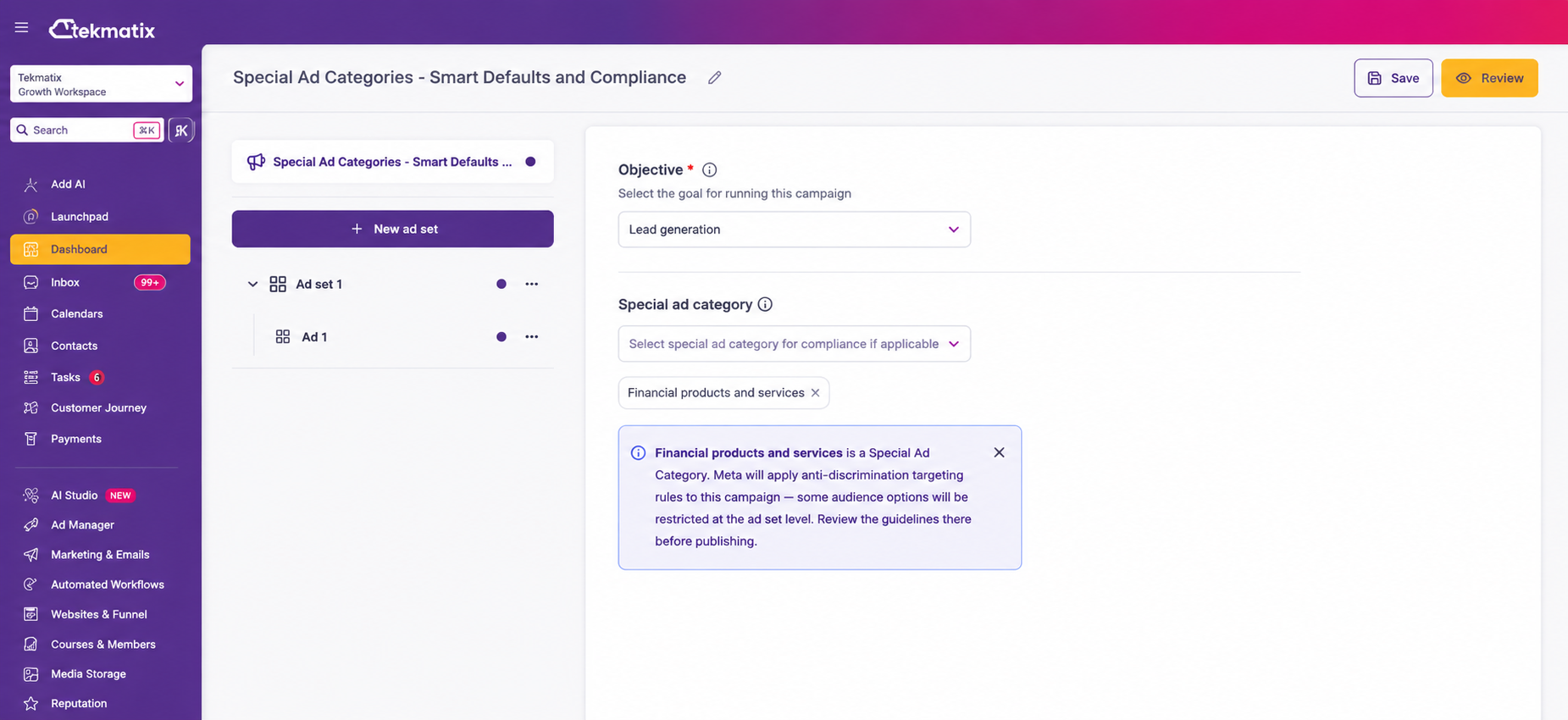
When you select a Special Ad Category during campaign setup, Tekmatix will now display an informational notice explaining that additional Meta advertising restrictions may apply.
This helps ensure you're aware of the requirements from the very beginning of the campaign creation process.
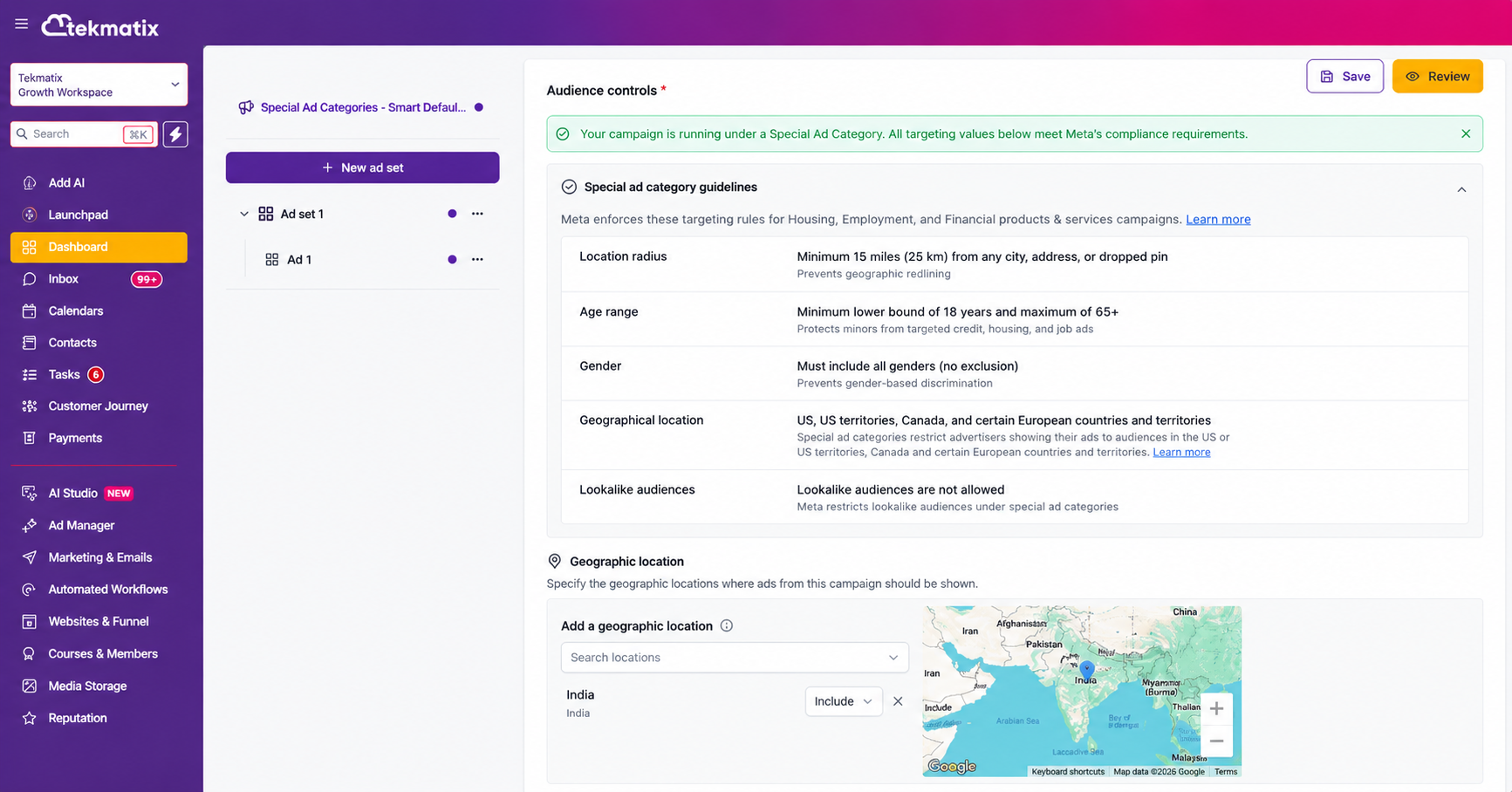
Audience Compliance Status
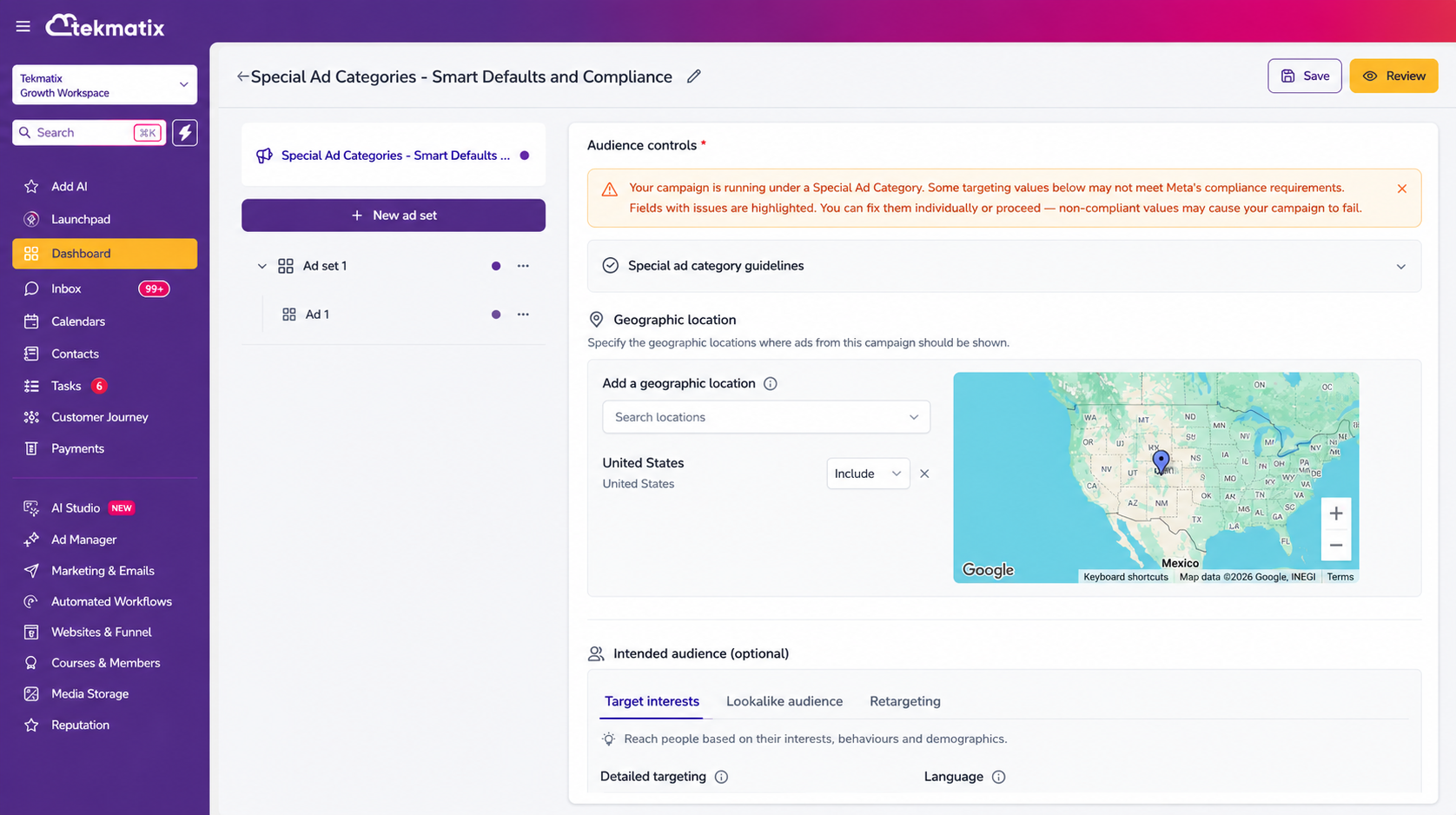
Within your Ad Set audience settings, you'll now see a compliance banner that indicates whether your current targeting selections appear compliant or require attention.
This provides a quick visual check before moving forward.
Built-In Special Ad Category Guidelines
A new expandable guidelines section is available directly inside the Audience controls area.
This gives you easy access to Meta's key targeting requirements without needing to leave the campaign builder or search through external documentation.
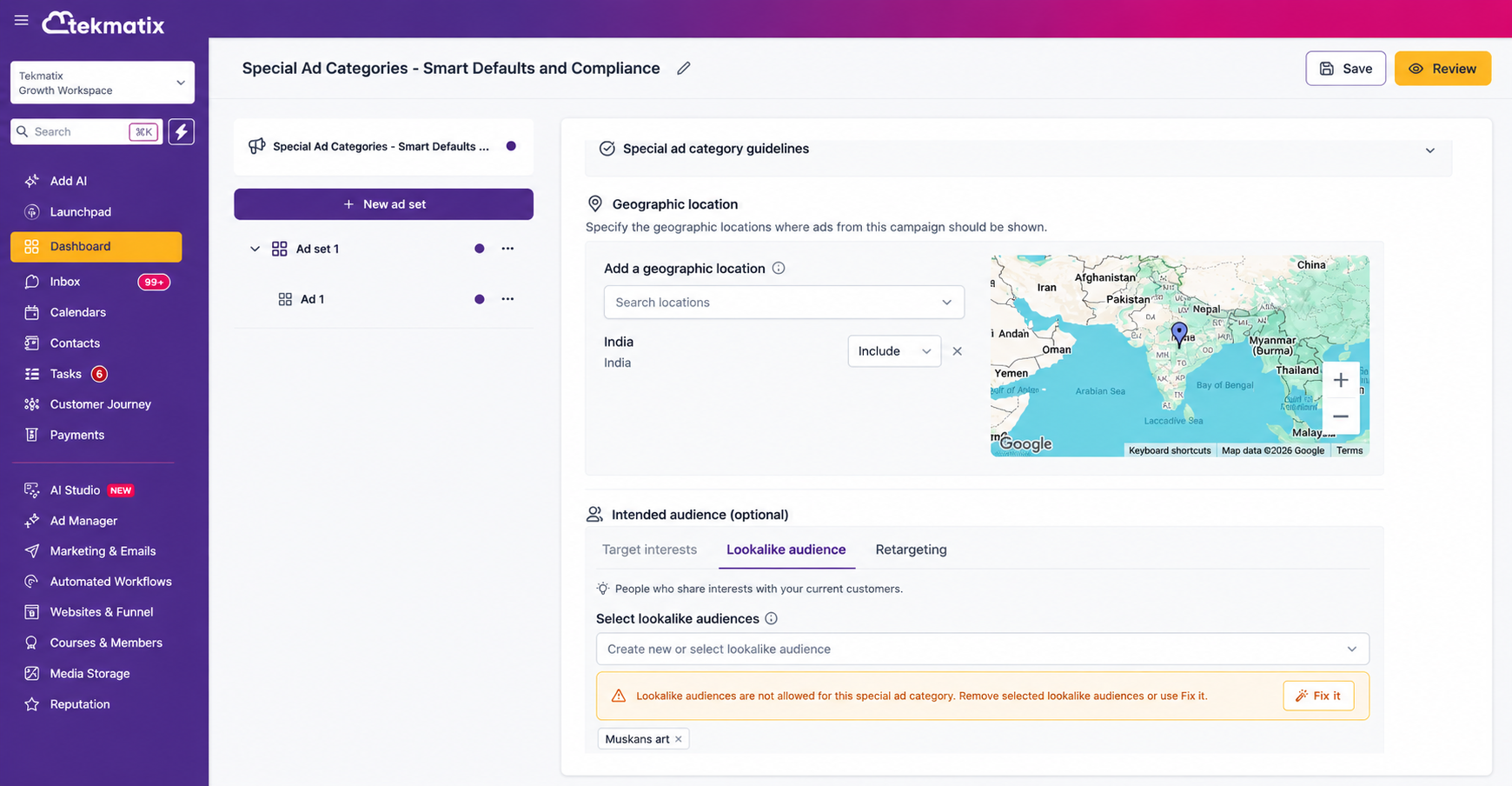
Field-Level Compliance Warnings
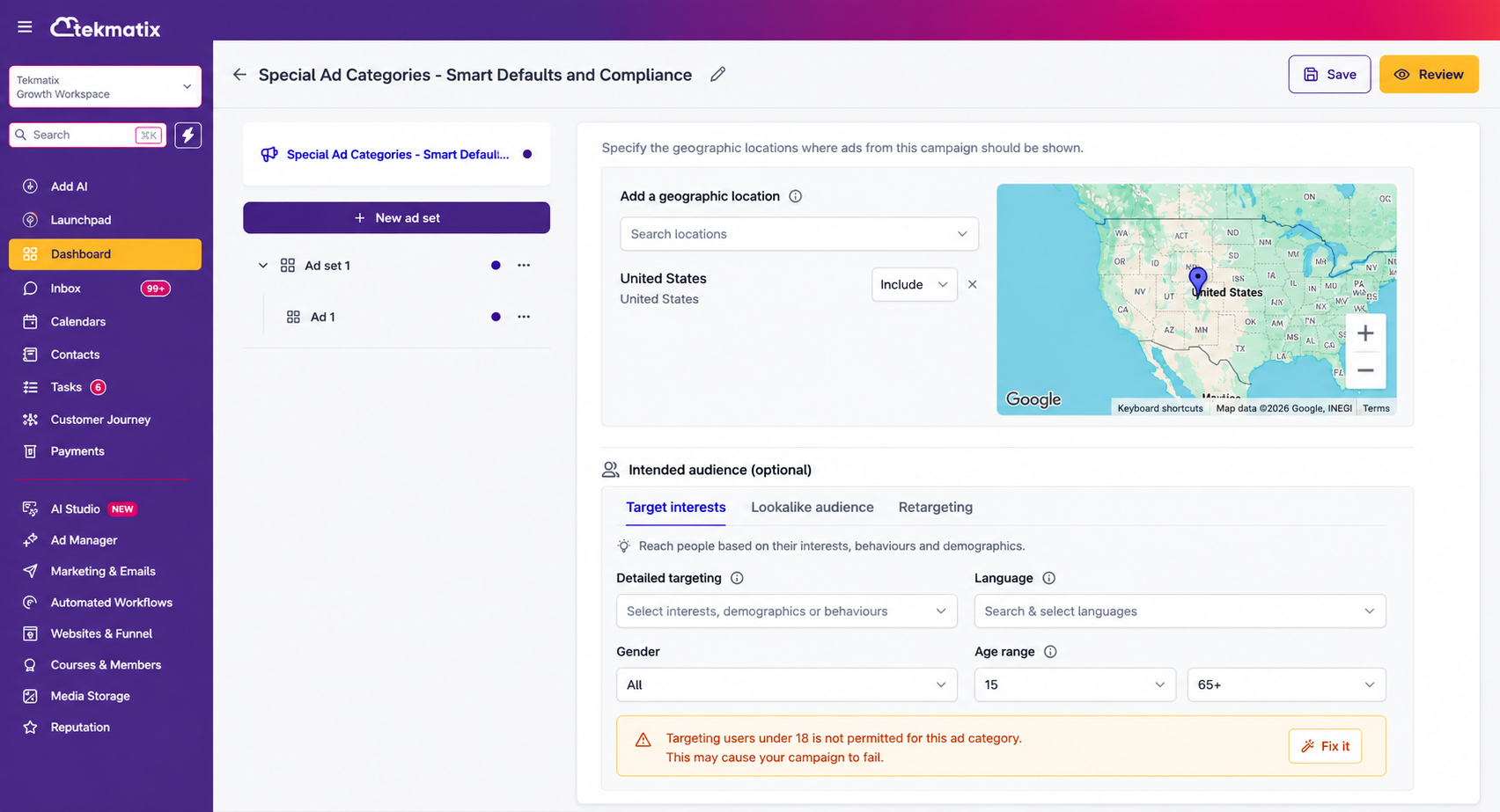
If audience targeting settings may not meet Meta's Special Ad Category requirements, Tekmatix will highlight the relevant fields and display helpful warnings.
This makes it easier to identify exactly what needs to be reviewed or adjusted.
One-Click Fix Suggestions
Where possible, you'll see a convenient "Fix It" option that allows you to apply recommended compliant values with a single click.
You can also choose to make adjustments manually if preferred.
Flexible, Non-Blocking Workflow
The new compliance guidance is advisory rather than restrictive.
You can continue building and publishing your campaign, but Tekmatix will clearly notify you when audience settings may increase the risk of campaign publishing issues or rejection.
How to Use This Feature
Create or edit a Meta advertising campaign in Tekmatix Ad Manager.
Select a Special Ad Category at the campaign level.
Review the compliance notice displayed beneath the category selection.
Navigate to the Audience section within your Ad Set settings.
Review the compliance status banner and targeting guidelines.
Resolve any highlighted issues using the "Fix It" option or by updating audience settings manually.
Continue through the Review and Publish process as normal.
Why This Matters
Meta enforces strict advertising policies for campaigns related to:
Housing
Employment
Credit
Financial products and services
Social issues
Elections
Politics
If targeting settings do not meet Meta's requirements, campaigns can fail during the publishing process or be rejected altogether.
This new Tekmatix enhancement helps identify potential issues earlier, giving you the opportunity to review and correct them before publication.
The result is a smoother campaign creation experience, fewer publishing errors, and greater confidence that your ads meet Meta's compliance standards.
Important Notes
This feature applies to Meta campaigns created within Tekmatix Ad Manager.
Compliance warnings are advisory and do not prevent you from continuing.
Tekmatix will never automatically change your targeting settings.
Any audience adjustments remain fully under your control.
The "Fix It" recommendations are optional and can be applied or ignored at your discretion.
As always, our goal is to help you launch campaigns faster, stay compliant, and spend less time troubleshooting advertising issues.

Copyright © 2026 TekMatix. All rights reserved | [email protected]