
TekMatix Blog & Help Articles
Use the search bar below to look for help articles you need.

How To Track and Optimize Gift Card Performance Using the Tekmatix Gift Card Dashboard
How To Track and Optimize Gift Card Performance Using the Tekmatix Gift Card Dashboard
Why the Gift Card Dashboard Is Important
Selling gift cards is only half the strategy tracking performance is where growth happens.
The Tekmatix Gift Card Dashboard gives you a clear, centralized view of how your gift card program is performing, so you can:
Measure revenue impact
Understand customer buying behavior
Identify top-performing denominations
Audit individual gift card orders quickly
Instead of guessing which gift cards work best, the dashboard helps you make data-driven decisions to increase sales and improve promotions.
What Is the Tekmatix Gift Card Dashboard?
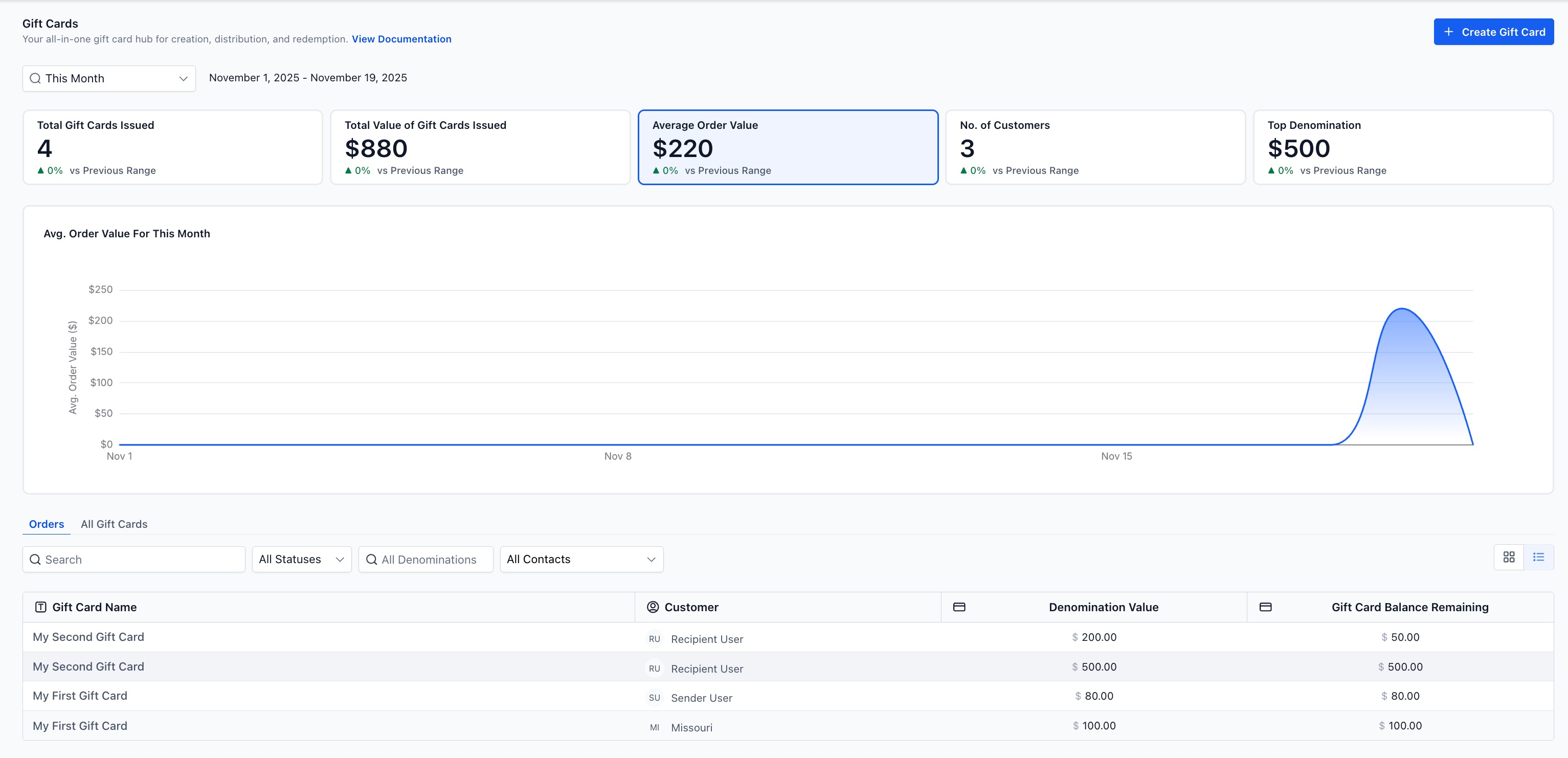
The Gift Card Dashboard, found under Payments → Gift Cards, is an analytics and reporting area that shows how your gift cards are performing over time.
From this dashboard, you can:
View overall gift card issuance and value
Track buyer trends and average order value
See which denominations sell best
Drill into individual Gift Card Orders to verify balance, status, and recipient details
It acts as your single source of truth for everything related to gift card performance in Tekmatix.
Key Benefits of Using Gift Card Analytics
Why You Should Check This Dashboard Regularly
Fast insights: Instantly see cards issued, total value, and top denominations
Smarter merchandising: Adjust pricing and offers based on what customers actually buy
Easy auditing: Jump from summary metrics directly into individual gift card orders
Flexible comparisons: Analyze results by day, week, month, or custom date ranges
Understanding Filters and Date Ranges
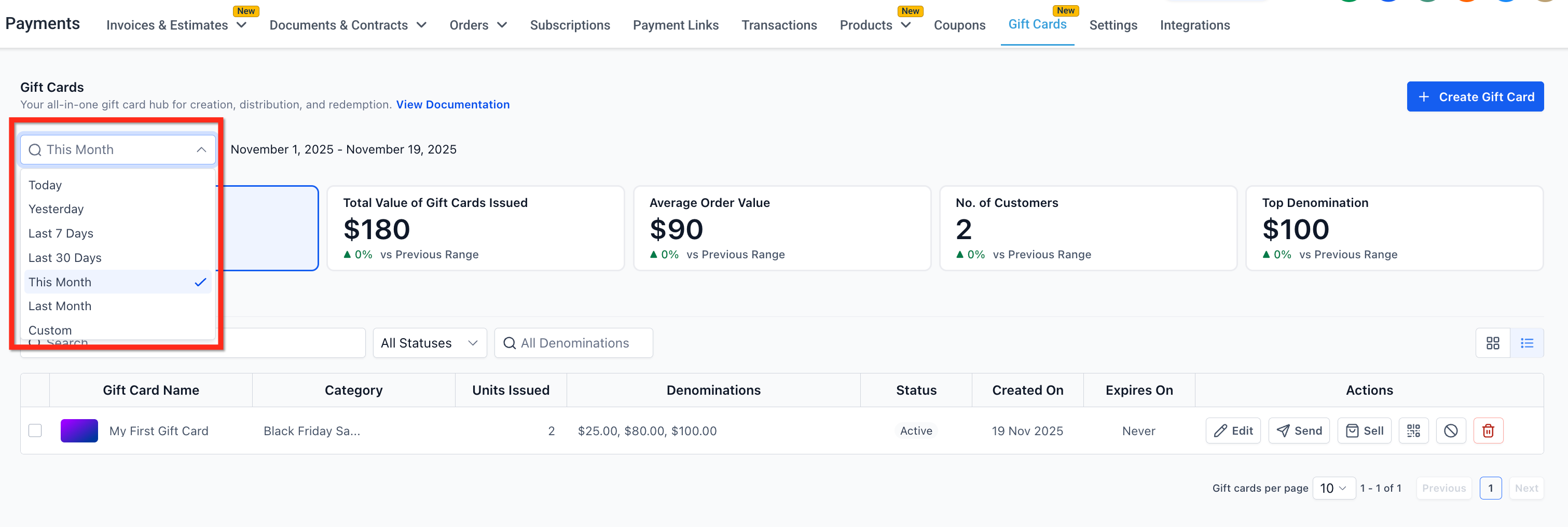
At the top-left of the Gift Cards section, you’ll find date filters that control what data appears in the dashboard.
Available Date Filters Include:
Today
Yesterday
Last 7 Days
Last 30 Days
This Month (default)
Last Month
Custom Date Range
These filters remain consistent whether you’re viewing:
Gift Card Products
Gift Card Orders
Dashboard metrics
Tip: Use custom date ranges to measure the success of specific campaigns or promotions.
Key Gift Card Dashboard Metrics Explained
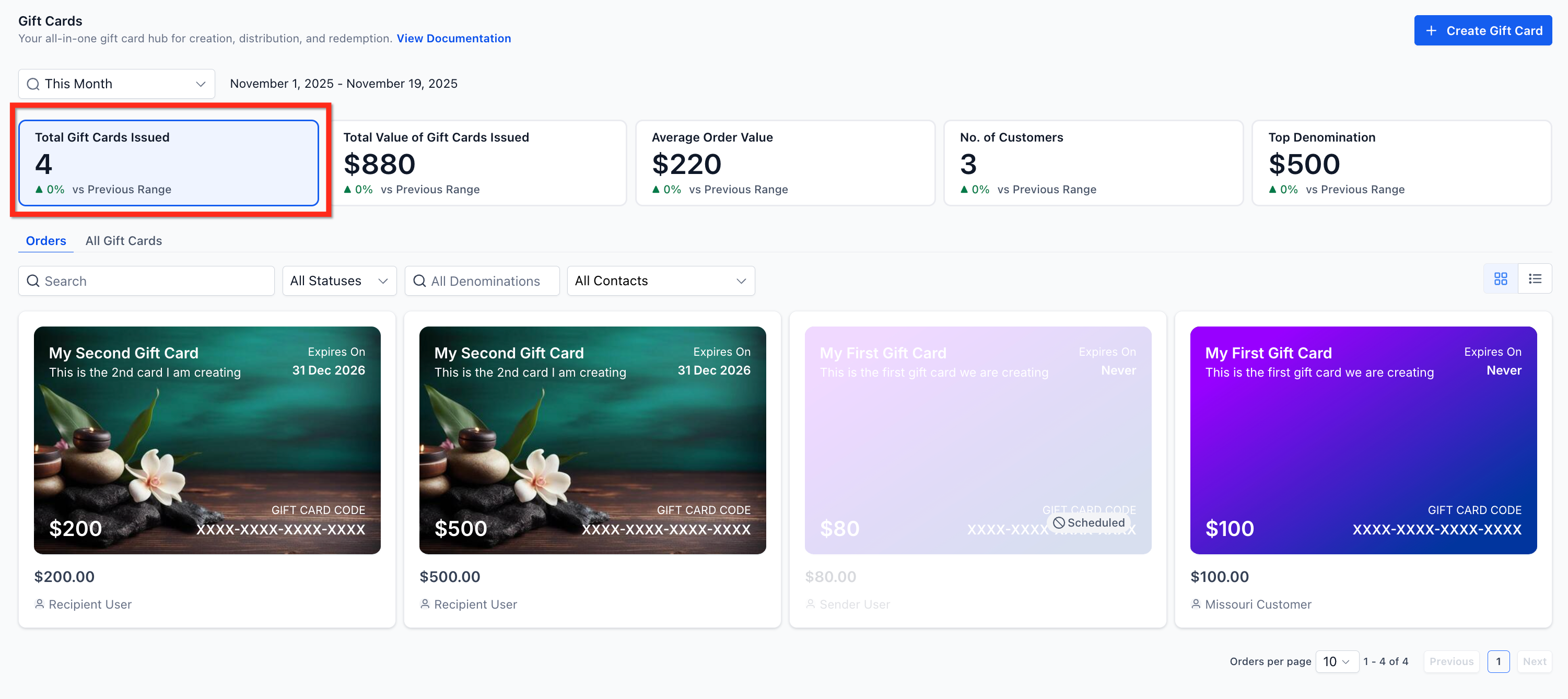
1. Total Gift Cards Issued
Shows the total number of gift cards created within the selected time period, including:
Gift cards sold through any checkout
Gift cards sent directly using the Send flow
Why it matters:
This helps you understand overall adoption and usage of gift cards.
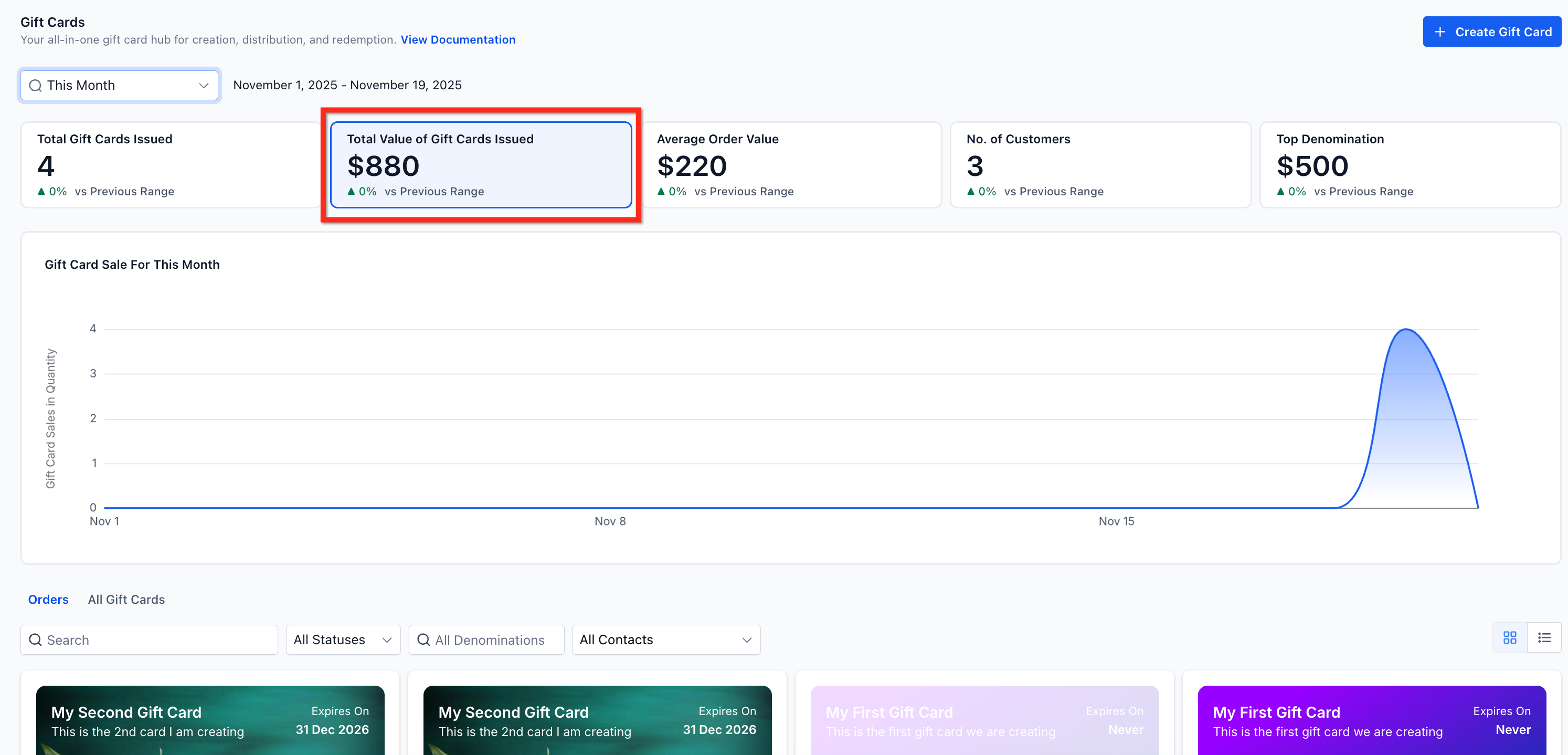
2. Total Value of Gift Cards Issued
Displays the total monetary value of all issued gift cards, along with a trend chart over time.
Why it matters:
This metric highlights revenue impact and helps identify seasonal spikes or campaign-driven growth.
Example:
If five $500 cards and two $2,000 cards were issued, the total value would show $6,500.
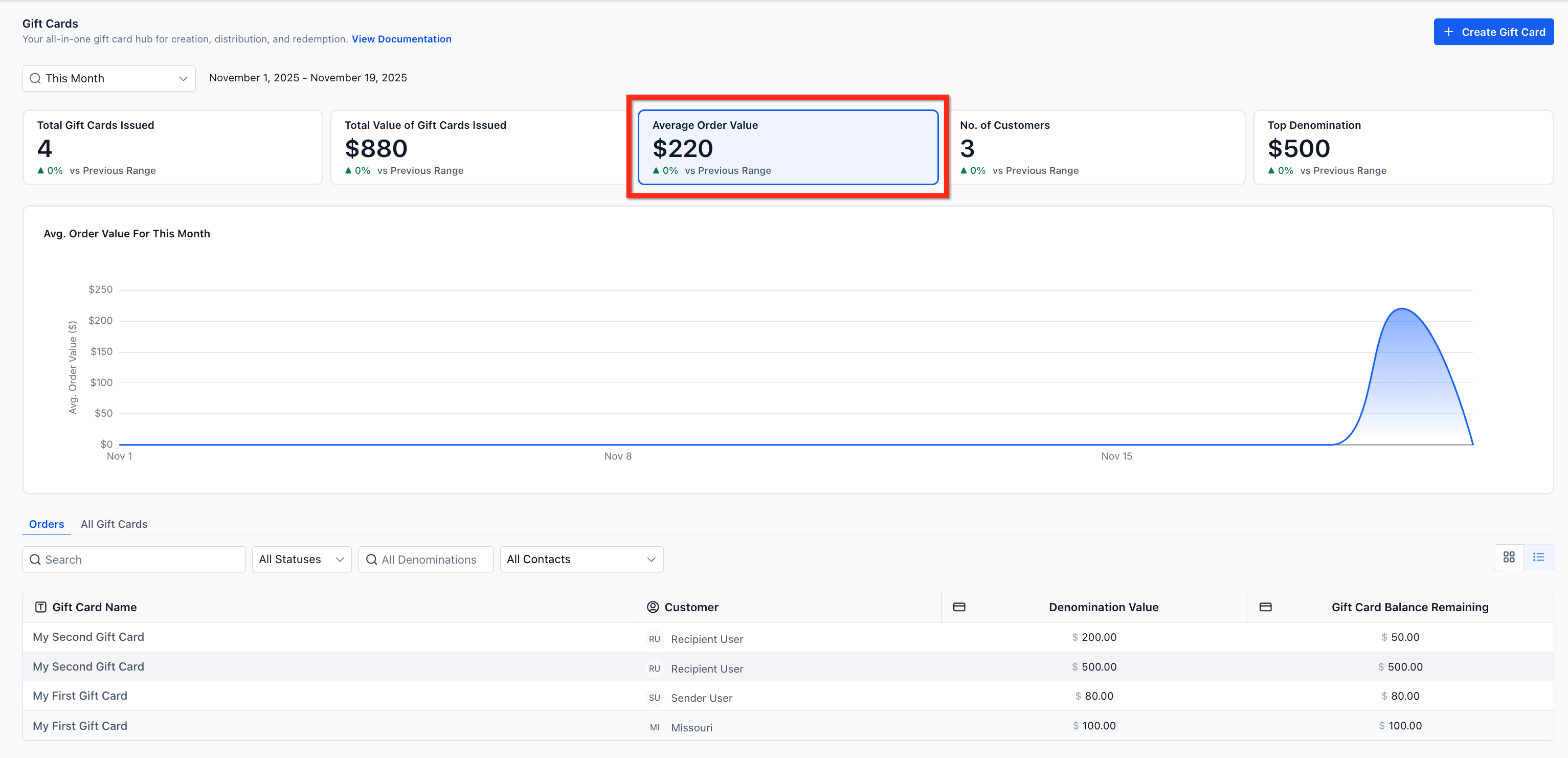
3. Average Order Value (AOV)
Shows the average value per gift card order.
Why it matters:
AOV tells you whether customers prefer lower-value gifts or premium denominations — useful for pricing and upsell strategies.
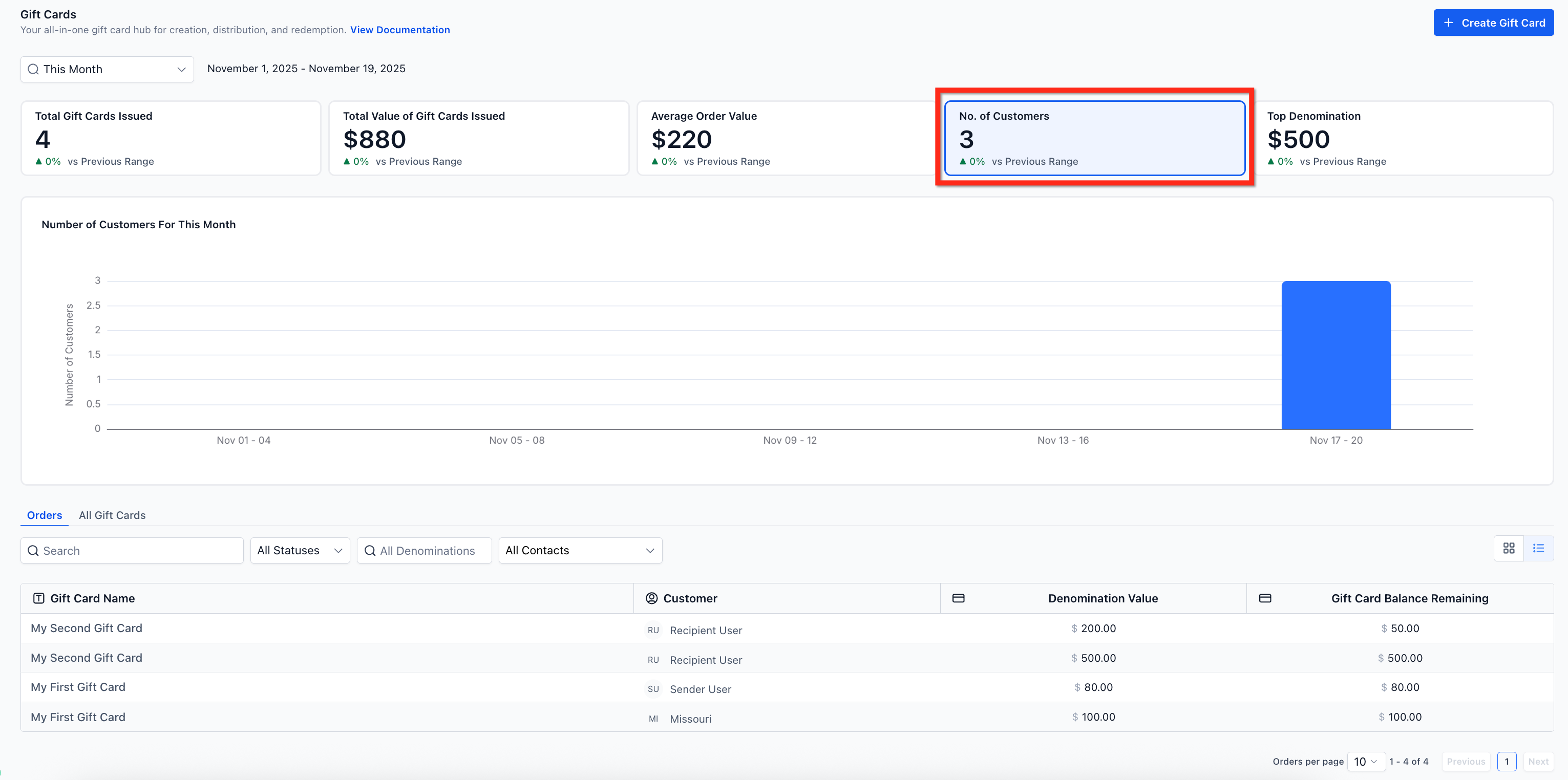
4. Number of Unique Customers
Represents how many distinct individuals purchased or received a gift card during the selected time period.
Why it matters:
This helps measure:
Reach of your gift card program
Customer acquisition through giftin
Repeat or new buyer activity
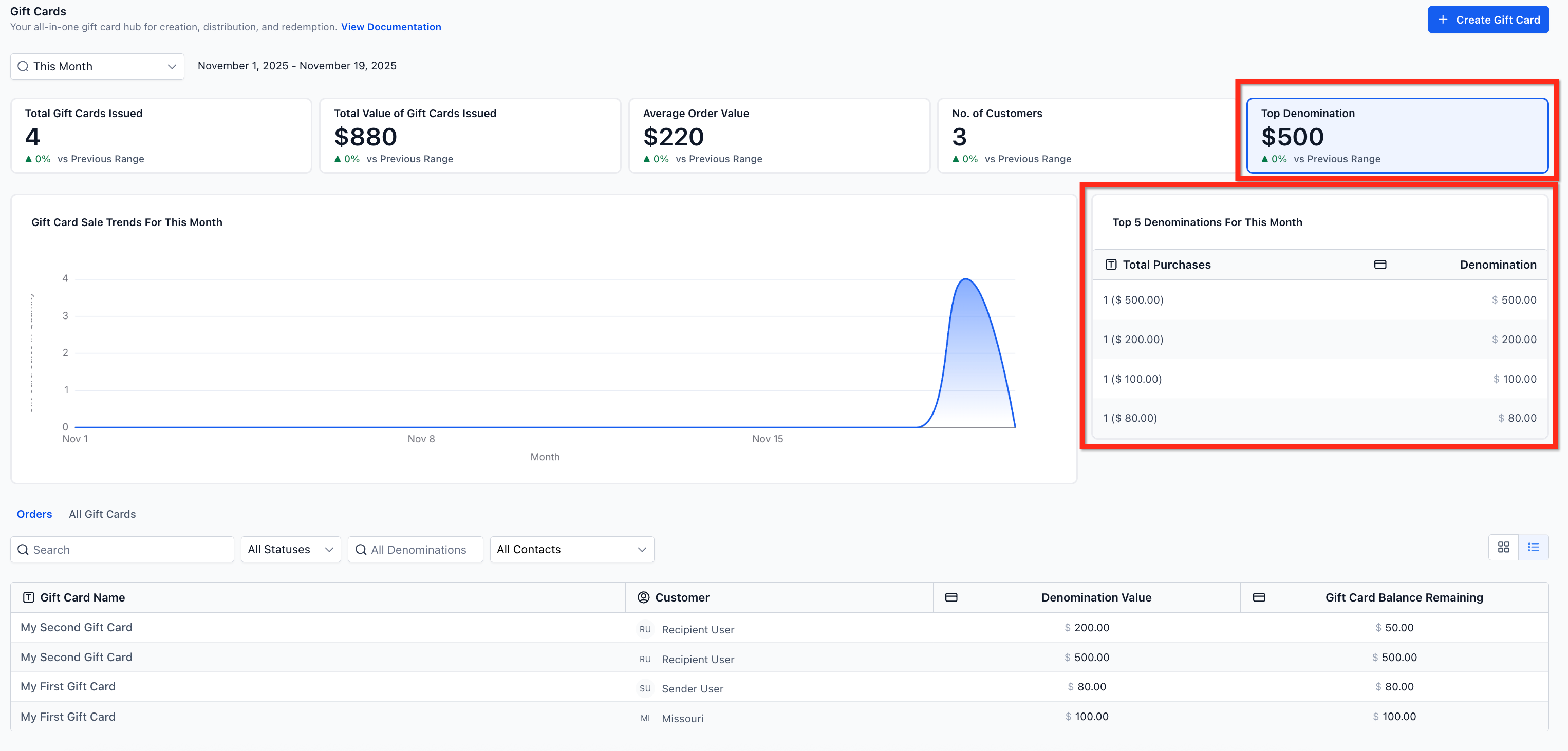
5. Top Denominations & Popularity Chart
Highlights:
The most frequently issued denomination
A Top 5 denominations ranking
Why it matters:
You can optimize your gift card offerings based on what customers actually buy.
Example:
Top 5 denominations might show:
$1,000 → $500 → $2,000 → $250 → $5,000
How To Review Individual Gift Card Orders
Gift Card Orders Page Overview
The Gift Card Orders page lists every gift card that has been:
Sold
Sent
Each order shows:
Customer details
Gift card status
Remaining balance
Denomination and delivery method
Clicking an order opens a detailed view, which acts as the definitive record for that gift card.
Why This Matters
This makes it easy to:
Confirm delivery status
Answer customer inquiries
Audit balances and redemption status
Filter by contact, status, or denomination
Sample Use Case: Measuring a Holiday Gift Card Campaign
Scenario
A fitness studio runs a holiday promotion selling $50, $100, and $250 gift cards.
How They Use the Dashboard
Set the date filter to Last 30 Days
Review Total Value Issued to measure campaign revenue
Check Top Denominations and notice $100 cards perform best
Analyze Unique Customers to confirm new buyers entered the system
Outcome
The studio removes low-performing denominations
Doubles down on $100 gift cards for the next promo
Uses data to justify running quarterly gift card campaigns
Result: Higher conversion rates and more predictable revenue.
Frequently Asked Questions
How are scheduled gift cards counted in analytics?
Scheduled gift cards are included in issuance totals for the selected date range. Use the Status filter to isolate Scheduled or Active cards.
What’s the difference between Gift Card Orders and the regular Orders page?
Gift Card Orders track every issued or sent gift card. The general Orders page only shows completed payment transactions.
Do Test Mode gift cards affect analytics?
No. Gift cards created in Test Mode do not appear in the Gift Card Dashboard analytics.

Copyright © 2026 TekMatix. All rights reserved | [email protected]