
TekMatix Blog & Help Articles
Use the search bar below to look for help articles you need.
Take Control of Your Xero Contact Sync in Tekmatix
Keeping your CRM clean shouldn't be a constant battle.
If you've ever connected Xero and found your contact database suddenly filled with suppliers, vendors, and contacts you never intended to market to, you're not alone.
That's why we've introduced new Xero contact sync controls in Tekmatix, giving you complete flexibility over exactly which contacts are imported and where they belong.
What's New?
You can now decide:
Which Xero contacts sync into Tekmatix
Whether suppliers should be treated as contacts or stored separately as business records
This means cleaner data, better organisation, and a CRM you can actually trust.
The Challenge
Previously, when you connected Xero to Tekmatix, every active contact synced automatically.
While that worked for some businesses, it often created unnecessary clutter.
Suppliers, vendors, contractors, and other non-customer contacts would appear alongside your leads and customers, making it harder to segment your database, build campaigns, and maintain accurate records.
For many businesses, this meant spending valuable time filtering contacts that should never have entered the CRM in the first place.
The Tekmatix Solution
We've added two powerful settings to your Xero integration that put you back in control.
Choose Which Contacts Sync
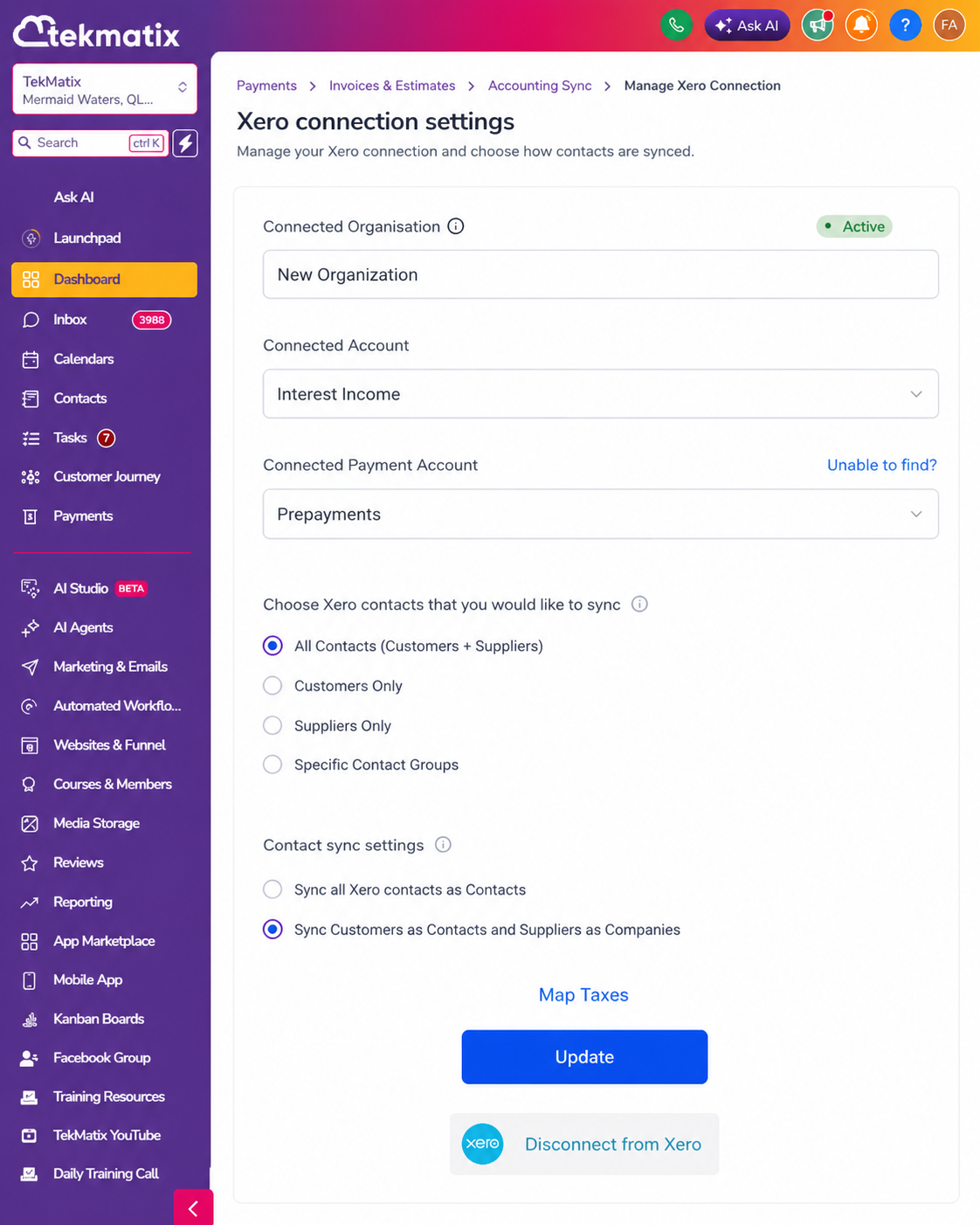
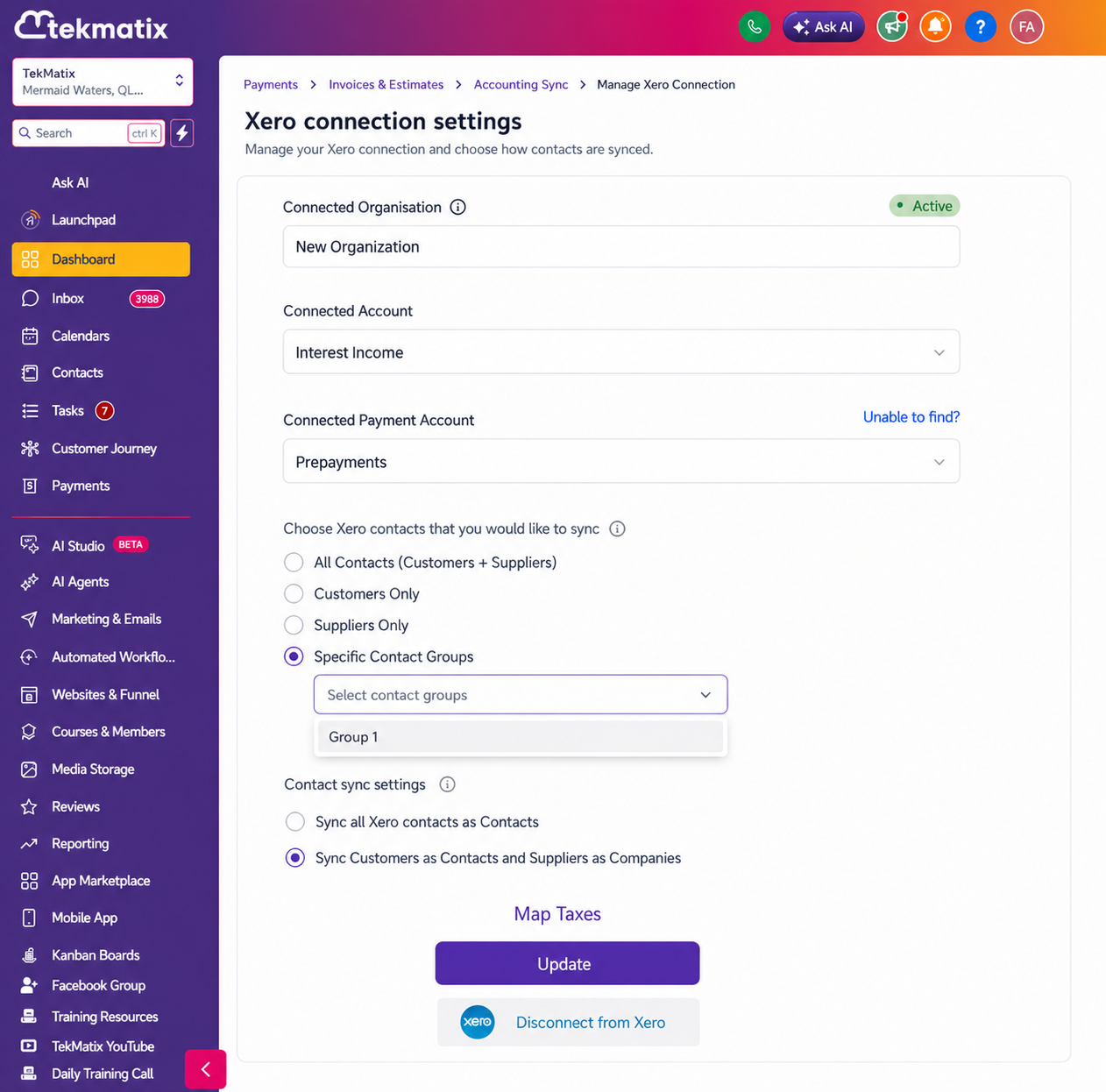
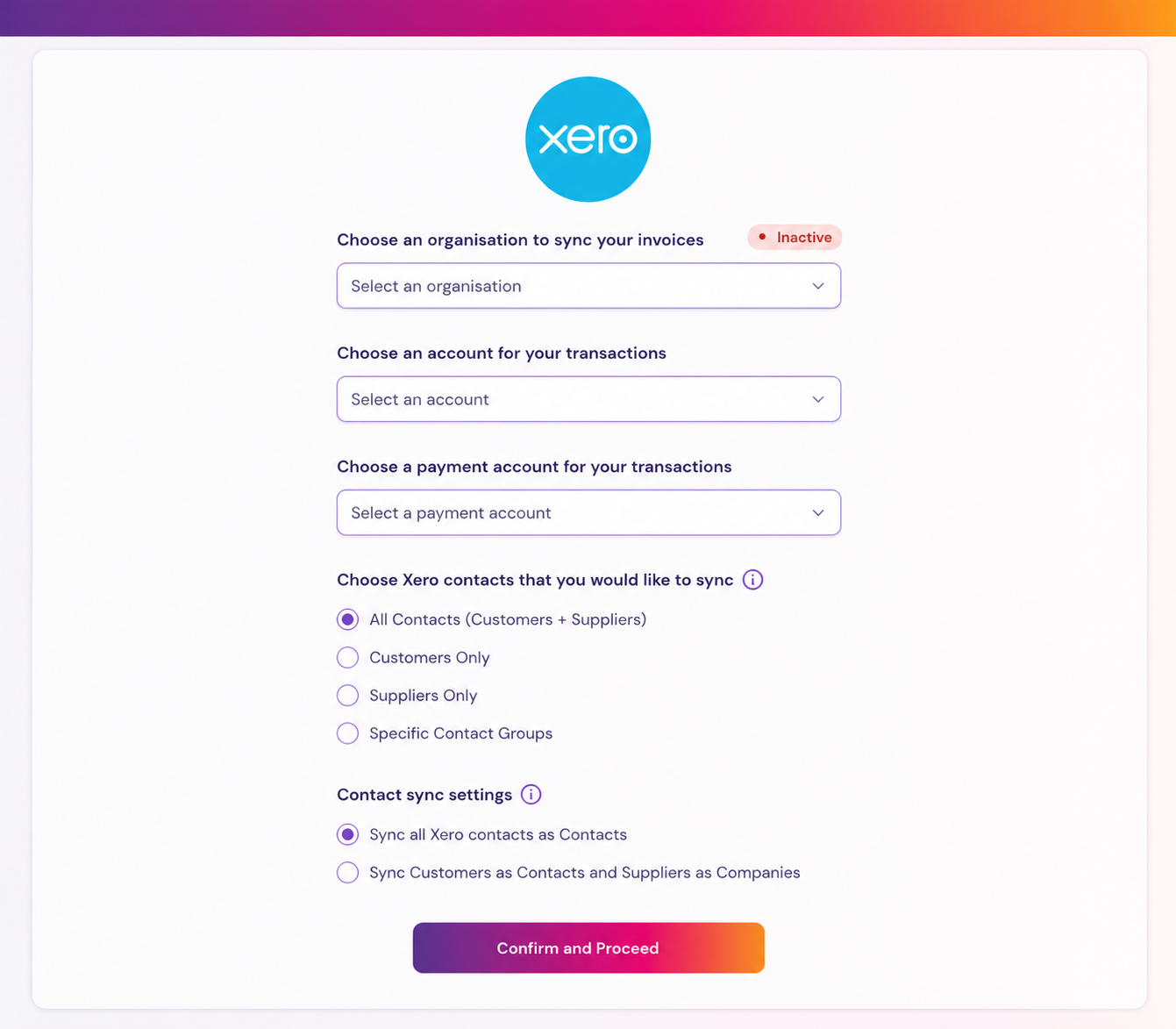
You can now select exactly which contacts are imported from Xero:
All Contacts
Customers Only
Suppliers Only
One or more specific Xero Contact Groups
This allows you to bring across only the contacts relevant to your business processes.
Decide How Suppliers Are Managed
You can also choose how supplier records are handled:
All to Contacts (Default)
Suppliers and customers continue syncing into your contact database, maintaining the original behaviour.
Split by Type
Customers sync into Contacts while suppliers are automatically routed into Business Records, keeping them separate from your lead and customer database.
Why This Matters
Keep Your CRM Clean
Import only the contacts that matter to your sales, marketing, and customer management processes.
Improve Segmentation
A cleaner database means more accurate campaigns, smarter automation, and better reporting.
Separate Customers from Suppliers
Your suppliers are not your prospects.
Keeping them separated helps maintain a more organised and actionable CRM.
No Disruption to Existing Setups
Nothing changes automatically.
Both new settings default to the original sync behaviour, ensuring existing integrations continue working exactly as they do today until you decide otherwise.
How to Set It Up
Getting started takes just a few clicks:
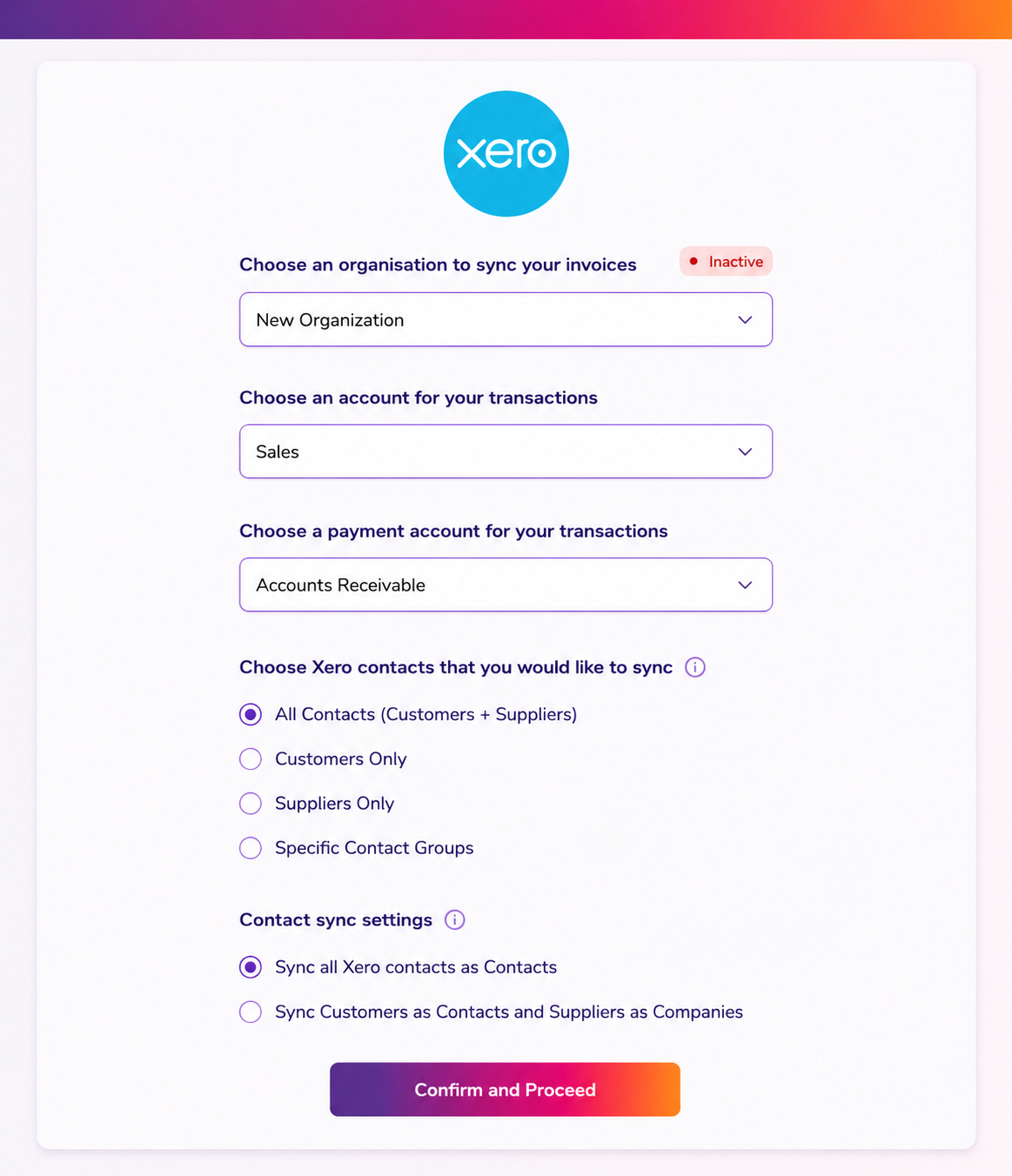
Navigate to Payments → Invoices & Estimates → Accounting Sync
Select Manage on your connected Xero account
Configure Which Contacts to Sync
All Contacts
Customers Only
Suppliers Only
Specific Contact Groups
Configure How Suppliers Are Handled
All to Contacts
Split by Type
Save your settings
Future syncs will follow your selected preferences.
Good to Know
Available on the web platform
Currently supported for Xero integrations only
Existing integrations remain unchanged until settings are updated
Split by Type routes suppliers into Business Records rather than the standard contact database
Contact Group filtering requires groups to already exist within your Xero account
Smarter Integrations, Cleaner Data
The quality of your CRM is only as good as the quality of the data inside it.
By giving you greater control over your Xero contact sync, Tekmatix helps you keep your database organised, your automations accurate, and your customer records focused on the people who actually matter to your business.
Less clutter. Better data. Smarter workflows.
That's the Tekmatix way.

Copyright © 2026 TekMatix. All rights reserved | [email protected]