
TekMatix Help Blog
Search Help Categories
Use the search bar below to look for help articles you need.

How to Save Dynamic Dates and Times to Your Contacts with Tekmatix Workflows
"Follow up in 3 days." "Trial ends in 7 days." "Renewal due in 12 months." Every business has dates like these, and most of them live on a sticky note, in someone's head, or in a spreadsheet nobody opens.
In Tekmatix your workflows can now work out a date and time and save it straight onto the contact's Date-Time field. No more fixed dates typed in by hand. The workflow calculates it when it runs, stamps it on the contact, and every reminder, report and follow-up after that can use it.
What is new
- Standard or Dynamic: in the Update Contact Field and Create Contact actions, a Date-Time custom field can now hold either a fixed date and time (Standard) or a value worked out when the action runs (Dynamic).
- Reuse workflow data: pick the output of a Format Date and Time step, a date tag, or another Date or Date-Time custom field.
- Keep the timestamp on the contact: the formatted value is saved on the contact so you and your team can see it, filter by it and trigger follow-ups from it later.
- Safe if something is missing: if a value is empty or invalid when the workflow runs, only that field is skipped. Everything else still updates, and the execution log tells you why.
What AI should I use?
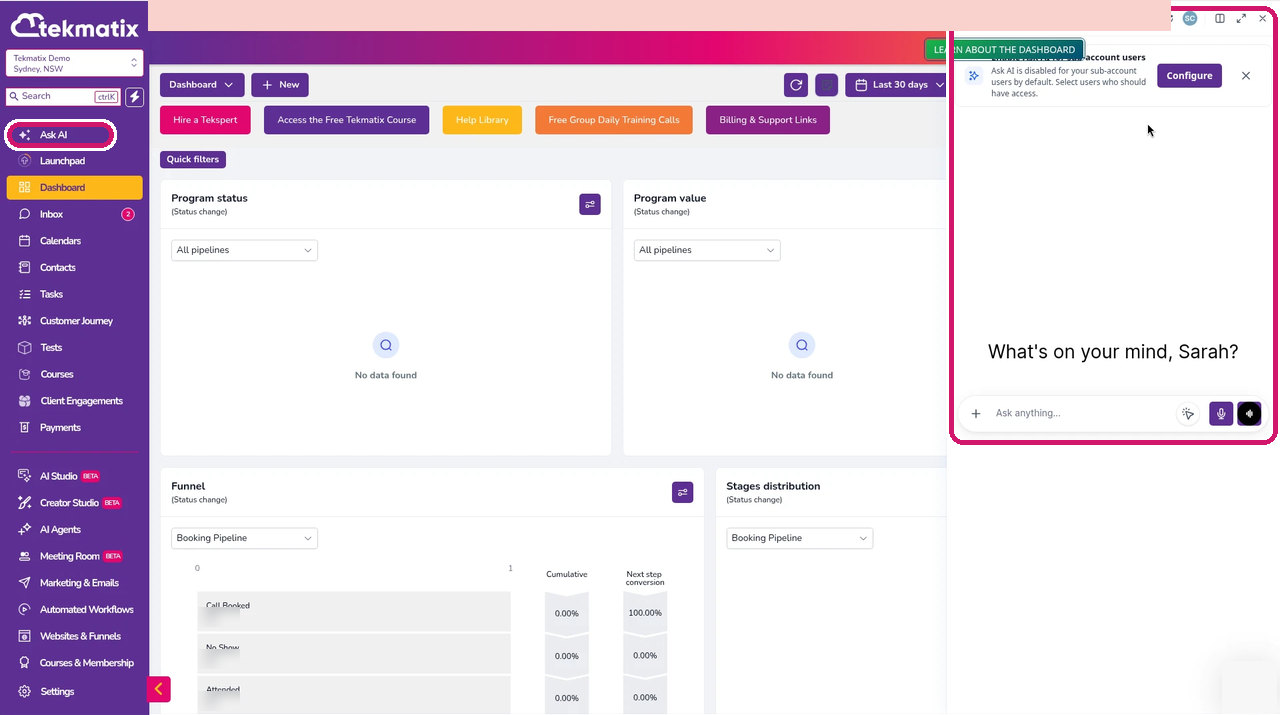
The prompts below work in Ask AI (the AI assistant built into your Tekmatix dashboard), GrokBot, Claude, ChatGPT or any other AI you have connected to your Tekmatix account. If you don't already pay for an outside AI and don't want another subscription, start with Ask AI. Workflows are built in the workflow builder, so for the build itself use an AI you have connected to your Tekmatix account with browser control (such as GrokBot, Claude or ChatGPT), or follow the steps below yourself. Your AI shows you what it will do and you approve it before anything is saved.
*Tekmatix AI usage applies as a billable consumable. You can find out more about pricing on our public page: tekmatix.com/pricing.
How to save a dynamic date and time to a contact
- Create a Date-Time custom field for the date you want to track, for example Follow-up At or Trial Ends At.
- Open your workflow. If you want to calculate a new date (for example 3 days from now), add a Format Date and Time step before the field update.
- Add or edit an Update Contact Field or Create Contact action and choose your Date-Time field.
- Open the field's three-dot menu and choose Dynamic.
- Pick the source value from the picker, such as the Format Date and Time output, a date tag or another date field.
- Use a supported format such as YYYY-MM-DD HH:mm:ss, then save the action and the workflow.
- Test it on your own contact record and check the field now shows the right date and time.
Prompts you can copy
Prompt to copy into Ask AI, GrokBot, Claude or ChatGPT (find the dates you should be tracking)
Taking everything you know about me and access to all of the data and systems you already have, log into my Tekmatix account and review my workflows, pipelines, calendars and custom fields. List every place where a follow-up, trial end, renewal, expiry or reminder date matters to my business but isn't being saved on the contact yet, and suggest a Date-Time custom field name for each one.
Prompt to copy into GrokBot, Claude or ChatGPT (build it with browser control)
Taking everything you know about me and access to all of the data and systems you already have, log into my Tekmatix account. Create a Date-Time custom field called "Follow-up At". Then open my [workflow name] workflow, add a Format Date and Time step that works out 3 days from now, and add an Update Contact Field action that saves that value to "Follow-up At" using Dynamic mode. Show me each change before you save it, and do not publish the workflow until I approve.
Prompt to copy into Ask AI, GrokBot, Claude or ChatGPT (use the dates)
Taking everything you know about me and access to all of the data and systems you already have, log into my Tekmatix account, find every contact whose "Follow-up At" date is today or overdue, and give me a list with their name, what they enquired about and their last conversation, plus a short, friendly follow-up message for each that I can approve.
Good to know
- Date-only values are saved at 12:00 AM in your location's time zone, so check your location time zone is right.
- Switching a field between Standard and Dynamic clears what was entered, so re-check the value after switching.
- Your existing workflows with fixed dates keep working exactly as before. Separate Date and Time fields are unchanged.
- If a value is empty or invalid when the workflow runs, only that field is skipped and the execution log explains why.
Ideas for using it
- Stamp Trial Ends At when someone starts a free trial and send a reminder the day before.
- Save Next Check-in At after every client session so nobody slips through the cracks.
- Record Renewal Due At 12 months after a purchase and start your renewal sequence from it.
- Save Booked Call At from an appointment so reports show exactly when each lead booked.
Want a hand setting it up?
- Free live training calls, Monday to Friday: jump on one of our free daily training calls and set it up alongside a Tekmatix expert. Book a free training call
Love Your Tech.