
TekMatix Help Blog
Search Help Categories
Use the search bar below to look for help articles you need.

How To Build High-Converting Funnels and Websites Faster Using Tekmatix AI
How To Build High-Converting Funnels and Websites Faster Using Tekmatix AI
Why This Matters
Building funnels and websites can be one of the most time consuming parts of launching an offer especially when you’re staring at a blank page.
Funnels & Websites AI in Tekmatix removes that friction by using generative AI to instantly create page layouts, copy, images, and SEO-ready content from a simple prompt or guided setup. Instead of spending hours designing and writing, you can launch professional, conversion-focused pages in minutes while still keeping full manual control when needed.
This feature is ideal for:
Agencies launching client funnels quickly
Business owners validating offers fast
Teams that want speed without sacrificing customization
What Is Funnels & Websites AI in Tekmatix?
Funnels & Websites AI is Tekmatix’s next-generation page builder powered by AI.
It allows you to:
Generate funnel or website pages from a short description
Use guided templates or free-form prompts
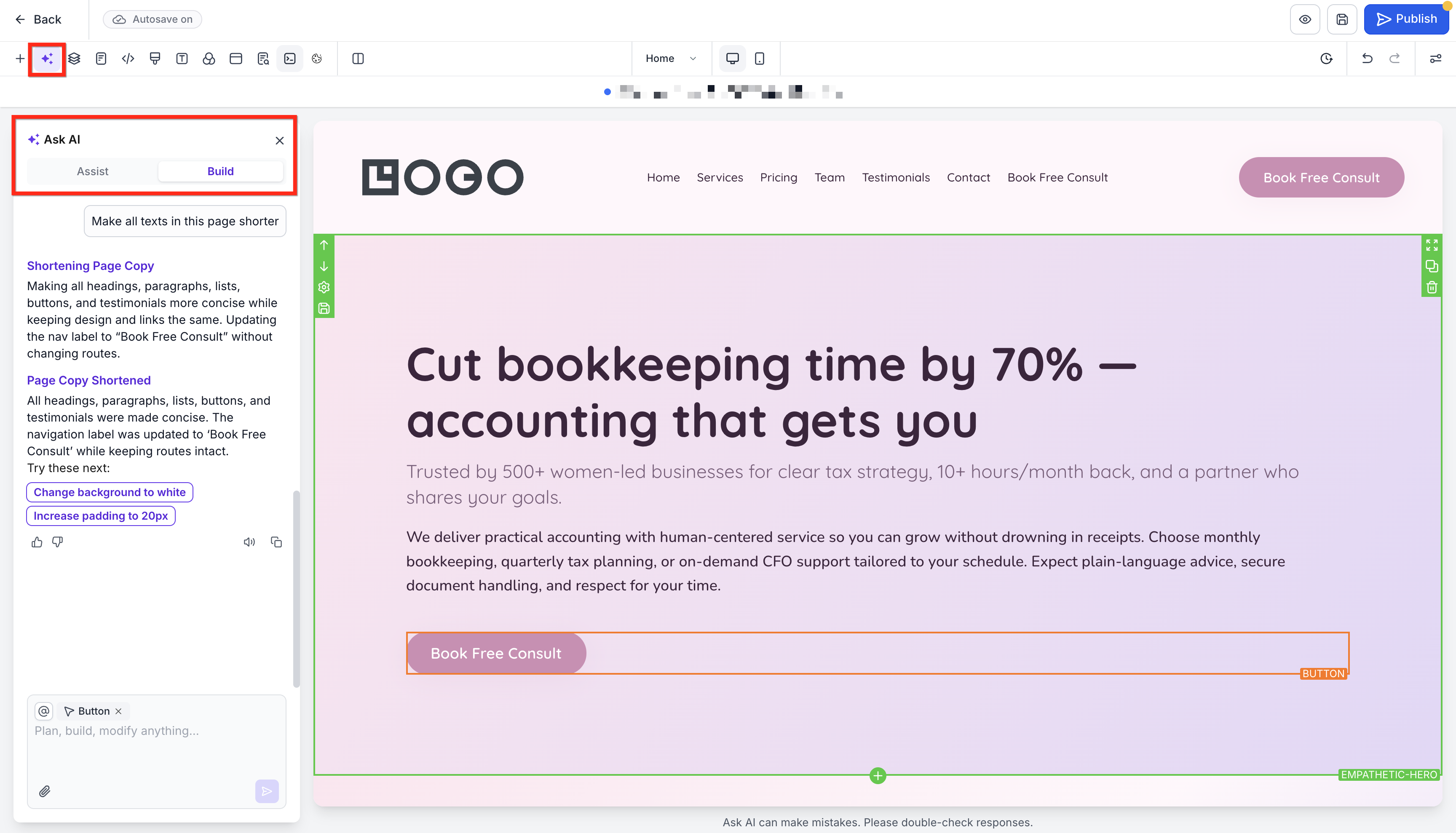
Chat with AI in real time to refine copy, layouts, and visuals
Instantly apply branding or replicate the look of an existing page
At this time, AI generates one page at a time. Multi-page AI generation is coming soon.
Traditional page builder controls remain available at all times, so you’re never locked into AI-only editing.
Key Benefits of Funnels & Websites AI
1. Launch Pages Up to 10× Faster
AI generates page structure, copy, images, and layouts automatically so you can move from idea to publish in minutes.
2. Conversion-Focused by Design
Niche-specific presets follow proven layout and copy practices to reduce guesswork.
3. Real-Time Edits via Chat
Instead of digging through menus, simply ask the AI to:
Rewrite sections
Adjust tone
Improve headlines
Replace images
4. Stay On-Brand Instantly
Import the design style from:
A live URL
An uploaded image
A screenshot
5. Built-In SEO Foundations
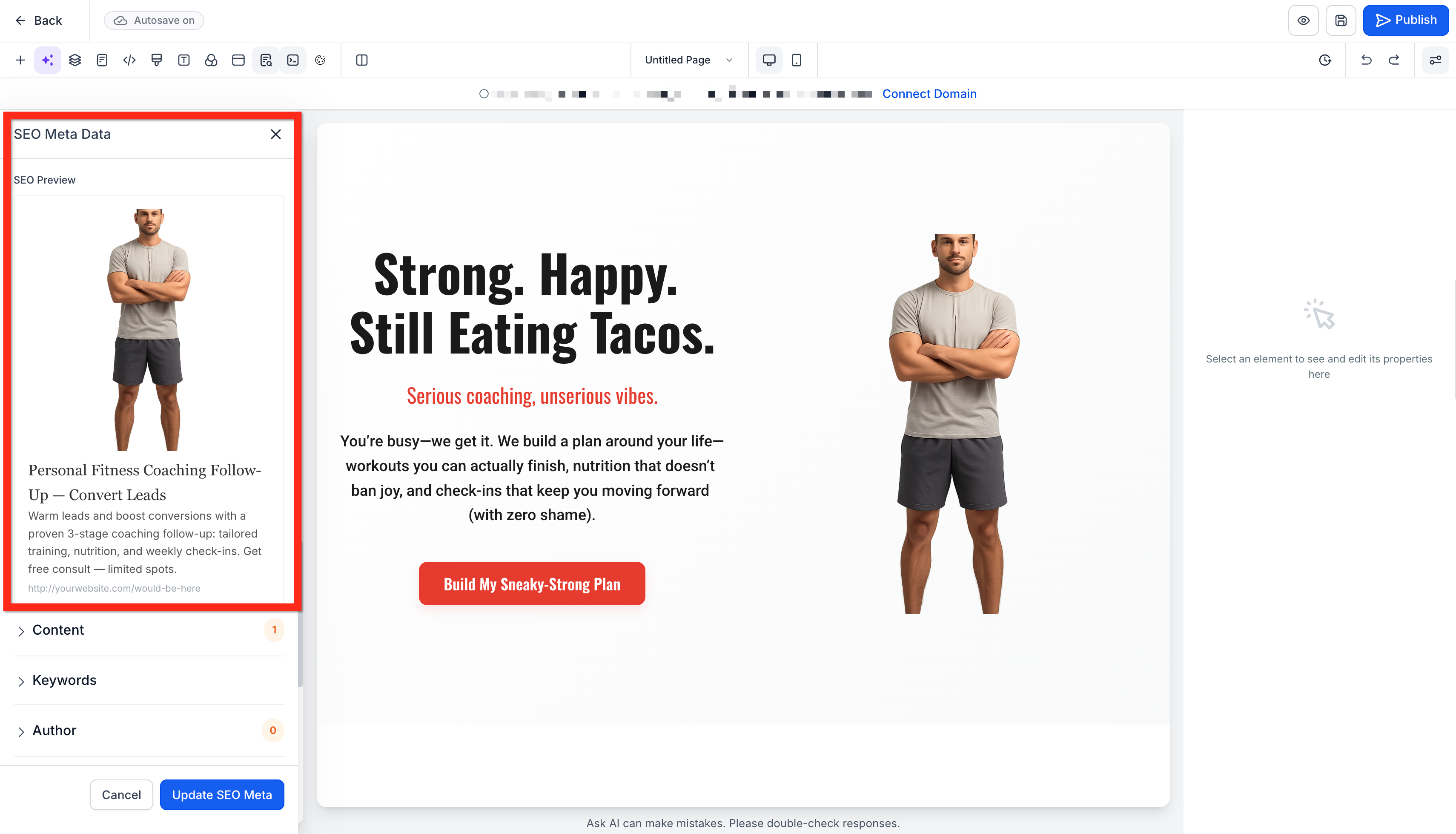
Meta titles, descriptions, and image alt text are auto-generated with keyword-rich suggestions.
6. AI + Manual Controls Together
Design settings (fonts, spacing, colors) sit alongside the AI chat panel for a seamless workflow.
Recent Enhancements You’ll Notice
Tekmatix has refined the AI’s internal guidance system for more consistent, professional results without changing how you use the builder.
Improved Text Flexibility
All text elements now support rich text formatting (HTML) for more expressive content.
Better Layout Consistency
Card-style sections automatically apply consistent spacing to prevent cluttered designs.
Smarter Section Rules
Navigation sections only contain menu elements
Footers use text links instead of buttons for cleaner UX
Unified Button Styling
Buttons now default to your primary brand color across all pages.
Enhanced Mobile Spacing
Mobile layouts use optimized spacing for better readability and tap targets.
Understanding the AI Modes
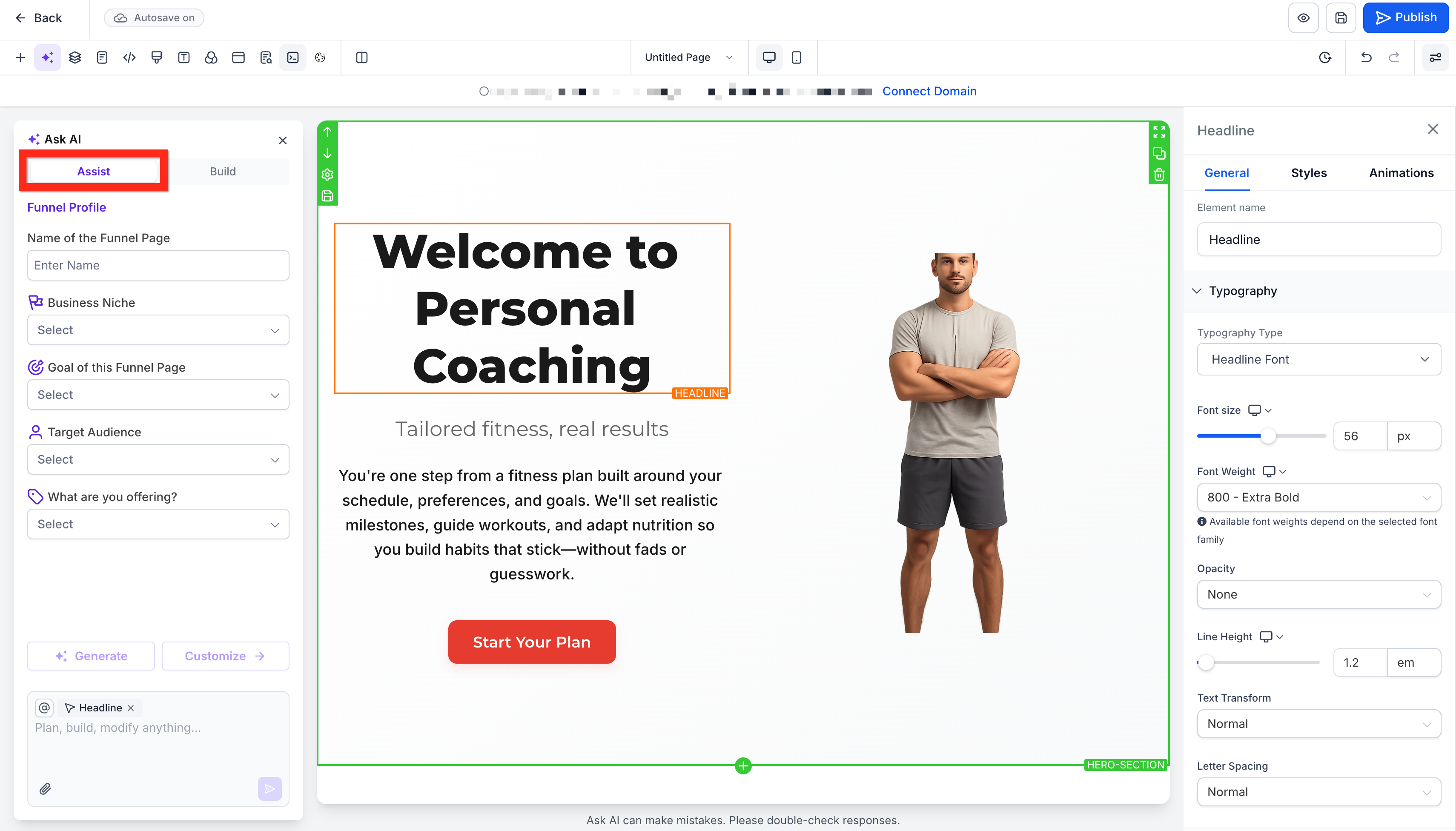
Assist Mode (Guided Setup)
Best for beginners or fast launches.
You’ll select:
Industry
Funnel goal
Target audience
Language
Tone
Preferred layout
Tekmatix AI then generates a complete, editable page draft including copy, images, and color themes.
Build Mode (Free-Form Prompting)
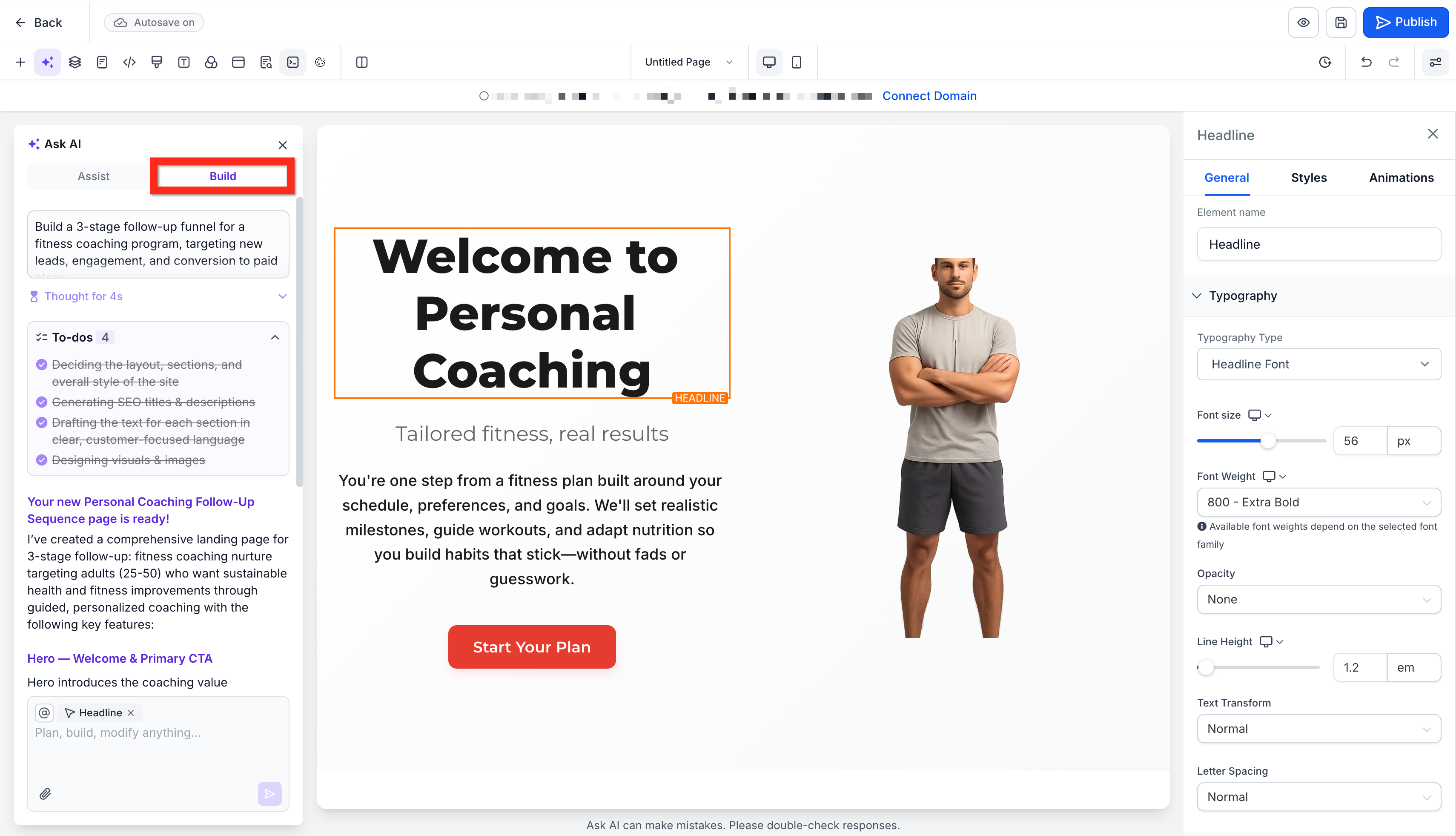
Ideal for experienced marketers.
Simply describe what you want, for example:
“A three-section landing page for a fitness coach with testimonials and a consultation form.”
The AI builds the structure, sections, and placeholder content based on your prompt.
AI and Builder Settings, Side by Side
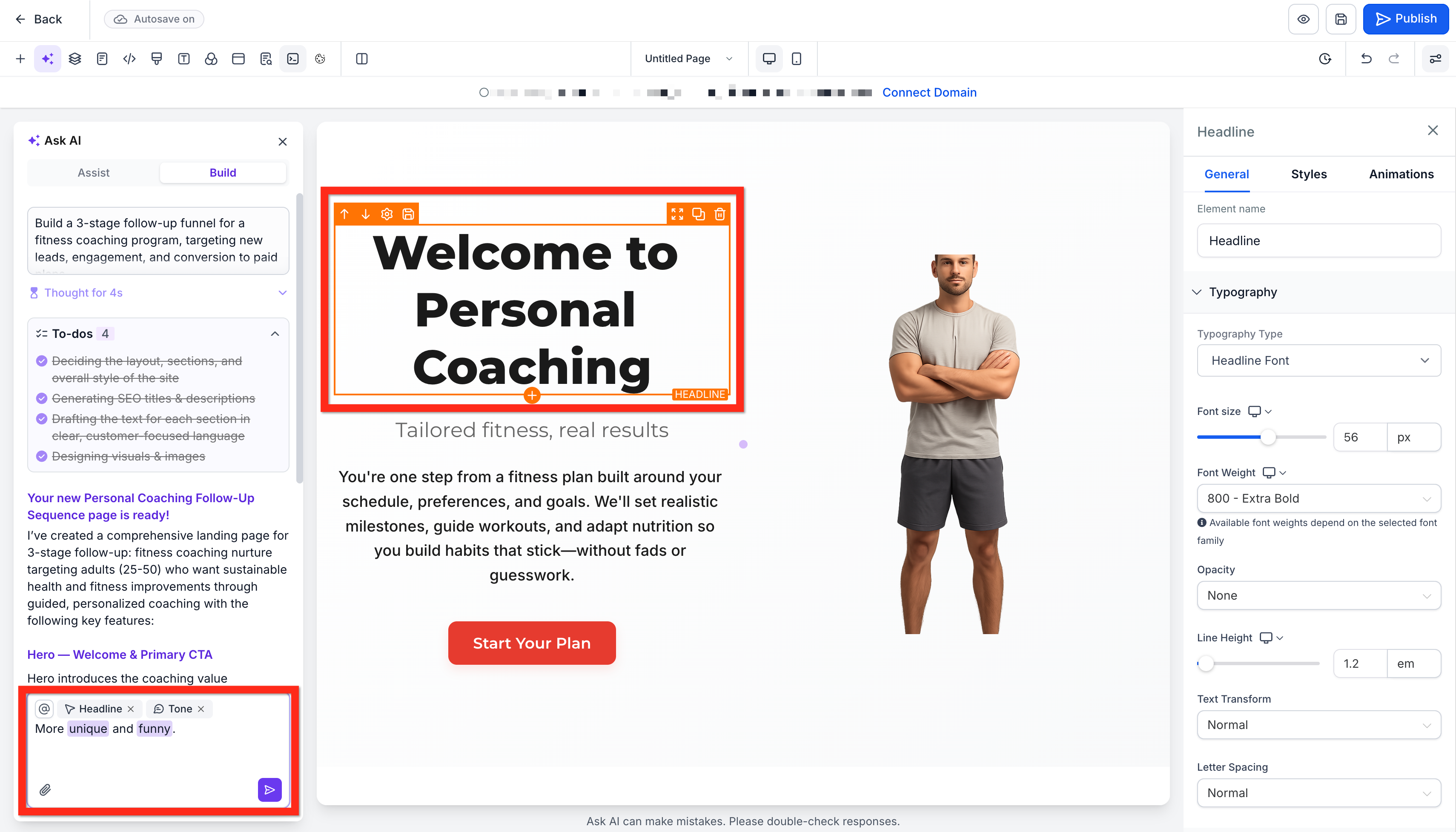
You don’t lose manual control.
Left panel: AI chat for copy, layout, and image changes
Right panel: Traditional builder controls (spacing, fonts, colors)
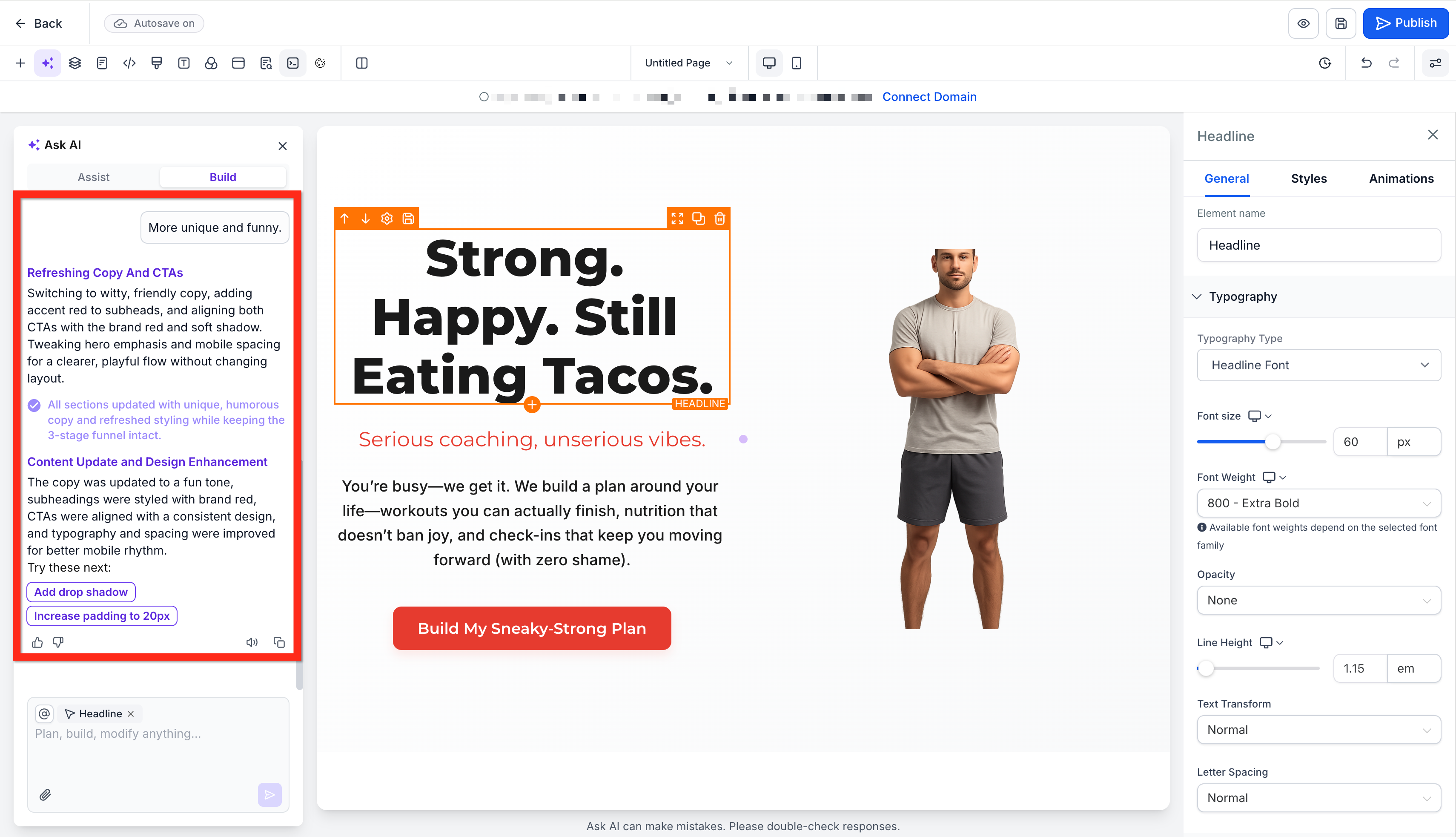
You can adjust branding manually, then ask the AI to rewrite copy without switching screens.
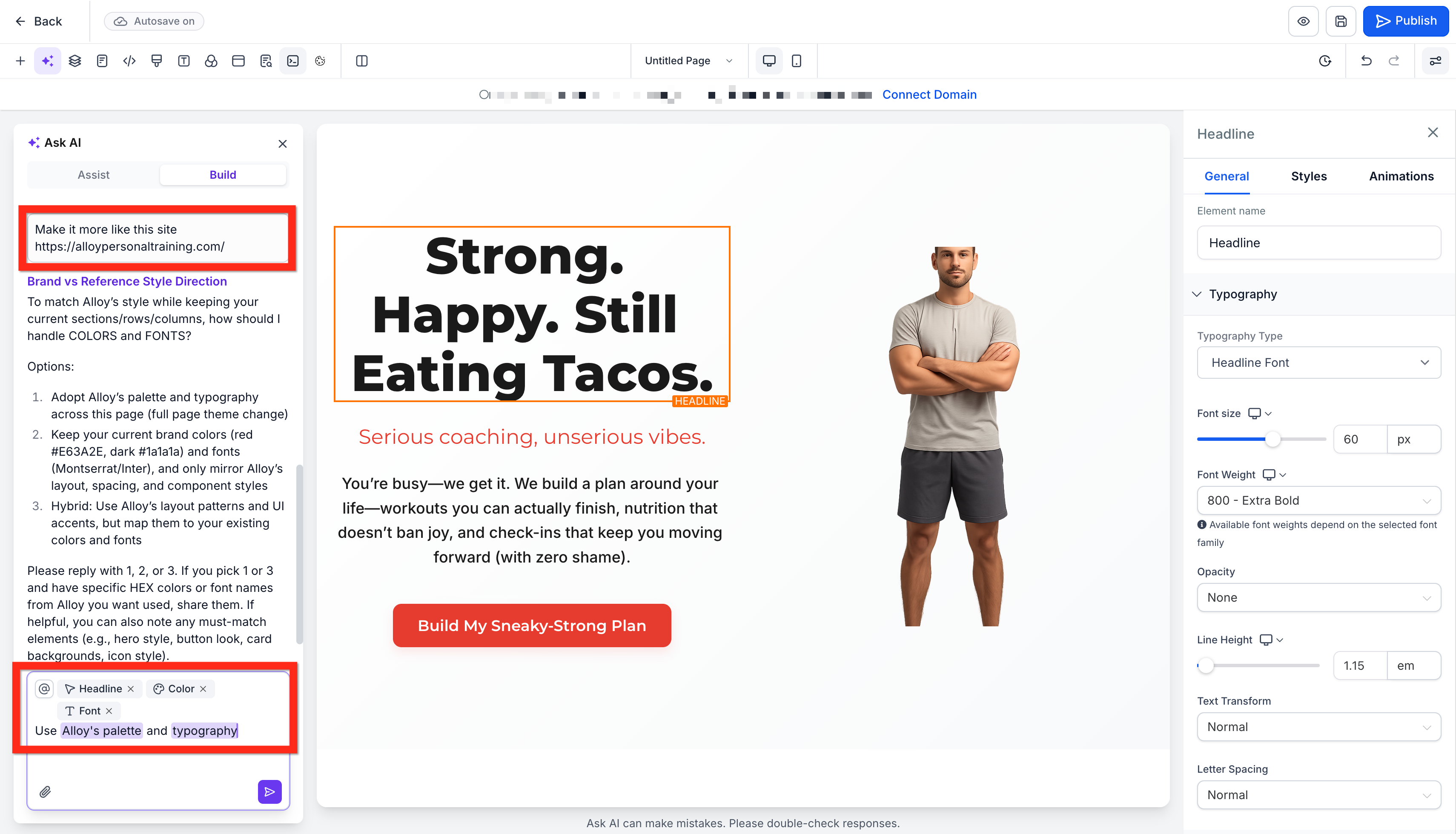
Importing Designs from URLs or Screenshots
Want to match an existing design?
Paste a public URL
Upload a screenshot or image
Tekmatix AI extracts the visual theme and layout and creates a new page inspired by that design while remaining fully editable.
SEO Made Simple
Funnels & Websites AI automatically:
Generates SEO-friendly meta titles
Writes meta descriptions
Adds image alt text suggestions
This gives every page a strong SEO baseline before you even click Publish.
Step-by-Step: How To Use Funnels & Websites AI in Tekmatix
Step 1: Create Your First AI Funnel or Website Page
Go to Websites & Funnels → Funnels or Websites
Click + New
Choose AI (beta)
Select Assist or Build
Complete the setup or enter your prompt
Click Generate

Step 2: Refine with AI Chat
Ask the AI to rewrite copy
Request better headlines
Change tone or language
Swap images or sections
Step 3: Review SEO Settings & Publish
Before publishing:
Review meta title and description
Check image alt text
Make any final design tweaks
Then click Publish.
Sample Scenario: Launching a New Offer Fast
Scenario
A marketing consultant wants to launch a free strategy call funnel within one afternoon.
How They Use Funnels & Websites AI:
Choose Assist Mode
Select “Marketing Consultant” as the industry
Set goal to “Lead Generation”
Pick a professional tone
Result:
AI generates a polished landing page with:
Headline and value proposition
Call-to-action button
Embedded booking form
Consultant tweaks the copy via chat
Page is live in under 30 minutes
No designer. No copywriter. No blank page stress.
Frequently Asked Questions
Can I still edit pages manually after AI generates them?
Yes. All elements remain fully editable using the standard builder.
Does Funnels & Websites AI cost extra?
Generations cost $1.48 each funnel or are included with the AI Employee unlimited add-on.
Is the feature available on all Tekmatix plans?
No. The feature is only available as an add-on feature.
Can I import pages from WordPress or ClickFunnels?
Currently, the import tool supports URLs or pages hosted inside Tekmatix.
Does AI support different languages and tones?
Yes. You can set language and tone (friendly, professional, humorous, etc.) in Assist Mode.
