TekMatix Help Blog
Search Help Categories
Use the search bar below to look for help articles you need.
Call Status Workflow Trigger Setup
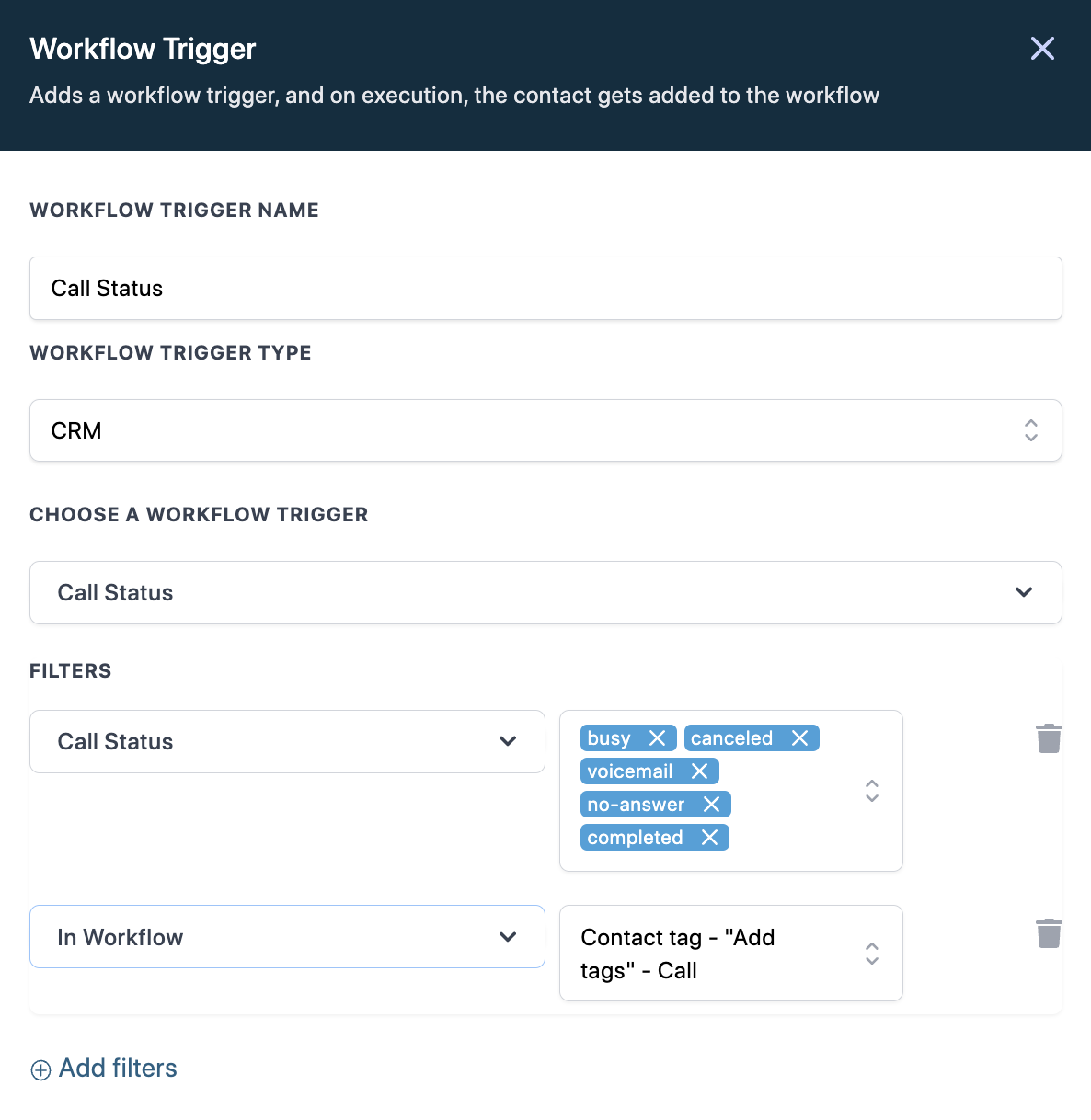
Two ways to capture Call results:
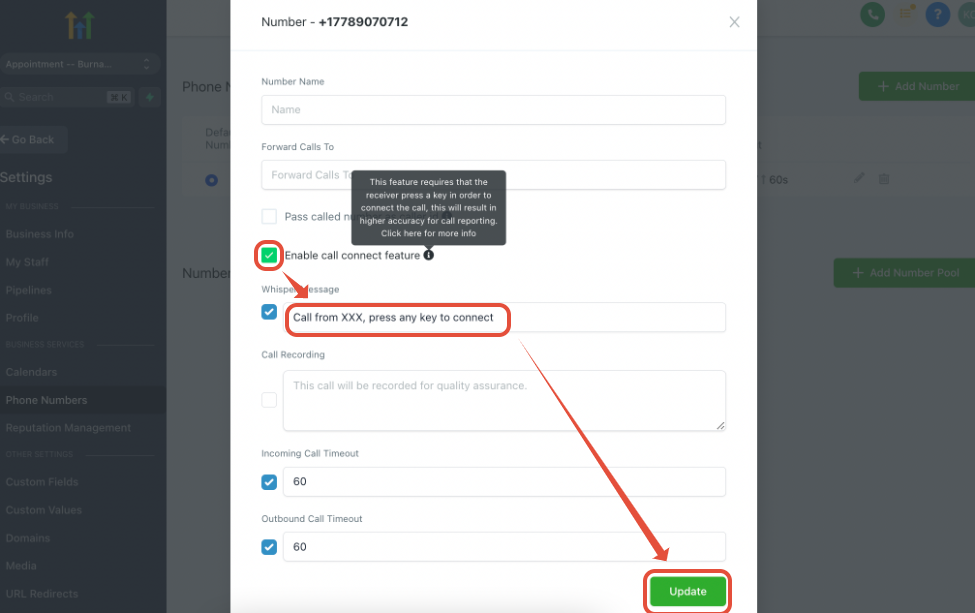
1. Call Connect feature
This feature requires that the receiver press a key in order to connect the call, this will result in higher accuracy for call reporting. After you enable this option, you will need to update the whisper message as this feature requires that the receiver press a key to connect the call.
2. Call timeout
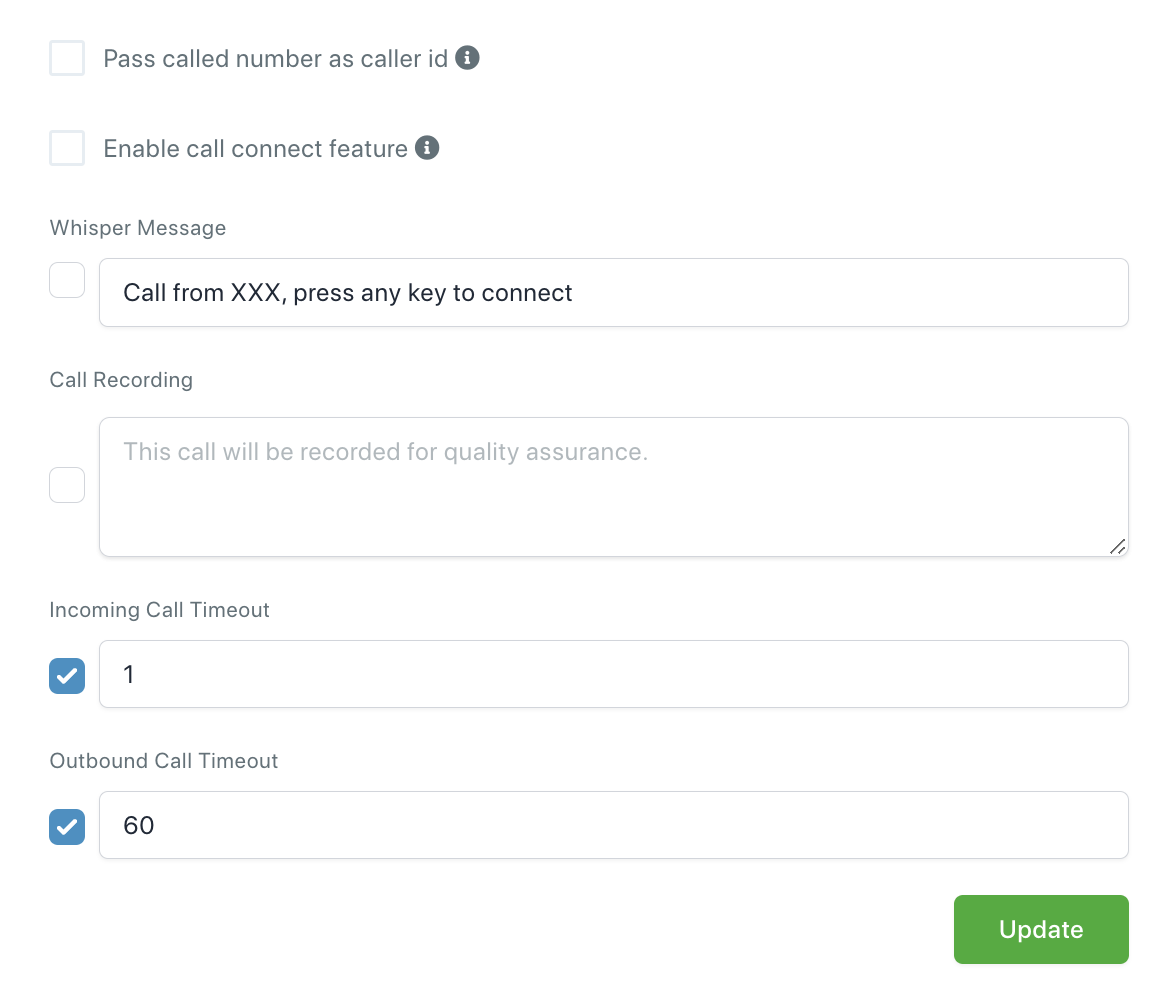
If you don't want to use the Call connect feature, you can adjust the Incoming Call Timeout according to how soon the forwarding number's voicemail answers.
We recommend using a Call Timeout of 20 seconds or lower depending on your forwarding number.
E.g. If your forwarding number's voicemail answers within 15 seconds, set the Call Timeout to 10 seconds so it will drop the Call forwarding before it reaches your voicemail. This will mark the Call as answered because we are not able to know if it's a human or a voicemail answering the call.