
TekMatix Blog & Help Articles
Use the search bar below to look for help articles you need.

How to Send YouTube Videos in Tekmatix Emails with Clickable Previews
Great news.
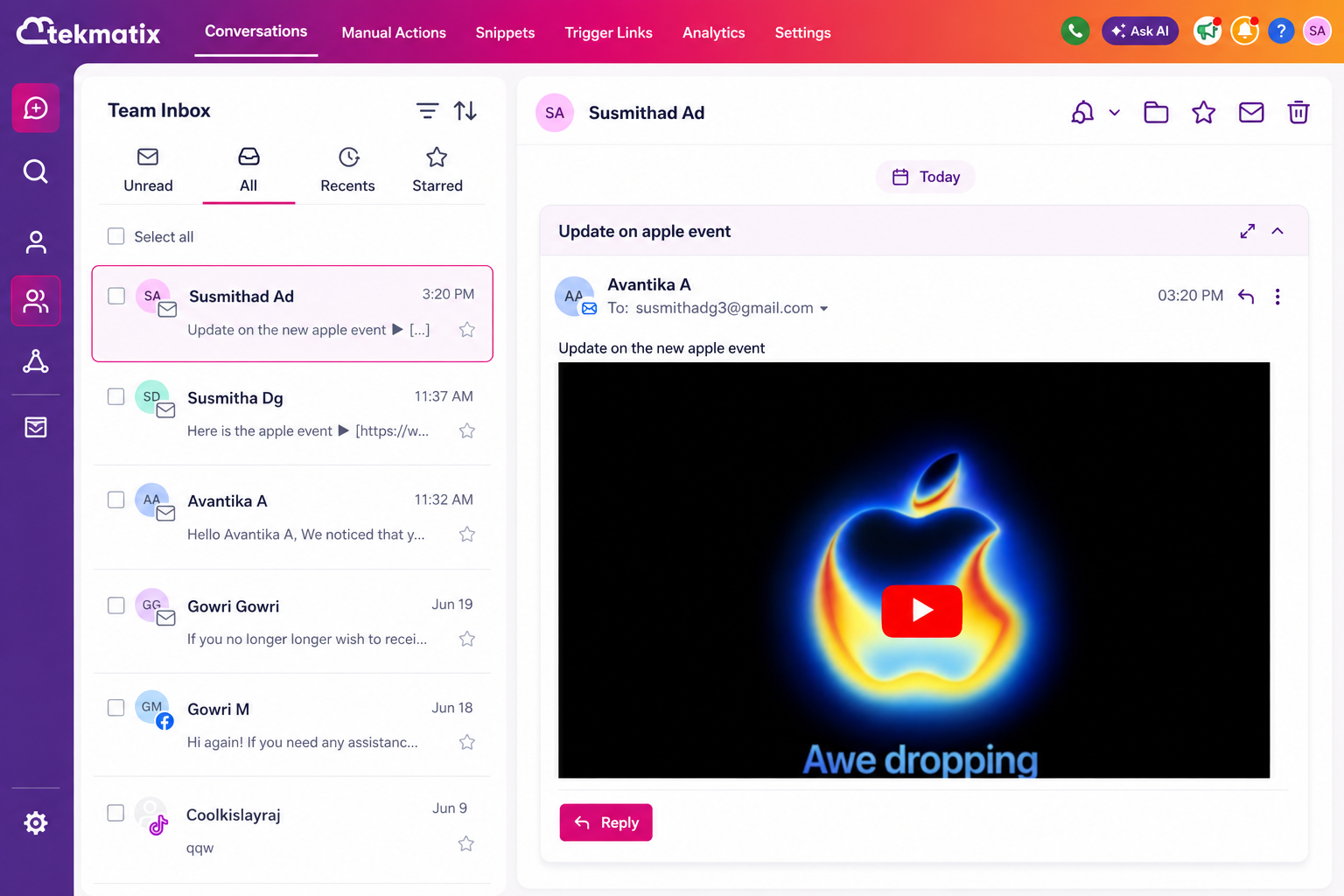
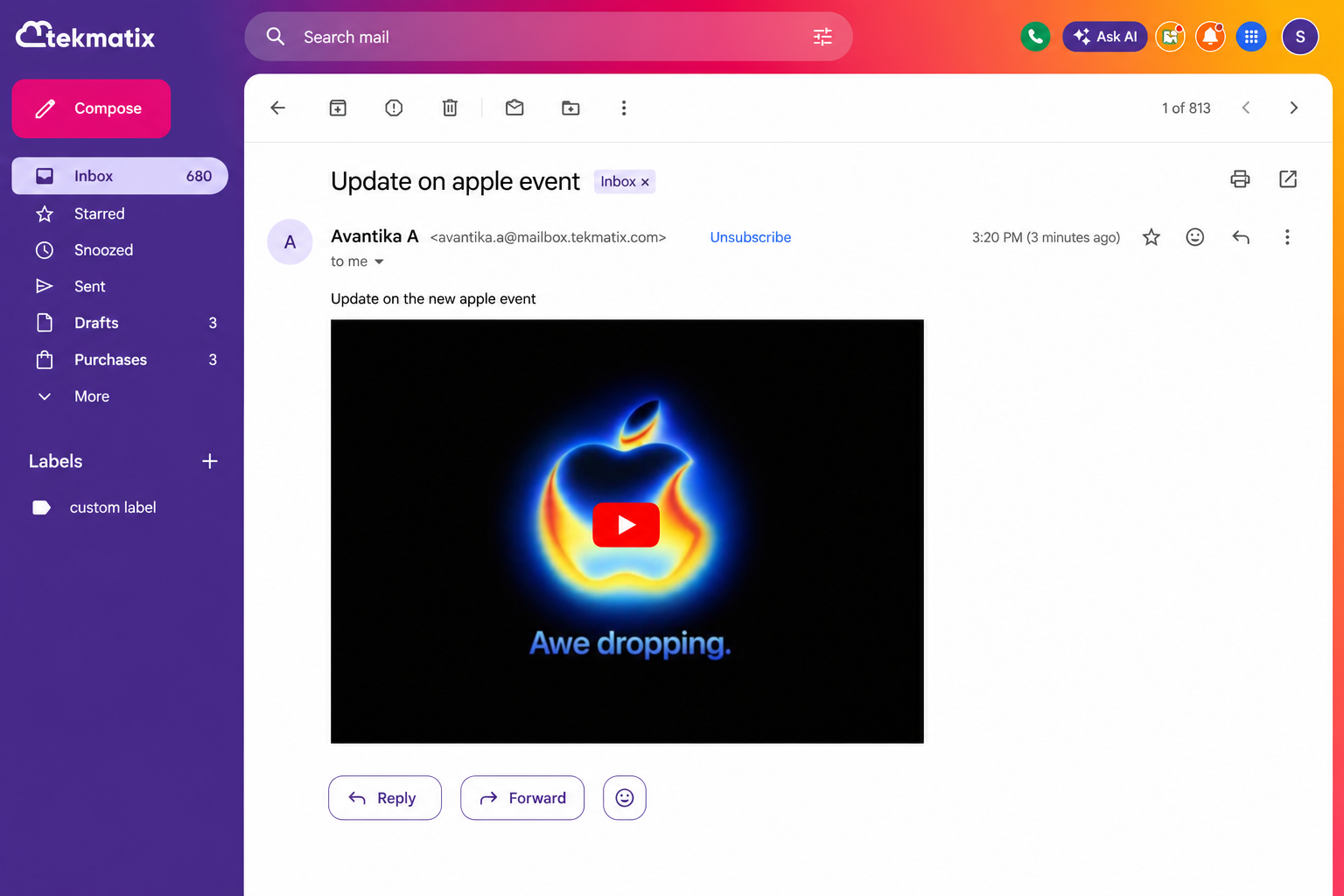
YouTube previews now display correctly when sent through emails from your Tekmatix Conversations inbox.
This means that when you paste a YouTube link into an email conversation, your recipient will now see a proper clickable video thumbnail in their inbox.
No blank boxes.
No awkward missing preview.
No “well, that looked fine when I sent it” moments.
Just a clean, clickable video preview that opens the video in a new tab, exactly as intended.
What’s Been Fixed?
Previously, when you pasted a YouTube link into an email from Conversations, the preview could look perfectly fine while you were composing your message.
But once the email landed in your recipient’s inbox, some email providers displayed the video preview as a blank rectangle.
Helpful? Not really.
Especially if you are sending video messages, tutorials, walkthroughs, onboarding videos, sales videos, testimonials, or anything else where you actually want people to click and watch.
The good news is that this has now been fixed.
Why Was This Happening?
Major email providers such as Gmail, Outlook and Yahoo often block embedded video players inside emails.
So even though the YouTube preview may have looked correct while you were writing your email inside Tekmatix, the recipient’s email provider could prevent the embedded player from displaying properly once it arrived.
That is why some recipients saw a blank preview box instead of the expected YouTube thumbnail.
What’s Changed?
Tekmatix now sends YouTube previews in a way that renders more reliably across major inbox providers.
Instead of relying on an embedded video player that inboxes may block, recipients now see a clickable video thumbnail that opens the YouTube video in a new browser tab.
Simple.
Clean.
Much more reliable.
What Types of YouTube Links Does This Work With?
This update works with both:
Standard YouTube watch links
Shortened YouTube share links
So whether you paste a full YouTube URL or a shortened share link, the preview should now display correctly for your recipients.
Do You Need To Do Anything Differently?
Nope.
That is the best bit.
There is no change to how you add YouTube videos to emails.
Just paste the YouTube link into your email from Conversations as you normally would, and Tekmatix will take care of the preview formatting when the message is sent.
Why This Matters
Video is such a powerful way to connect with your leads, clients, students and community.
You might be using YouTube links to send:
Personal video replies
Product demos
Course tutorials
Client onboarding videos
Sales videos
Webinar replays
Support walkthroughs
Educational content
Testimonials
Training resources
And let’s be honest, if the video preview shows as a blank box, it does not exactly scream “click me.”
A clear thumbnail makes your email look more professional, more trustworthy and far more clickable.
This update helps make sure your video links appear the way you intended when they arrive in your recipient’s inbox.
How It Works In Tekmatix Conversations
When you paste a YouTube link into an email from your Tekmatix Conversations inbox, the preview will appear while you are composing your message.
Once sent, your recipient will see a clickable thumbnail in their email inbox.
When they click the thumbnail, the video opens directly on YouTube in a new tab.
Nice and easy.
A Better Email Experience For Your Recipients
This small fix makes a big difference to the way your emails look and perform.
Your recipients now get a cleaner viewing experience, and you can send YouTube videos through Tekmatix Conversations with more confidence.
No extra steps.
No workaround.
No need to rebuild your email.
Just paste your YouTube link and send.

Copyright © 2026 TekMatix. All rights reserved | [email protected]