
TekMatix Blog & Help Articles
Use the search bar below to look for help articles you need.

Tekmatix Rentals Calendar Sync Update: More Accurate Imported Booking Availability
Managing rental availability across multiple booking platforms just got easier.
We've enhanced Calendar Sync in Tekmatix Rentals to ensure imported bookings align more accurately with your rental settings. This improvement helps prevent availability issues caused by date-only calendar events and ensures your booking calendar reflects your actual rental schedule.
What's New?
Imported Calendar Bookings Now Respect Your Rental Times
Many external booking platforms and calendar providers sync reservations as date-only events without specific start and end times.
Previously, these bookings were treated as midnight-to-midnight reservations, which could unintentionally block availability on surrounding dates.
With this update, Tekmatix now uses your configured rental times when processing imported bookings that don't include timestamps.
This applies to:
Date Selector booking mode
Fixed Duration booking mode (Daily, Weekly, and Monthly rentals)
Example
If your rental is configured with:
Rental start time: 3:00 PM
Rental end time: 11:00 AM
And an imported booking blocks April 15 to April 17, Tekmatix will now reserve the property from:
April 15 at 3:00 PM through to April 17 at 11:00 AM
Instead of treating the booking as a generic midnight-to-midnight reservation, availability is now aligned with your actual rental schedule.
This prevents neighbouring dates from being unnecessarily blocked and provides a more accurate booking experience.
Exact Times Are Used When Available
When imported calendar events include specific start and end times, Tekmatix will continue to honour those exact timestamps.
This ensures that:
Partial-day bookings block only the required time period
Overnight bookings are handled accurately
Short-duration events don't unnecessarily impact availability
For booking types that allow customers to select specific times, imported events will continue to use the exact times supplied by the connected calendar.
If the external calendar does not provide timestamps, the booking will continue to be treated as an all-day event where appropriate.
Future Imported Events Automatically Stay Updated
Rental businesses often adjust their booking settings over time.
Now, when you update:
Booking modes
Rental start times
Rental end times
Rental duration configurations
Future and ongoing imported calendar bookings will automatically recalculate using your latest settings.
There's no need to manually remove and re-import events to keep availability accurate.
Past bookings remain unchanged.
How to Use It
Getting started is simple:
Open your rental listing in Tekmatix.
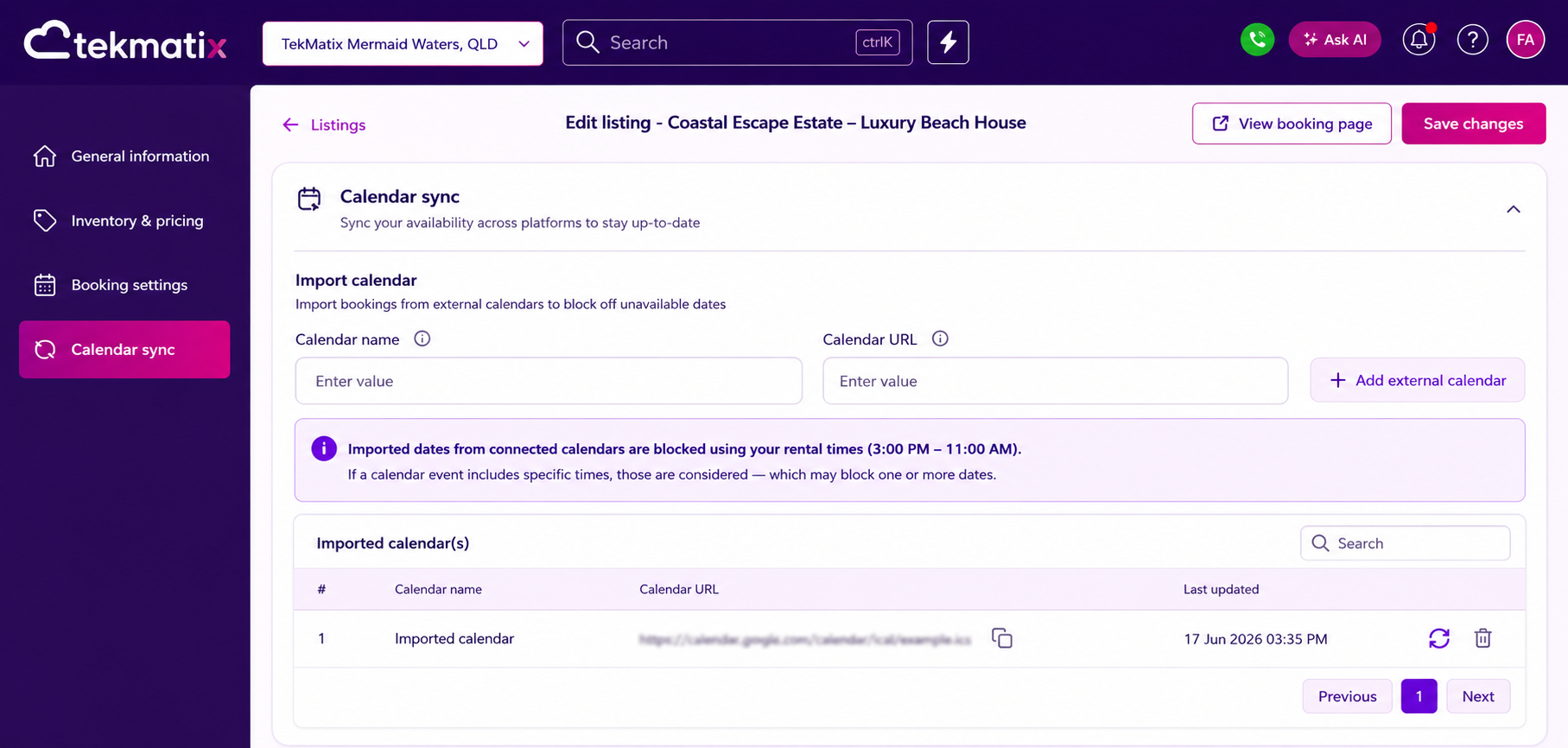
Connect an external calendar using Calendar Sync.
Configure your booking mode and rental times.
Imported bookings will automatically follow the correct availability logic for your listing.
If you later change your rental configuration, future synced events will automatically update to reflect those changes.
Why This Matters
This enhancement delivers several important benefits for rental operators:
More accurate availability across connected calendars
Better compatibility with booking platforms that sync date-only reservations
Reduced risk of inventory being unnecessarily blocked
Improved visibility into how imported bookings affect availability
A smoother booking experience for both property owners and customers
By aligning imported bookings with your actual rental schedule, Tekmatix helps ensure your availability remains accurate, your inventory stays visible, and your booking process runs more efficiently.

Copyright © 2026 TekMatix. All rights reserved | [email protected]