
TekMatix Blog & Help Articles
Use the search bar below to look for help articles you need.
More Flexibility, More Control: New Contact Record Customisation Features in Tekmatix
At Tekmatix, we're always looking for ways to help you work faster, stay organised, and customise your workspace to suit the way you actually run your business.
That's why we're excited to announce a range of new enhancements to Contact Record Customisation.
These updates give you more control over how your contact records look and function, allowing you to create layouts that match your workflow, improve visibility of important information, and make better use of screen space.
Let's take a look at what's new.
1. Resizable Panels
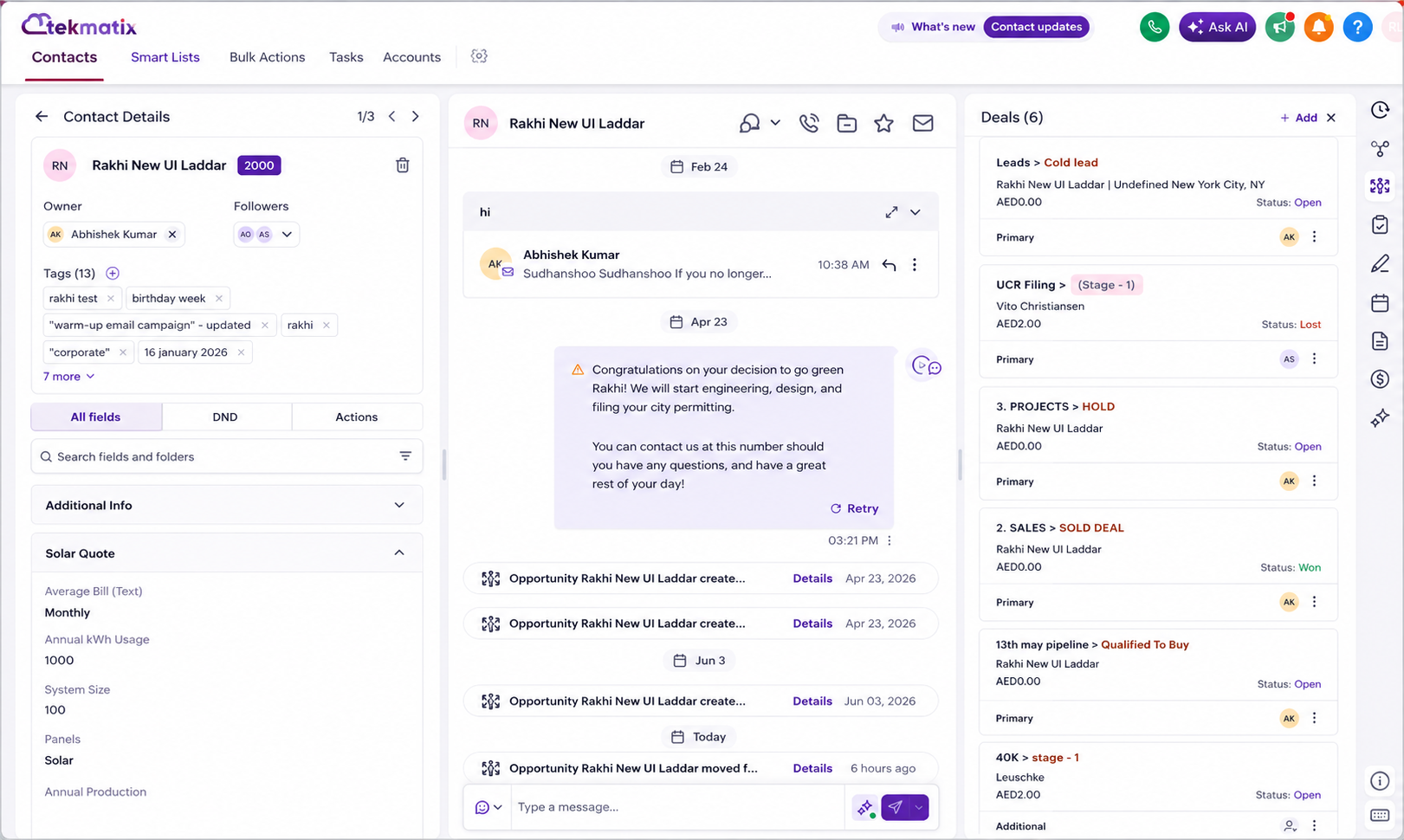
You can now resize panels within the Contact Record screen to create a layout that works best for you.
This means:
Expand panels to display more information at once
Reduce scrolling
Make better use of larger screens
Prioritise the information you access most frequently
The left-hand panel is no longer restricted to a fixed narrow width, giving you greater flexibility when managing customer records.
2. Owners and Followers Can Now Be Managed Separately
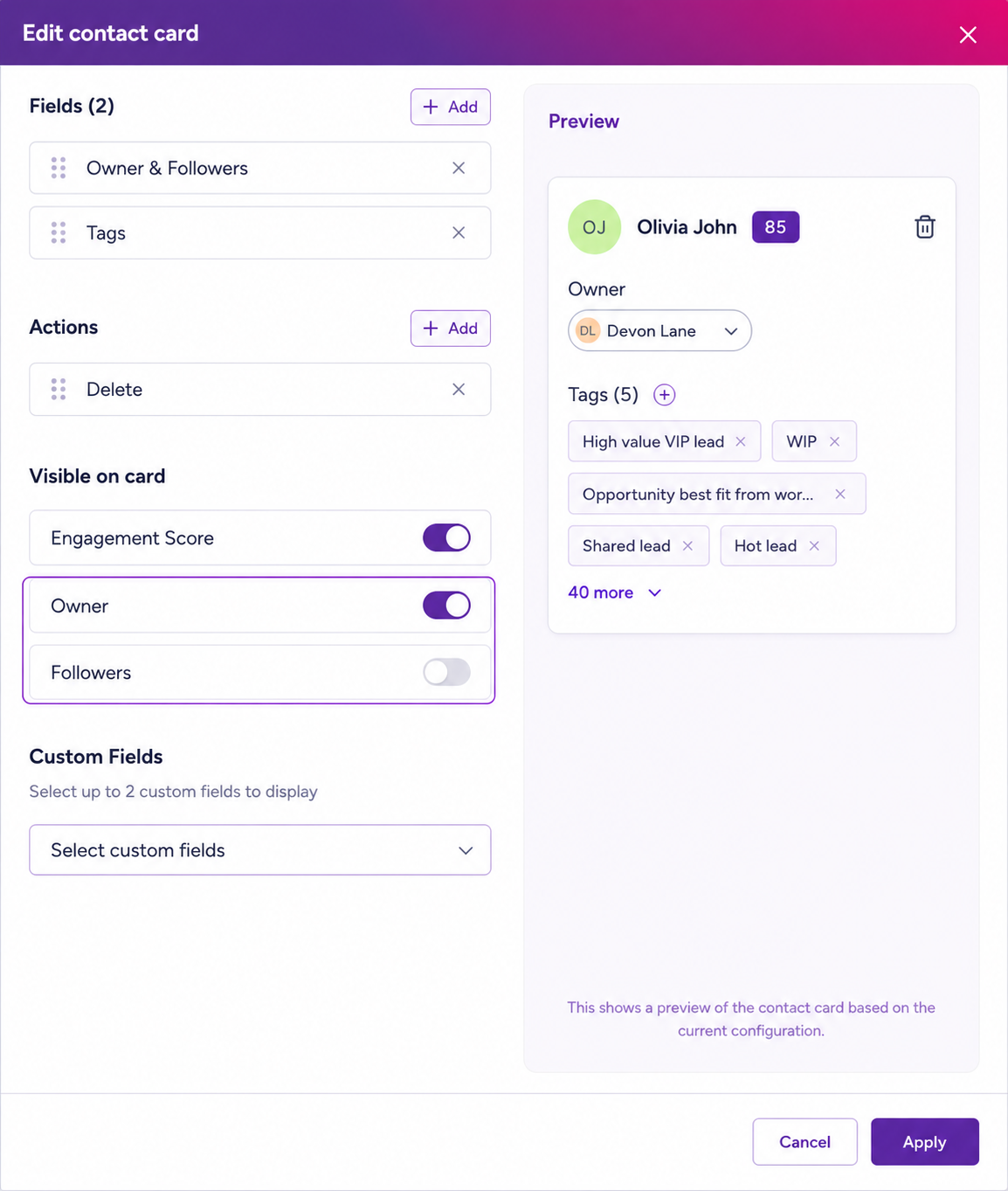
We've separated Owners and Followers, giving you complete control over how these are displayed.
You can now choose to show:
Owners only
Followers only
Both Owners and Followers
Neither
This allows teams to simplify their contact records and display only the information that's relevant to their workflow.
3. Display Custom Fields Directly on the Contact Card
Need quick access to important information?
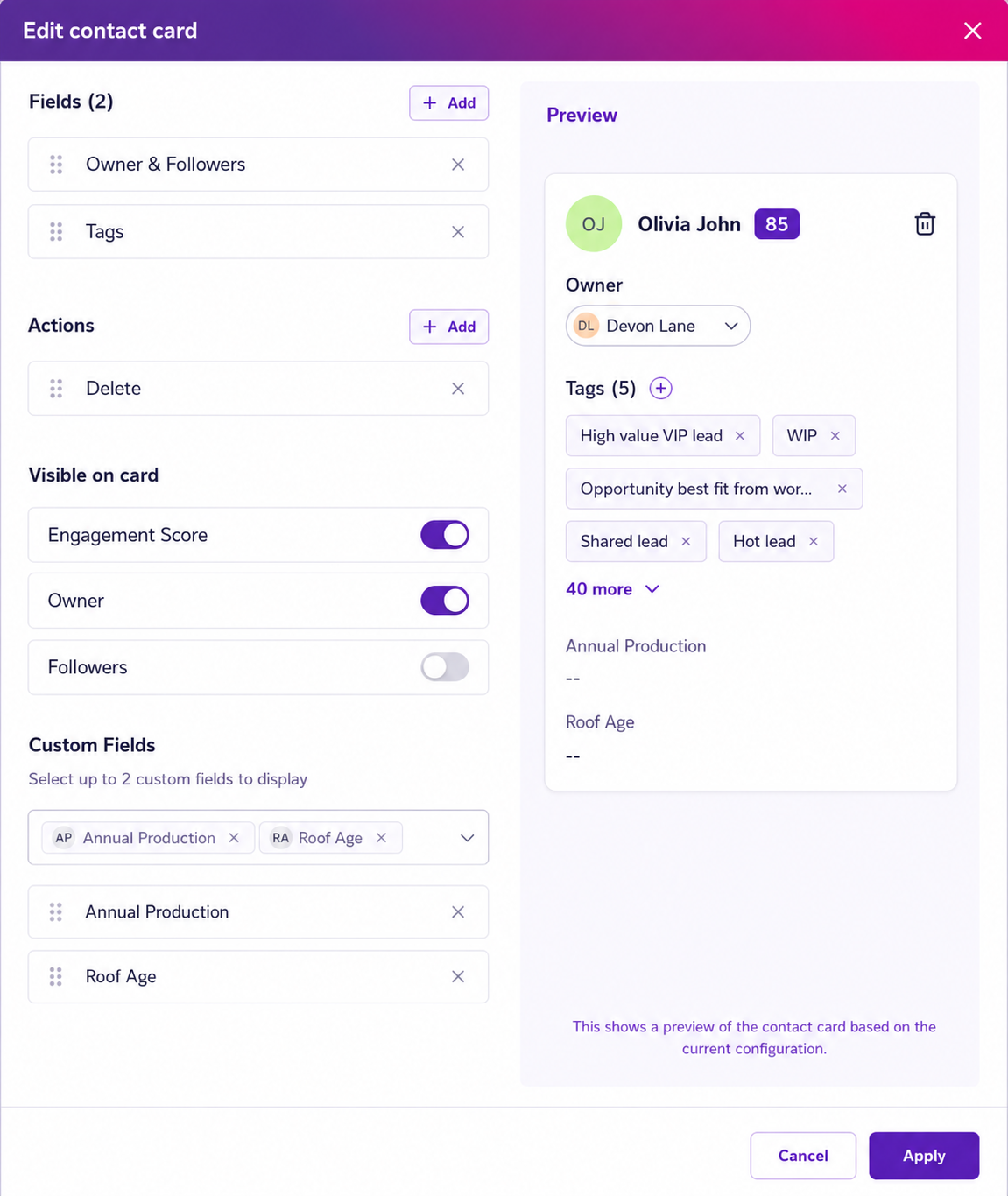
You can now add up to two custom fields directly onto the Contact Card for instant visibility.
Benefits include:
Faster access to key customer data
Reduced navigation between tabs
Improved efficiency for sales and support teams
Custom fields displayed on the Contact Card are shown in read-only mode.
To update values, simply continue using the All Fields tab.
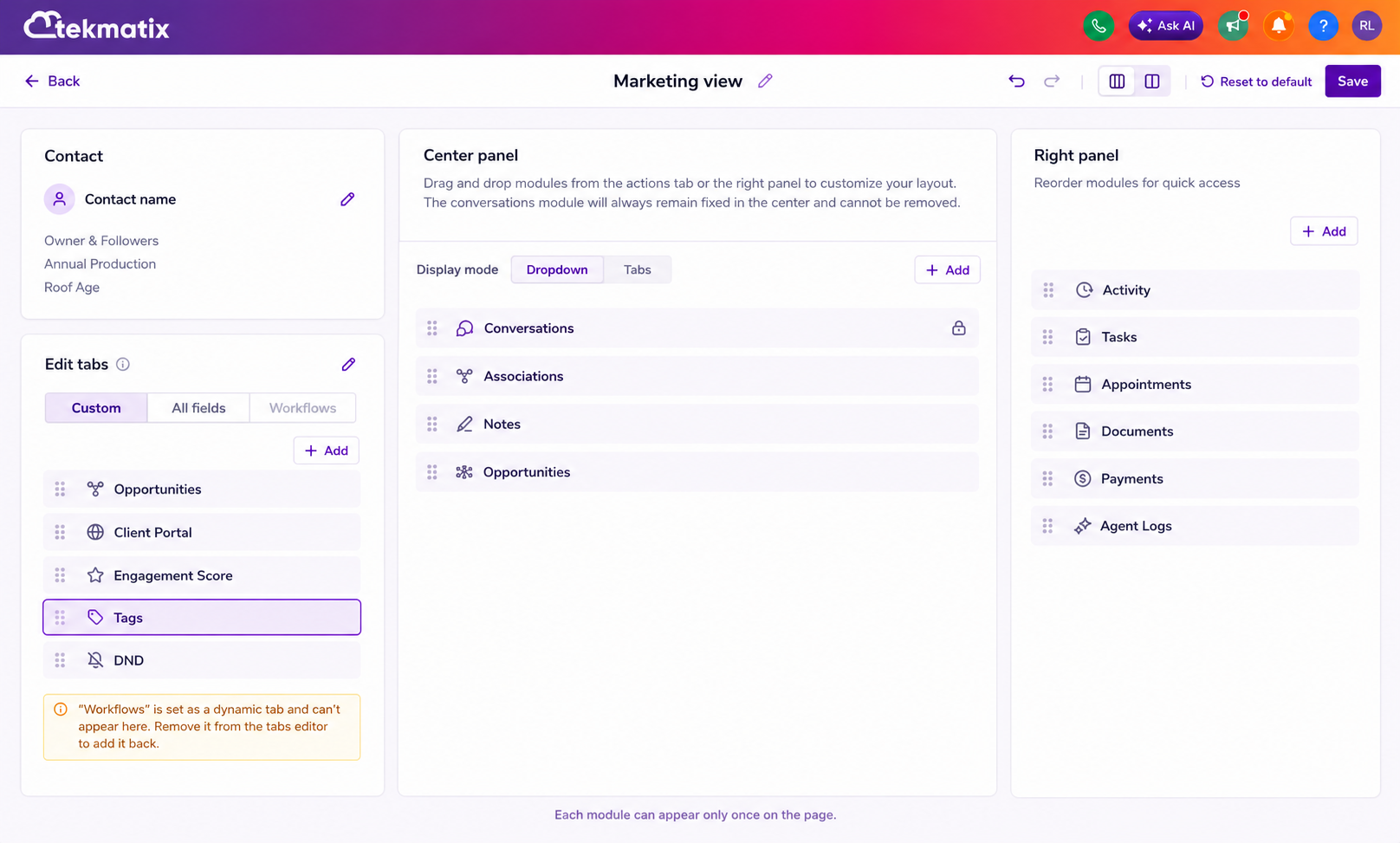
4. Flexible Tag Placement
Tags are now more flexible than ever.
Instead of being locked into one location, you can choose where tags appear within the Contact Record.
Options include:
Left Panel
Centre Panel
This gives you more freedom to design a layout that suits your business processes while keeping important information front and centre.
5. Customisable Tabs
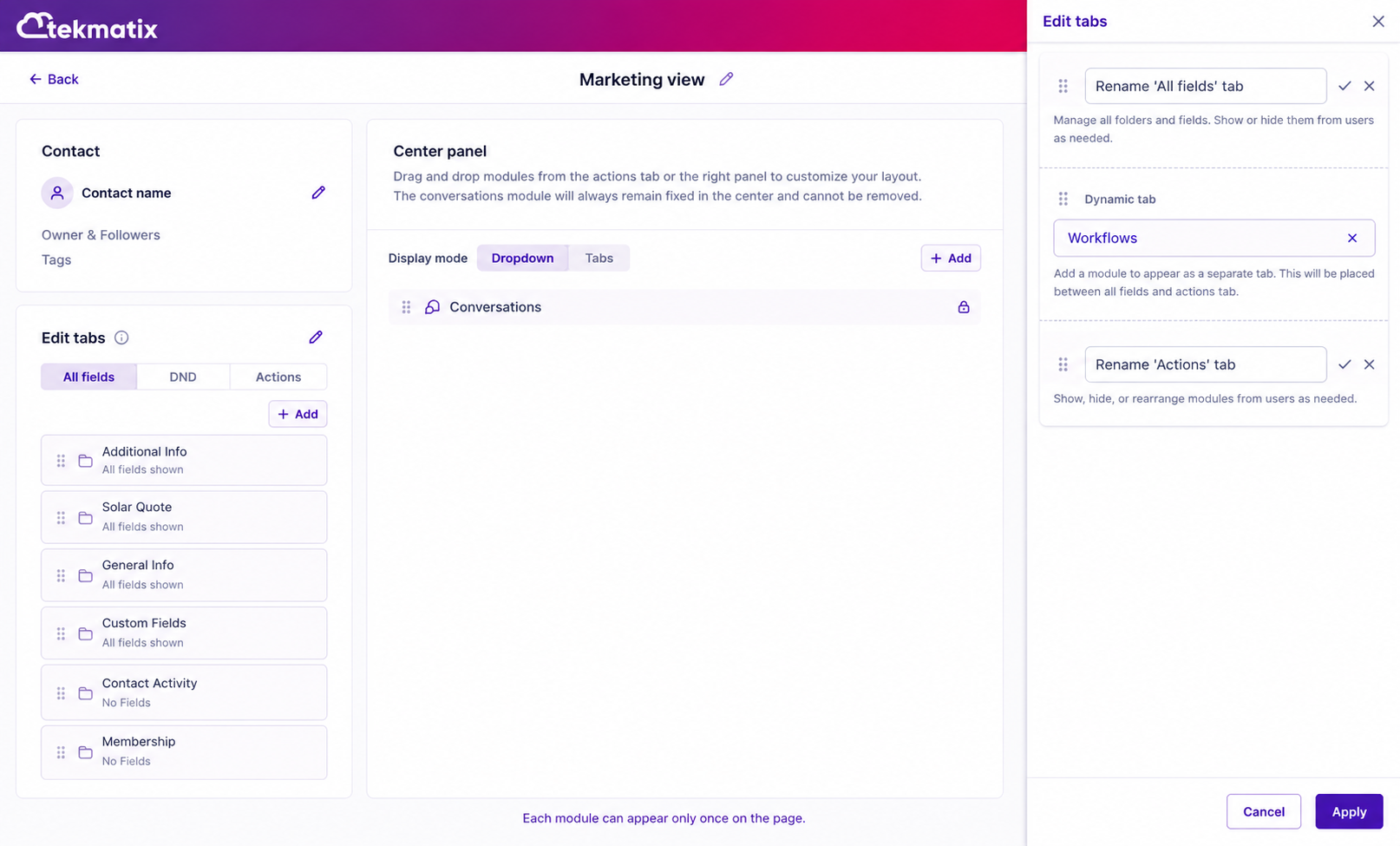
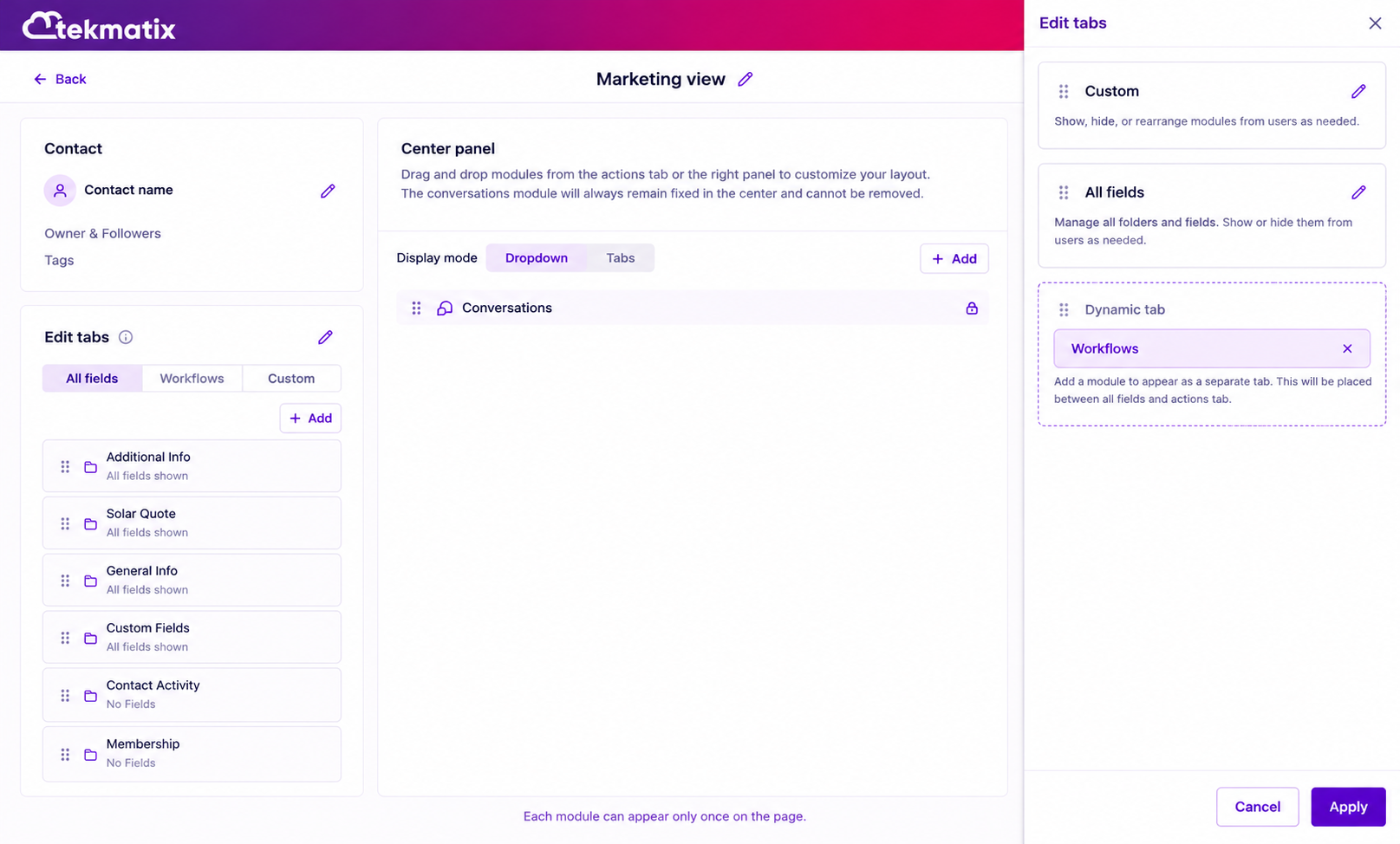
We've made tabs more adaptable to your team's workflow.
You can now:
Rename the Actions tab
Rename the All Fields tab
Reorder tabs
Create a layout that reflects your team's priorities
Whether you're focused on sales, onboarding, customer support, or account management, your workspace can now better reflect the way your business operates.
6. Dynamic Tabs Now Open Expanded by Default
We've improved the experience inside Dynamic Tabs.
Any module placed within a Dynamic Tab will now automatically display in an expanded state when the tab is opened.
This means:
Less clicking
Faster access to information
Improved visibility of key modules and data
A small change that creates a much smoother user experience.
Coming Soon
We're not stopping there.
Here's a preview of what's currently on our roadmap:
Place Modules Multiple Times on the Same Page
Soon you'll be able to add the same module more than once within a Contact Record layout and position it wherever you need it.
This will provide even greater flexibility when designing custom workspaces.
User Permissions for Custom Views
We'll be introducing permission controls that allow administrators to manage who can create, edit, and modify customised Contact Record layouts.
This will help maintain consistency across teams while still allowing flexibility where required.
Integrated Email Composer Launch
We're also working on improving the email experience so that clicking an email address within a Contact Record launches the Tekmatix email composer directly, creating a more seamless communication workflow.
Designed Around How You Work
Every business is different.
That's why we're continuing to invest in flexibility, personalisation, and usability throughout the Tekmatix platform.
These latest enhancements help you build a Contact Record experience that supports your team's processes, reduces friction, and keeps the information that matters most right where you need it.
Log in to your Tekmatix account today and start customising your Contact Records to suit the way you work.

Copyright © 2026 TekMatix. All rights reserved | [email protected]