
TekMatix Blog & Help Articles
Use the search bar below to look for help articles you need.
How to Manage Calendar Roles & Permissions Across Meetings, Services & Rentals in Tekmatix
Managing user access is essential as your business grows. Whether you have a small team or multiple departments, ensuring every team member only has access to the tools they need helps improve security, streamline operations, and reduce the risk of accidental changes.
Tekmatix has now expanded its Roles & Permissions system to provide a consistent permission model across Meetings, Services, and Rentals, making it easier than ever to manage access across your scheduling tools.
What's New?
The existing permissions previously available for Meetings have now been extended across Services and Rentals, giving administrators greater flexibility and control.
Unified Permission Model
Permissions are now consistent across all scheduling modules, including:
Meetings
Services
Rentals
This creates a familiar experience regardless of which scheduling feature your team uses.
Expanded Permission Controls
You can now configure permissions for:
Appointments and bookings
Groups and categories
Calendar, service and rental setup
Associated resources
Global preferences and settings
New Permission: Manage Associated Resources
A brand new permission allows administrators to control who can manage supporting resources, including:
Locations
Staff members
Resources
Add-ons
Other associated scheduling components
New Permission: Manage Preferences & Global Settings
You can now independently decide who has access to module-wide preferences and global settings, without granting broader administrative permissions.
How It Works
Every scheduling module now follows the same permission structure, making role management simple and consistent.
Available permissions include:
View Calendars
Allows users to view Meetings, Services, or Rentals.
Manage Setup
Control who can create and manage:
Calendars
Services
Rental listings
Manage Appointments
Grant permission to manage bookings and appointments across all scheduling modules.
Manage Groups & Categories
Allow users to manage:
Meeting groups
Service categories
Rental categories
Manage Associated Resources
Control access to:
Locations
Staff
Resources
Add-ons
Related scheduling assets
Manage Preferences & Global Settings
Choose who can configure module-wide settings without giving full administrative access.
Because each permission can be enabled independently, you can build highly customised roles that match your team's responsibilities.
How to Configure Roles & Permissions
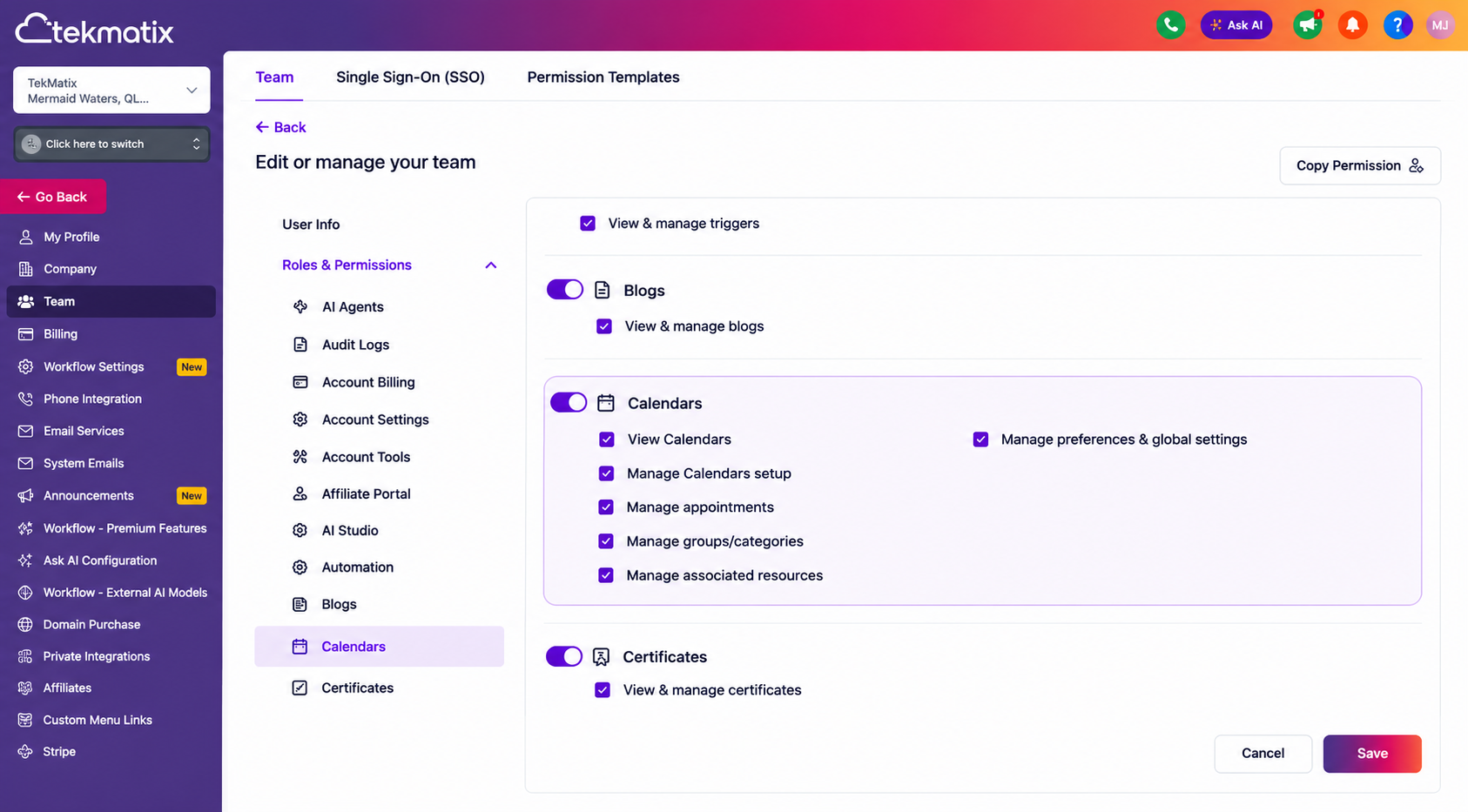
Agency Level
Navigate to:
Settings → Team → Select Team Member → Roles & Permissions → Calendars
Assign the required permissions, then click Save.
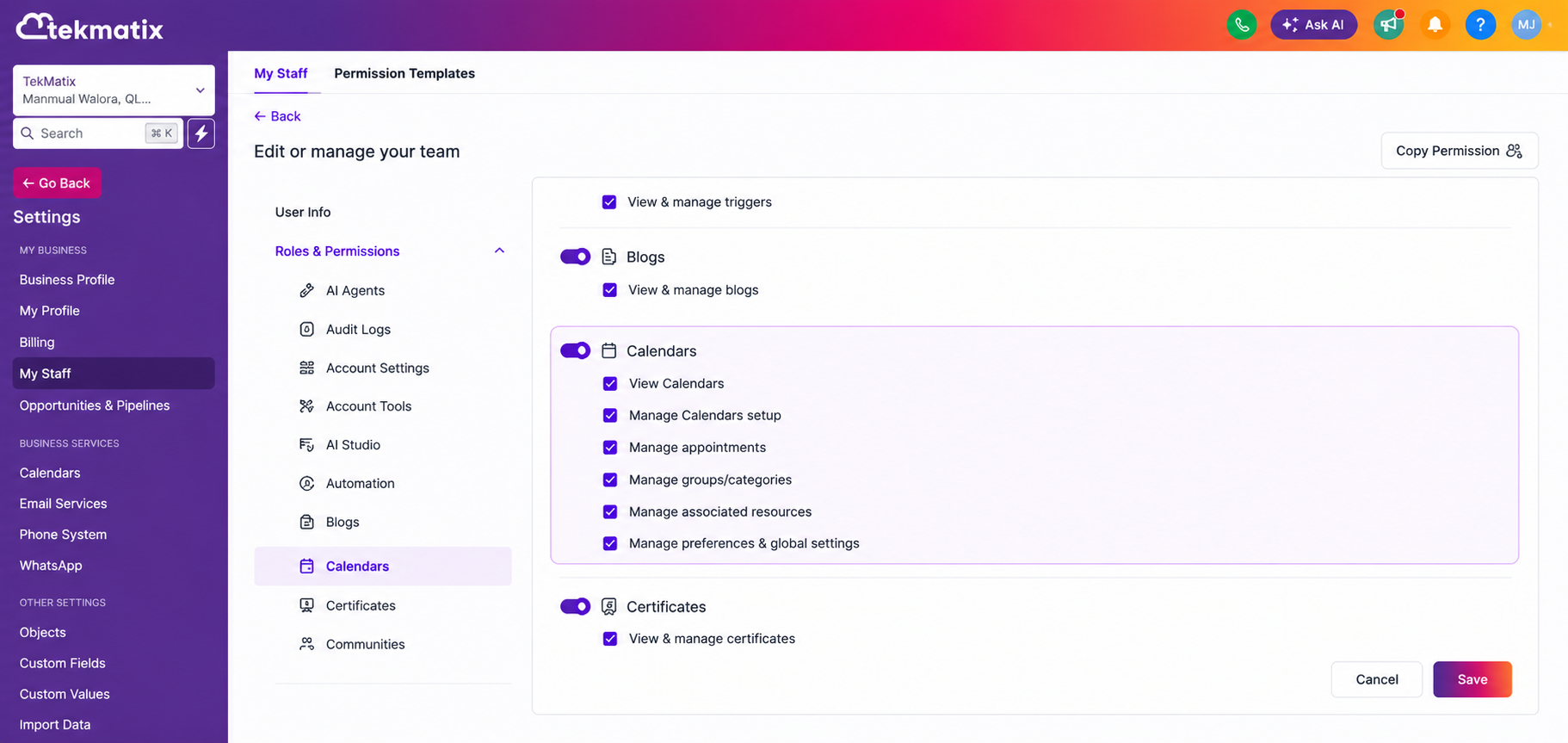
Account Level
Navigate to:
Settings → My Staff → Select Team Member → Roles & Permissions → Calendars
Select the permissions appropriate for that staff member and save your changes.
Why This Update Matters
As businesses expand, different team members often require different levels of access.
With this update you can:
Create role-specific permissions across Meetings, Services and Rentals.
Give staff access only to the features they need.
Improve operational security.
Reduce accidental configuration changes.
Maintain a consistent permissions experience across all scheduling modules.
Scale your business with greater confidence as your team grows.
Whether you're managing appointment bookings, rental listings, or service offerings, Tekmatix now gives you the flexibility to control access with greater precision than ever before.

Copyright © 2026 TekMatix. All rights reserved | [email protected]