
TekMatix Blog & Help Articles
Use the search bar below to look for help articles you need.
How To Launch High-Converting Email Campaigns Using Tekmatix Email Campaign Agent
How To Launch High-Converting Email Campaigns Using Tekmatix Email Campaign Agent
Why This Feature Matters
Email remains one of the most powerful channels to reach your customers—but crafting the right message, testing subject lines, and targeting the correct audience can be time-consuming.
Tekmatix Email Campaign Agent simplifies this process by using AI to help you write, design, and optimize email campaigns. With guided prompts, brand consistency, A/B testing, and audience targeting all in one flow, teams can launch campaigns faster, reduce errors, and improve engagement.
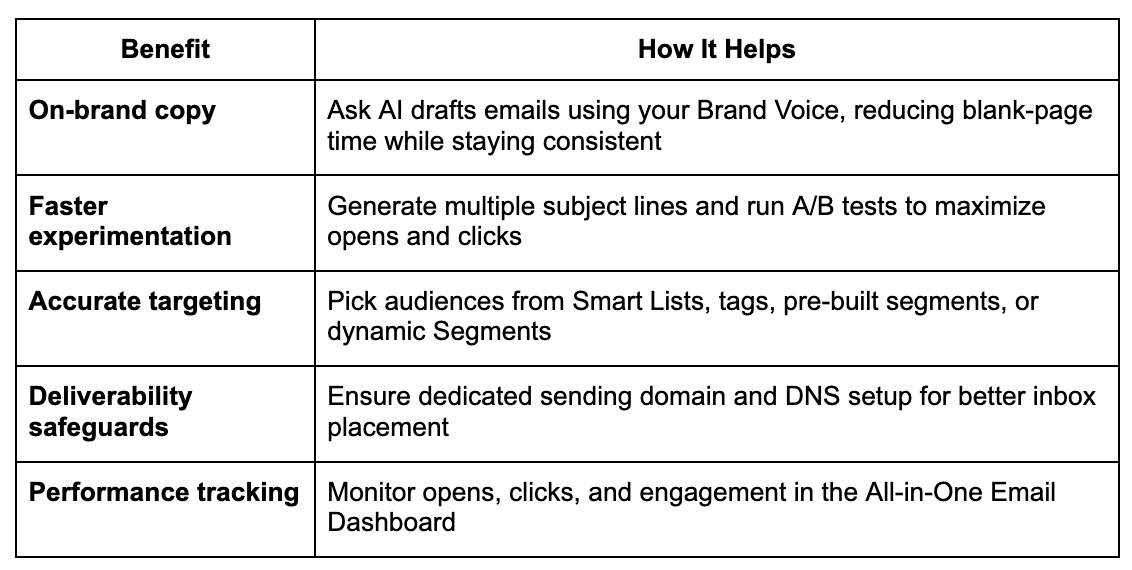
Using this tool helps you:
Reduce time spent drafting emails while staying on-brand
Experiment with multiple subject lines for better open rates
Reach the right audience using Smart Lists, tags, and segments
Ensure deliverability with proper domain setup
Track performance in a centralized dashboard
What Is Email Campaign Agent?
Email Campaign Agent is a guided, AI-powered workflow inside Tekmatix. By prompting Ask AI with phrases like:
“Create an email campaign”
“Email to promote my product”
you trigger a step-by-step builder that handles:
Generating on-brand email copy
Testing multiple subject lines
Selecting the right audience
Checking sending-domain configuration
Scheduling and launching the campaign
The campaign is then ready to send in the Campaign Builder, fully optimized for performance.
Key Benefits of Email Campaign Agent
How To Set Up an Email Campaign Using Tekmatix
Follow this step-by-step guide to launch your next campaign efficiently.
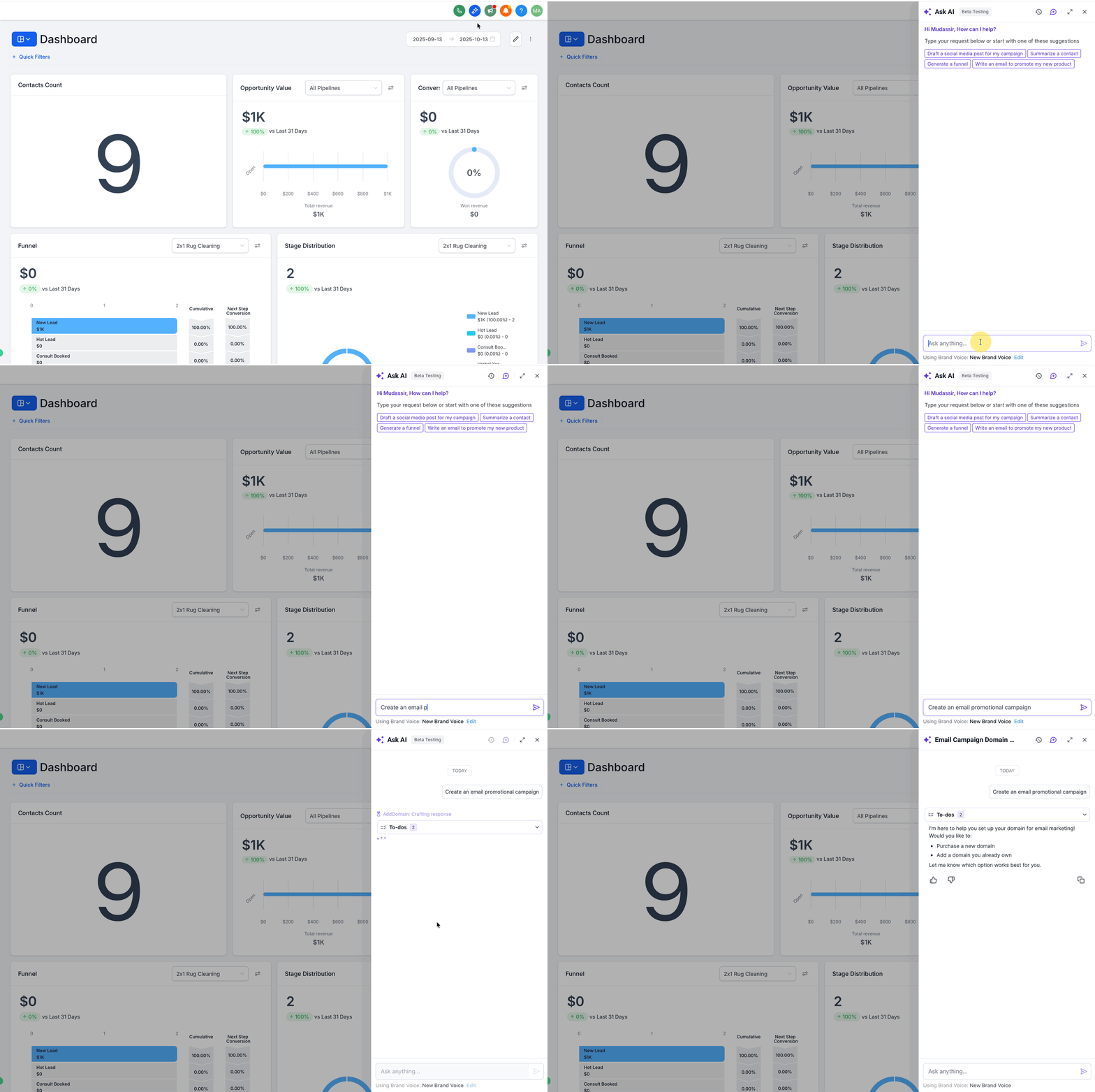
Step 1: Open Ask AI and Start Your Campaign
Open Ask AI in Tekmatix
Prompt it with:
“Create an email campaign”
“Email to promote my product”
Ask AI will recognize your request and open the Email Campaign Agent guided flow.
Step 2: Check or Configure Your Sending Domain
The agent checks if a dedicated sending domain is set up.
You can:
Complete setup now for optimal deliverability
Skip and finish later (not recommended)
Follow prompts for DNS records (auto-configure where supported or manual copy/paste).
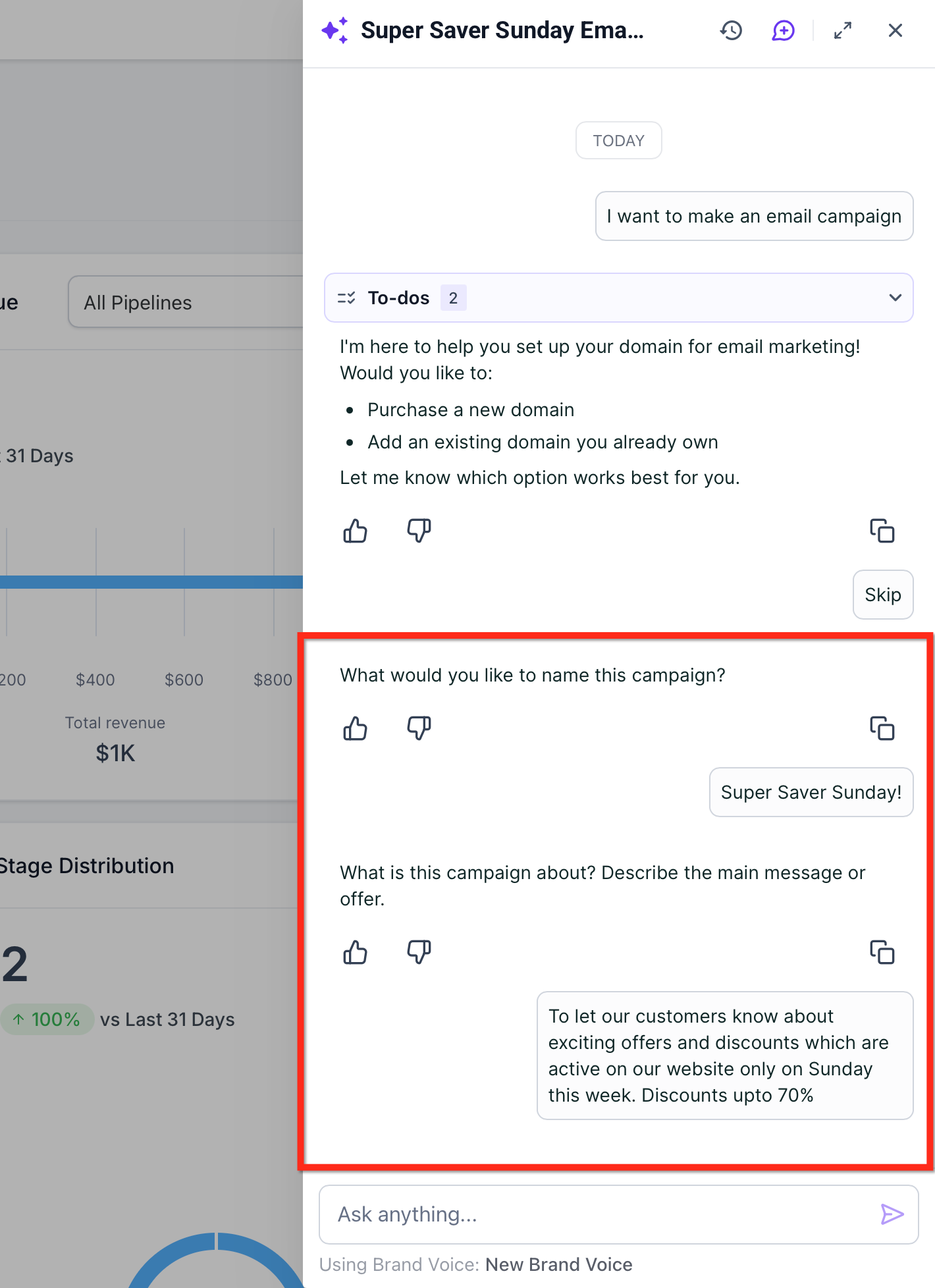
Step 3: Answer Ask AI’s Brief Questions
Provide key campaign details:
Campaign Name
Offer or topic
Audience intent
Desired tone
Ask AI uses this to generate body copy and pre-fill scheduling details.
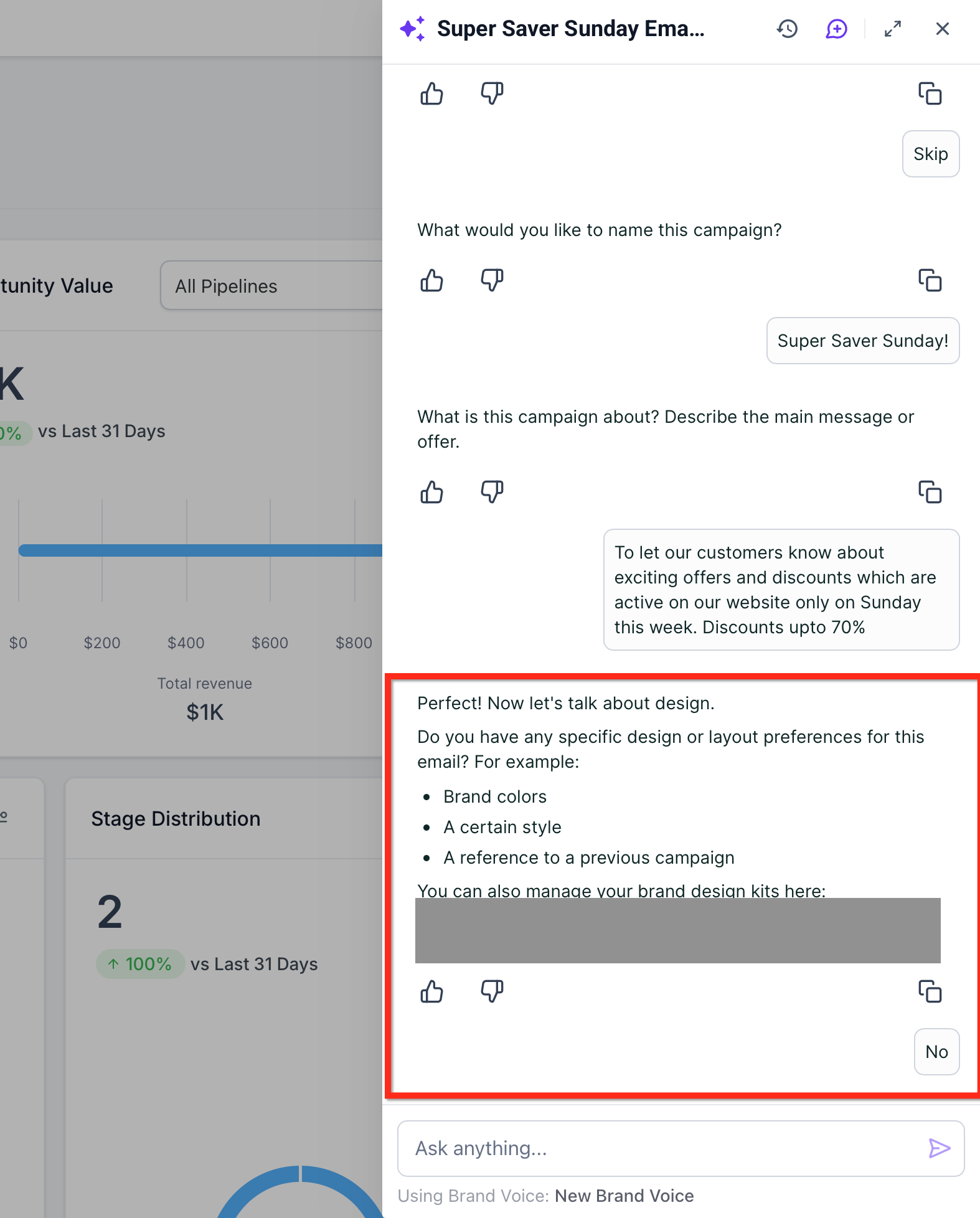
Step 4: Connect Your Brand Kit (Optional)
Link to your Brand Board/Brand Voice so emails reflect your brand guidelines.
Adjust tone or regenerate content as needed
Ensure consistent styling across campaigns
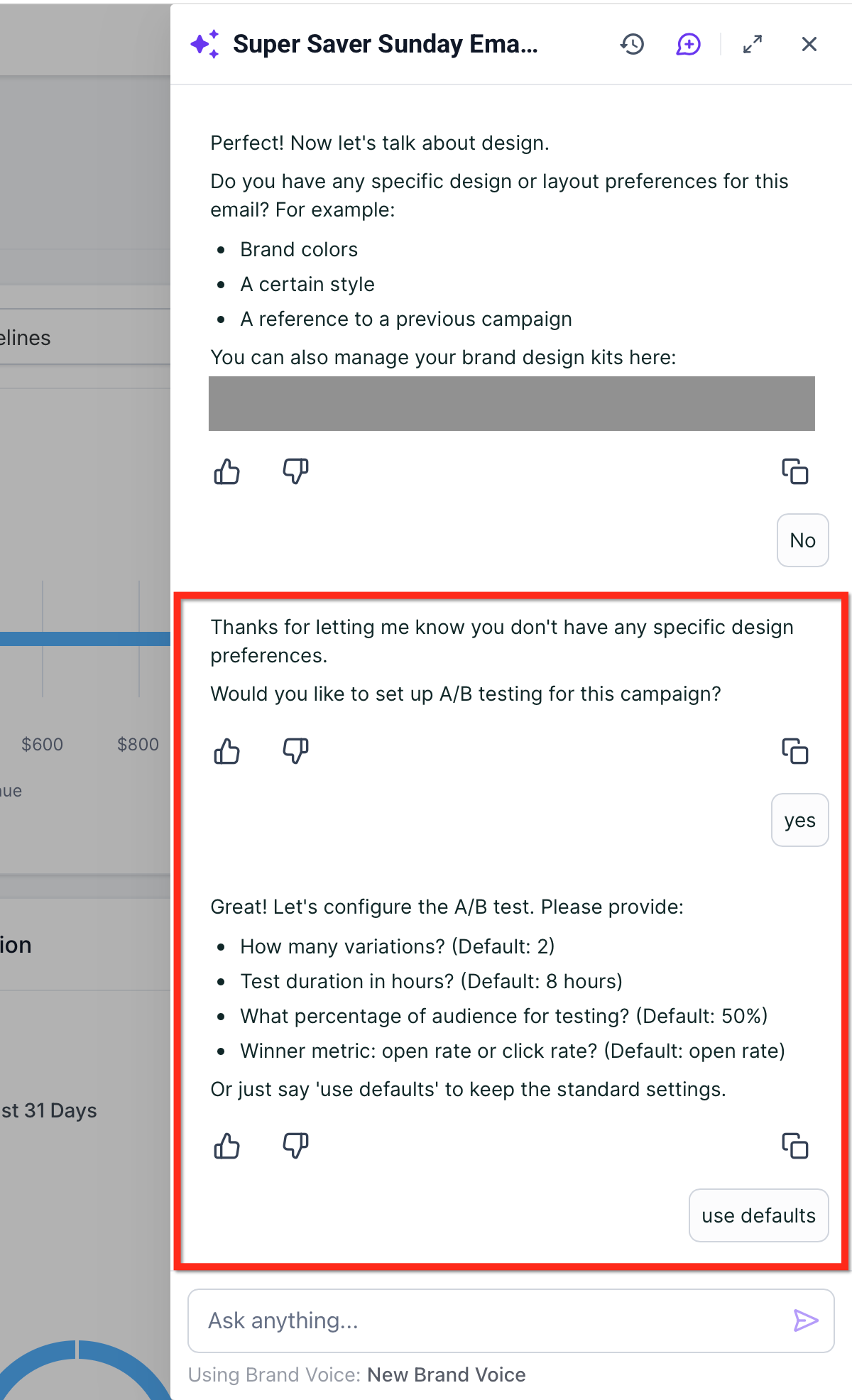
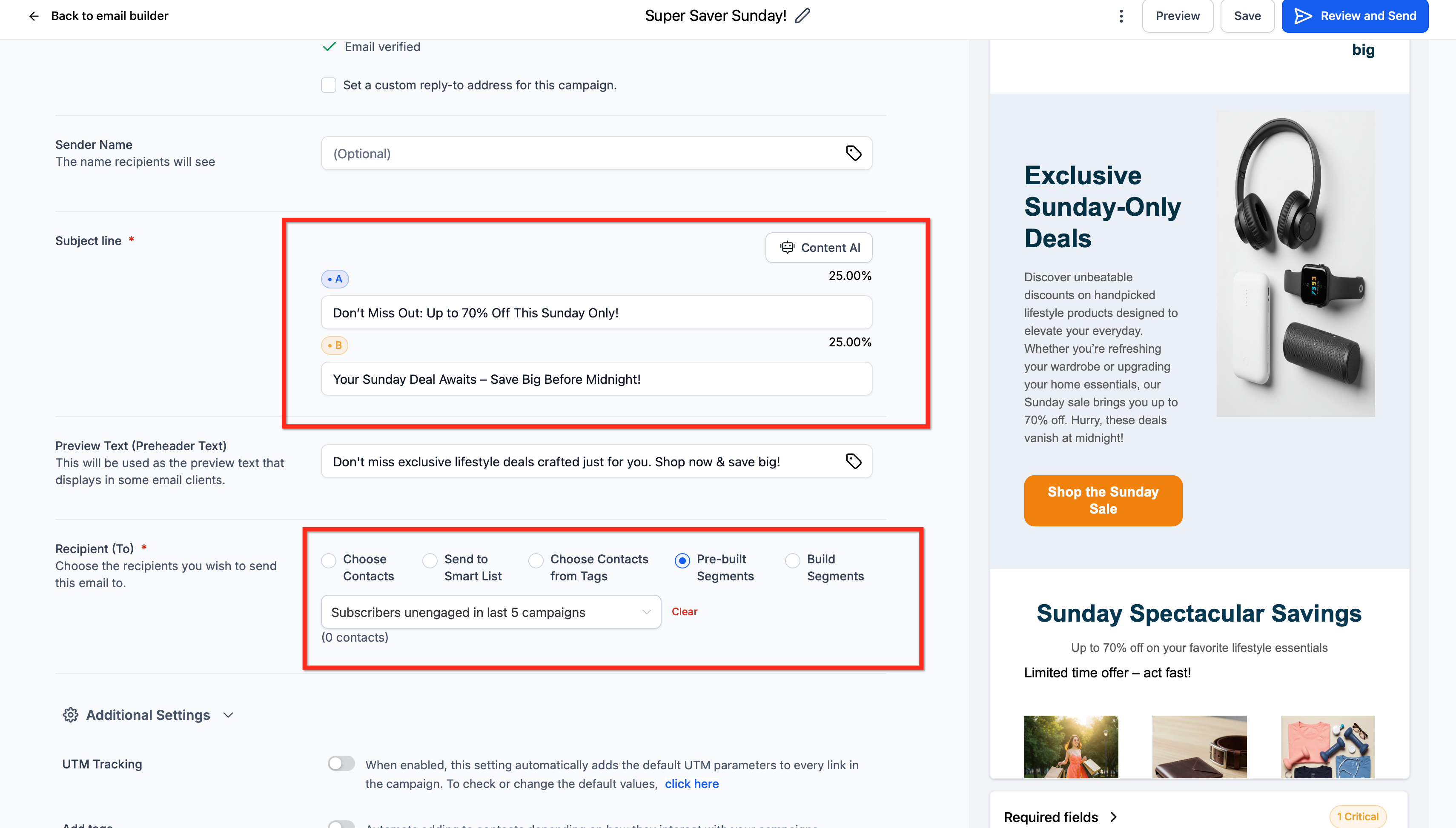
Step 5: Enable Subject-Line A/B Testing (Recommended)
Toggle Subject Line Test
Generate up to 6 variations
Set:
Sample size (minimum 10 contacts per variation)
Test duration
Winning metric (Unique Opens or Unique Clicks)
Tip: A/B testing works only for Send Now and Schedule delivery.
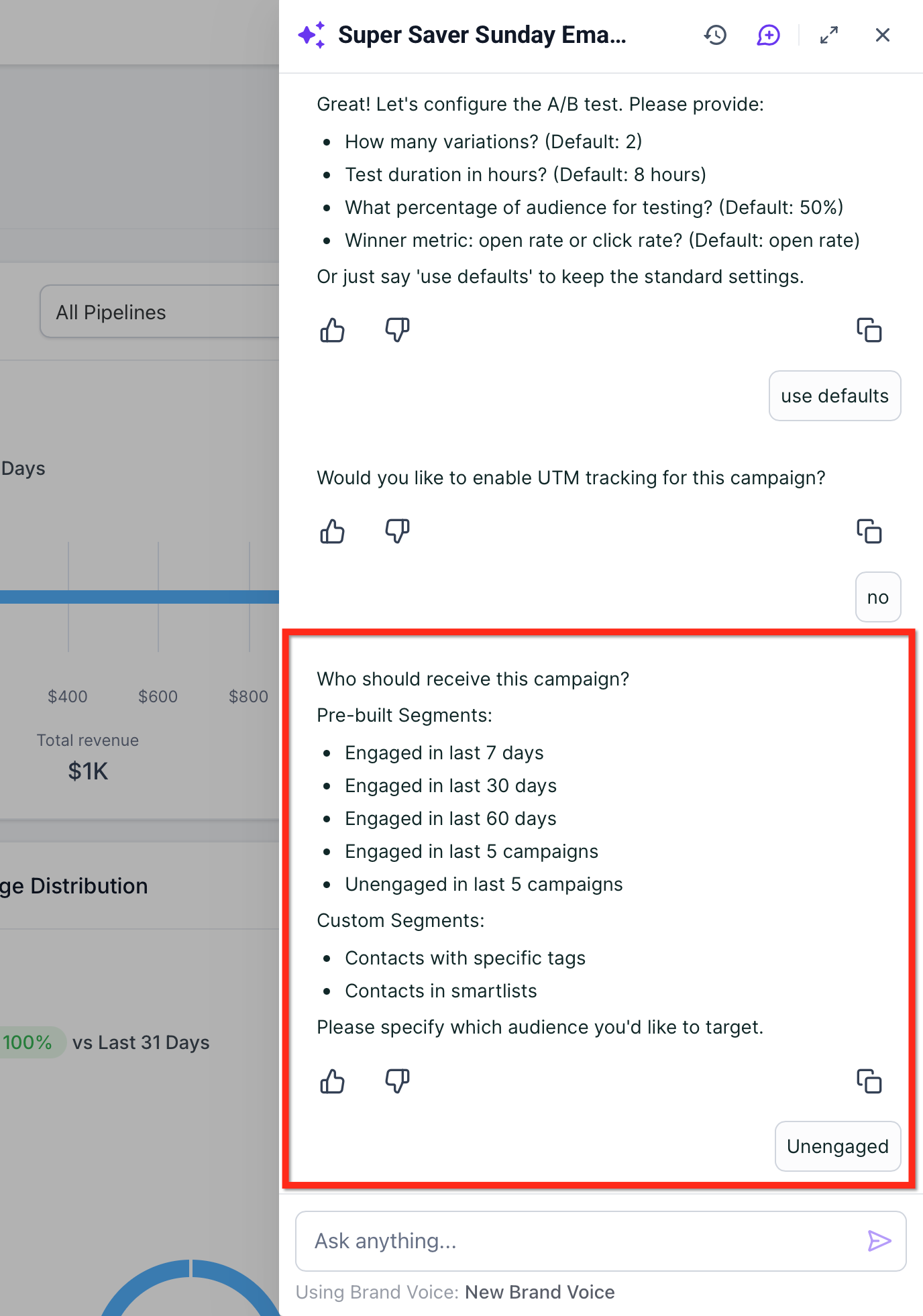
Step 6: Choose Your Audience
Select from:
Pre-Built Segments – Quick one-click options like “Engaged last 7 days”
Smart Lists – Dynamic CRM views updated at send time
Segments (Campaign Builder) – Logic-based groups that evaluate dynamically
Tags – Organize audiences for automation or filtering
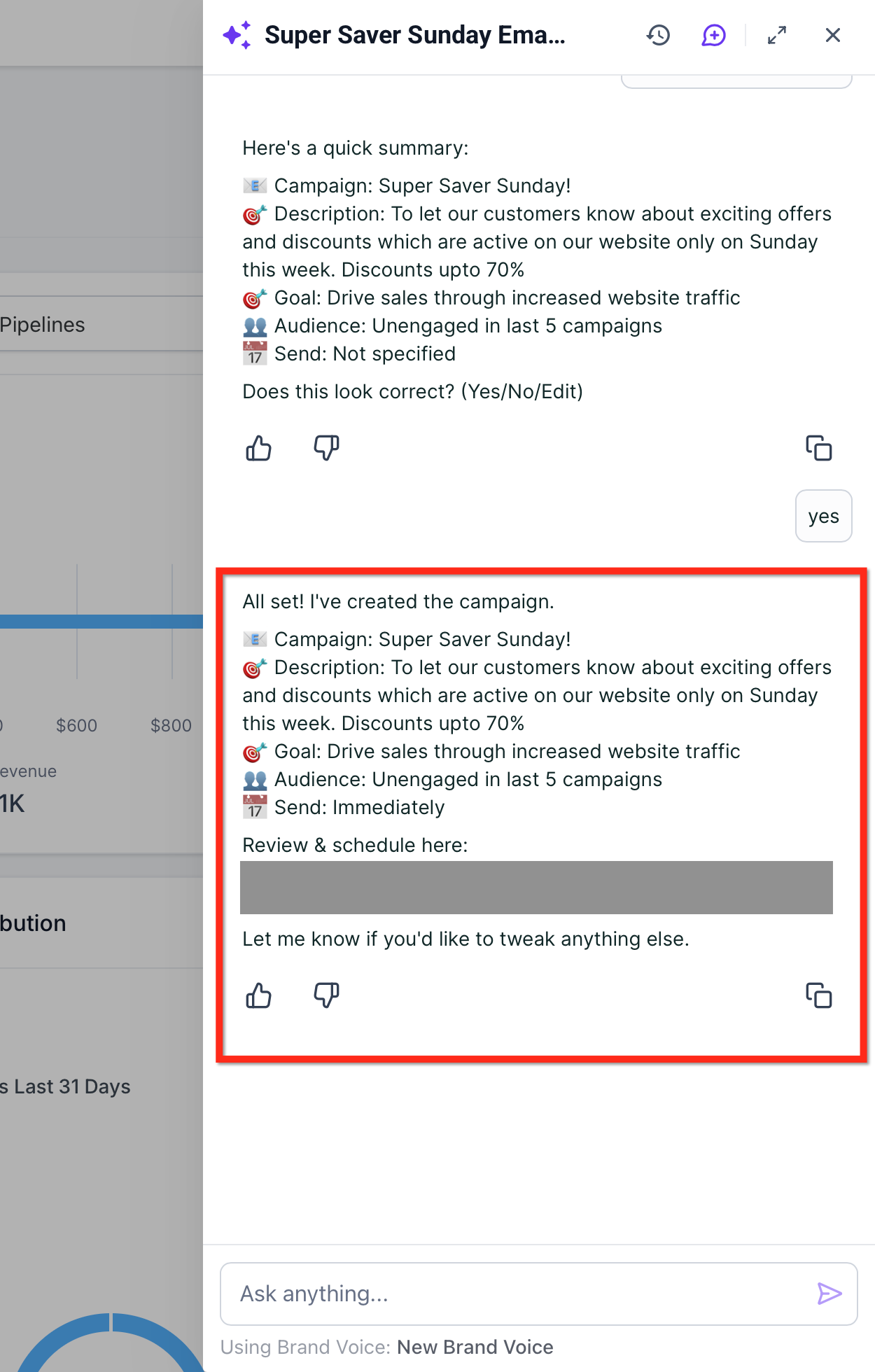
Step 7: Review and Confirm Ask AI Summary
Ask AI displays a summary card with:
Campaign name
Description
Goal
Audience
Send status
Confirm everything is correct, then click Yes.
Ask AI responds: “All set! I’ve created the campaign.”
Click Review & Schedule to open the campaign in the Campaign Builder.
Step 8: Launch and Monitor Results
Click Launch Campaign when ready
Track engagement: opens, clicks, and unsubscribes in Marketing → Emails → Statistics
Follow up as needed (e.g., Resend to Unopened for eligible campaigns)
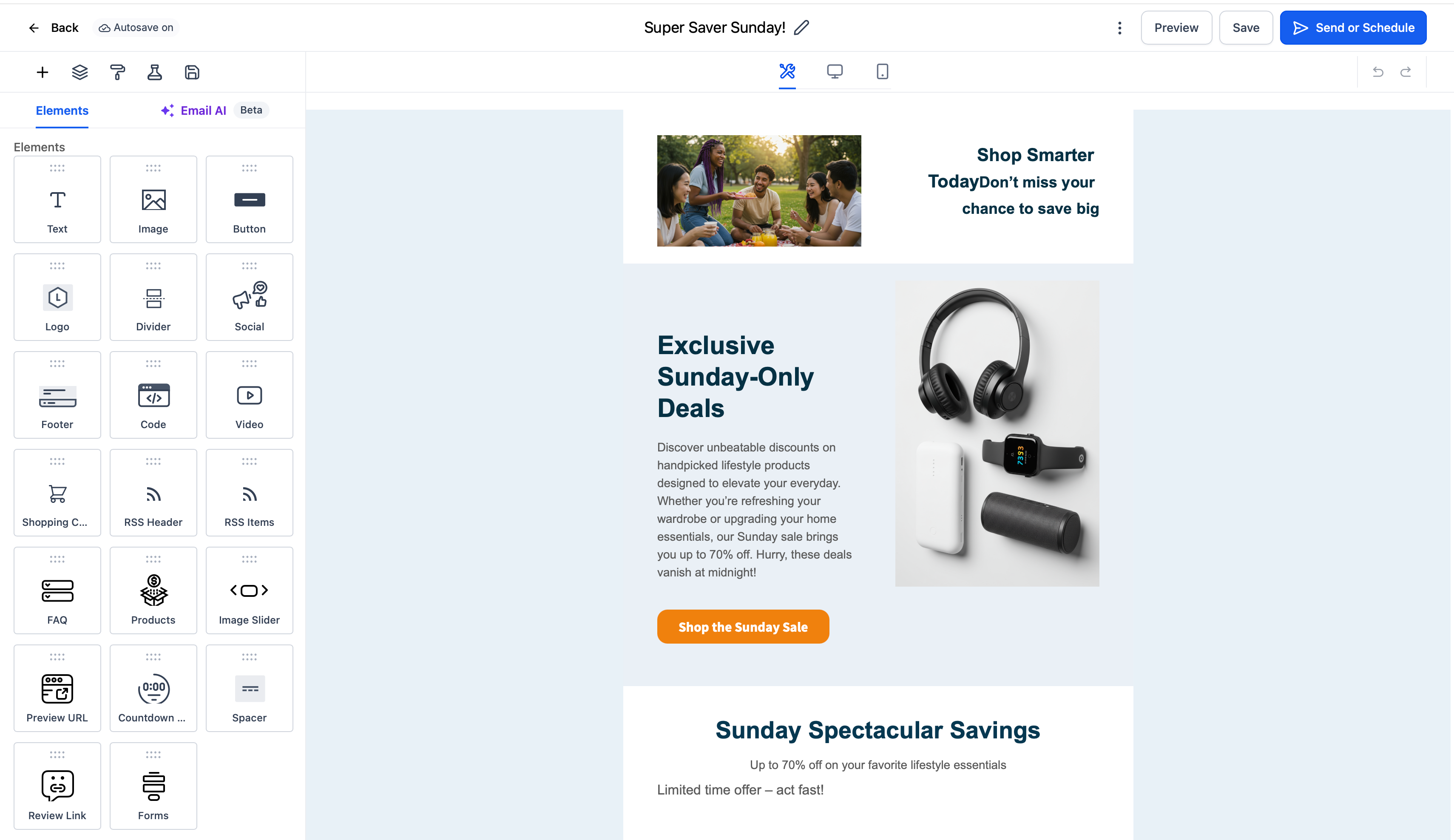
Sample Scenario: Promoting a New Product
A boutique skincare brand wants to promote a new serum to customers who purchased moisturizer in the last 30 days.
Using Email Campaign Agent:
The marketing manager prompts Ask AI:
“Email to promote new serum”
Ask AI asks for campaign name, offer details, and tone
AI generates on-brand email copy and links to the Brand Board
Subject-line A/B test is enabled with 3 variations
Audience is selected using a Pre-Built Segment: “Purchased moisturizer last 30 days”
Campaign is scheduled and launched
Result:
The AI-generated email is sent to the right audience with tested subject lines, saving time while maximizing engagement.
Best Practices
Always connect your Brand Voice to ensure consistency
Use A/B testing for subject lines to improve open rates
Select accurate audience segments to reduce unsubscribes
Track engagement in dashboards and optimize future campaigns
Frequently Asked Questions
Q: Can I edit the AI-written content before sending?
Yes, you can edit, re-generate, and format content at any stage.
Q: How many subject-line variations can I test?
Up to 6; minimum 10 contacts per variation and 40 contacts total.
Q: Do Smart Lists or Segments update after scheduling?
Smart Lists update dynamically at send time; Pre-Built Segments snapshot at creation/scheduling.
Q: Can I resend to contacts who didn’t open my email?
Yes, Resend to Unopened is supported for eligible campaign types.
Q: Which delivery methods can I use?
Send Now, Schedule, Batch Schedule, or RSS Schedule depending on your goal.

Copyright © 2026 TekMatix. All rights reserved | [email protected]