
TekMatix Blog & Help Articles
Use the search bar below to look for help articles you need.
How to Get AI to Audit and Improve Your Tekmatix Account: Workflows, Funnels, Contacts, Forms and Lists
Your workflows were built over a few years. Some by you, some by a VA, some by a contractor who has since moved on. There are funnels nobody has looked at since launch, forms that feed into who knows what, and a contact list full of tags that made sense at the time.
You do not need to untangle any of that by hand any more. Tell your AI to audit your Tekmatix account, go and make a cuppa, and come back to a clear report of what is live, what is broken, what is quietly costing you, and what it recommends you fix. Then you approve the changes you want.
This guide gives you a copy-paste prompt for each part of your account, plus one full-account audit prompt. They work in Ask AI, the assistant built into Tekmatix, or in Claude, ChatGPT, GrokBot or any other AI you have connected to your Tekmatix account.
What AI should I use?
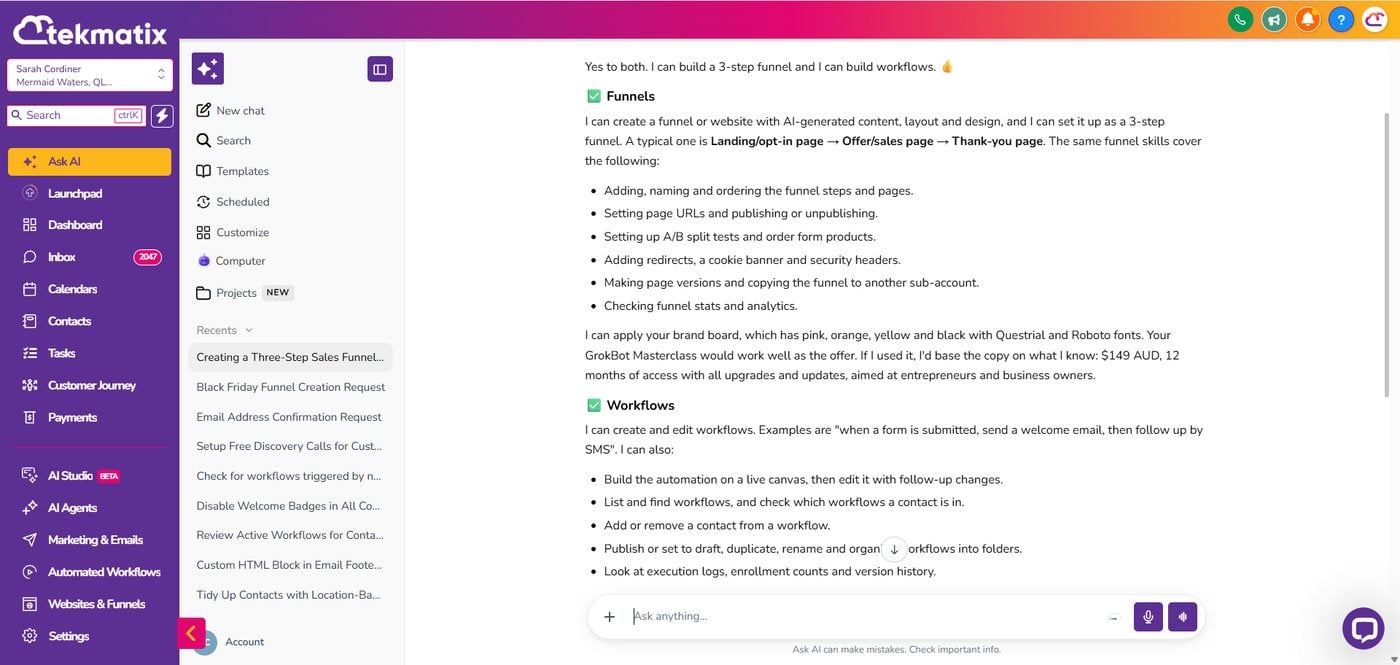
Start with Ask AI, the inbuilt AI assistant inside Tekmatix. If you do not already pay for an external AI and do not want another subscription, this is the first place to go. It works directly inside your account, so it can read your workflows, funnels, forms, contacts, tags and smart lists without you exporting or pasting anything.
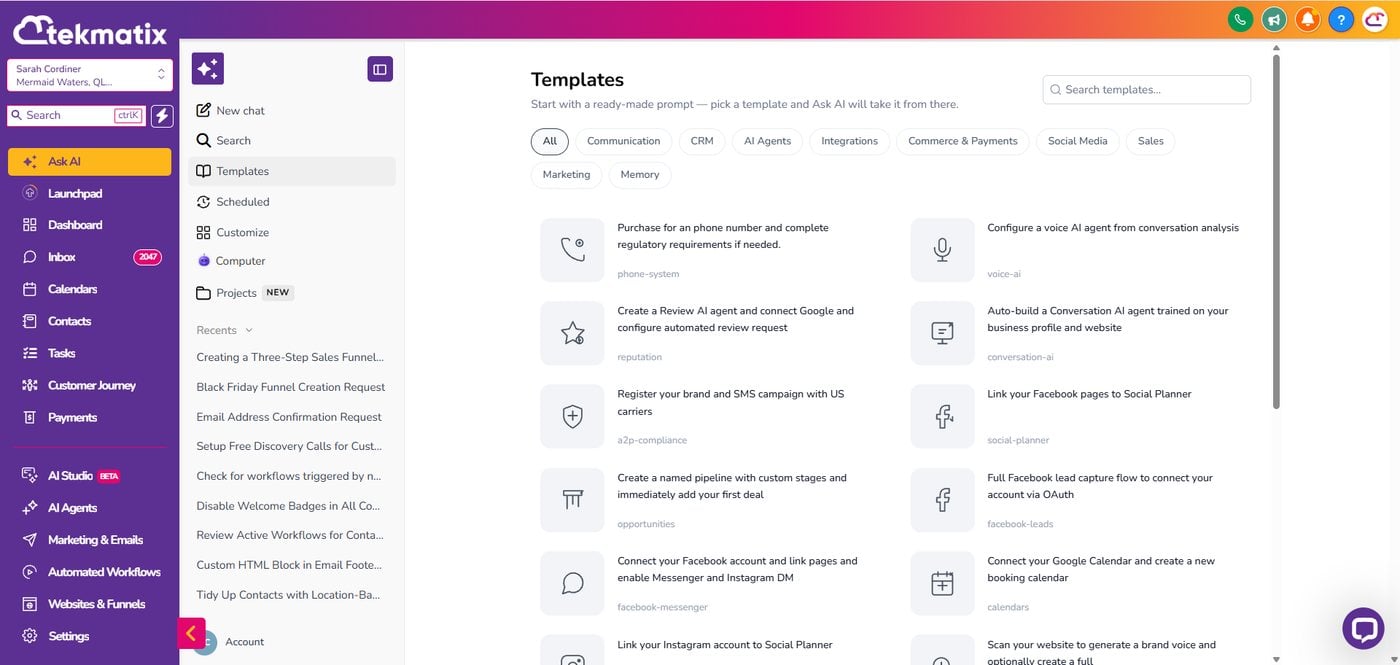
Log into your Tekmatix account and click Ask AI in the main menu on the left of your dashboard. Then start chatting.
The prompts below should also work in Claude, ChatGPT, GrokBot or another AI you already use, as long as you have connected it to your Tekmatix account and given it the right permissions.
*Tekmatix AI usage applies as a billable consumable. You can find out more about pricing on our public page: tekmatix.com/pricing.
Ask AI now works like Claude, ChatGPT and GrokBot, inside your account
Ask AI is no longer just a chat box. It now has the same kind of power people go to Claude, ChatGPT or GrokBot for:
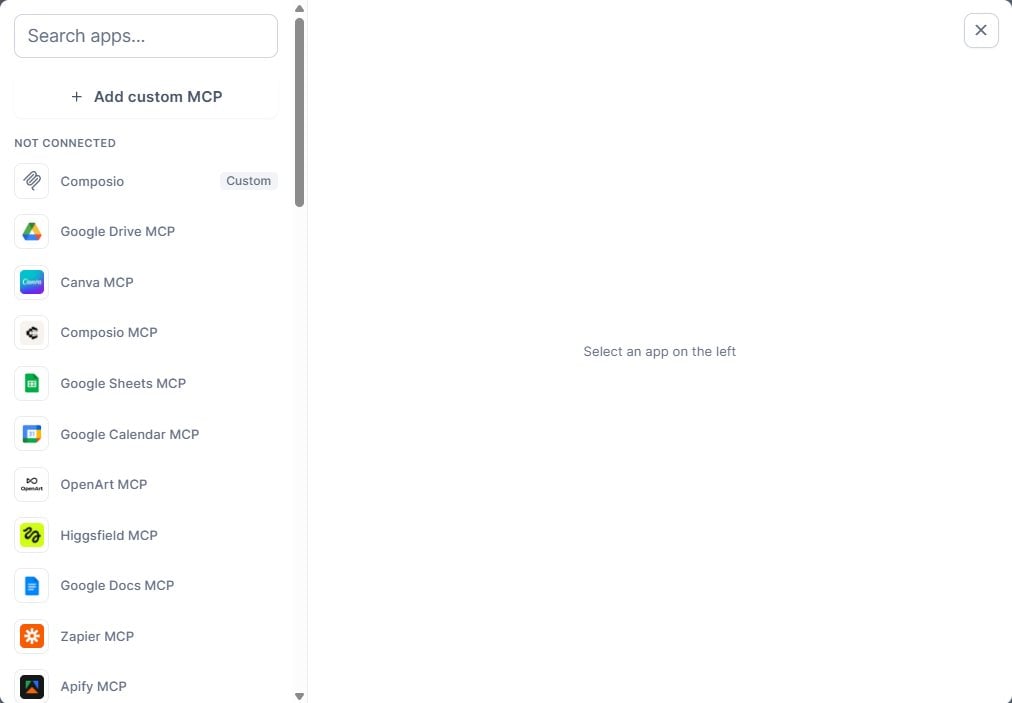
- Connectors. Connect your other tools, such as Google Sheets, Google Drive, Canva and Zapier, or add a custom MCP such as Composio to reach hundreds more apps. That means your audit can land straight in a Google Sheet.
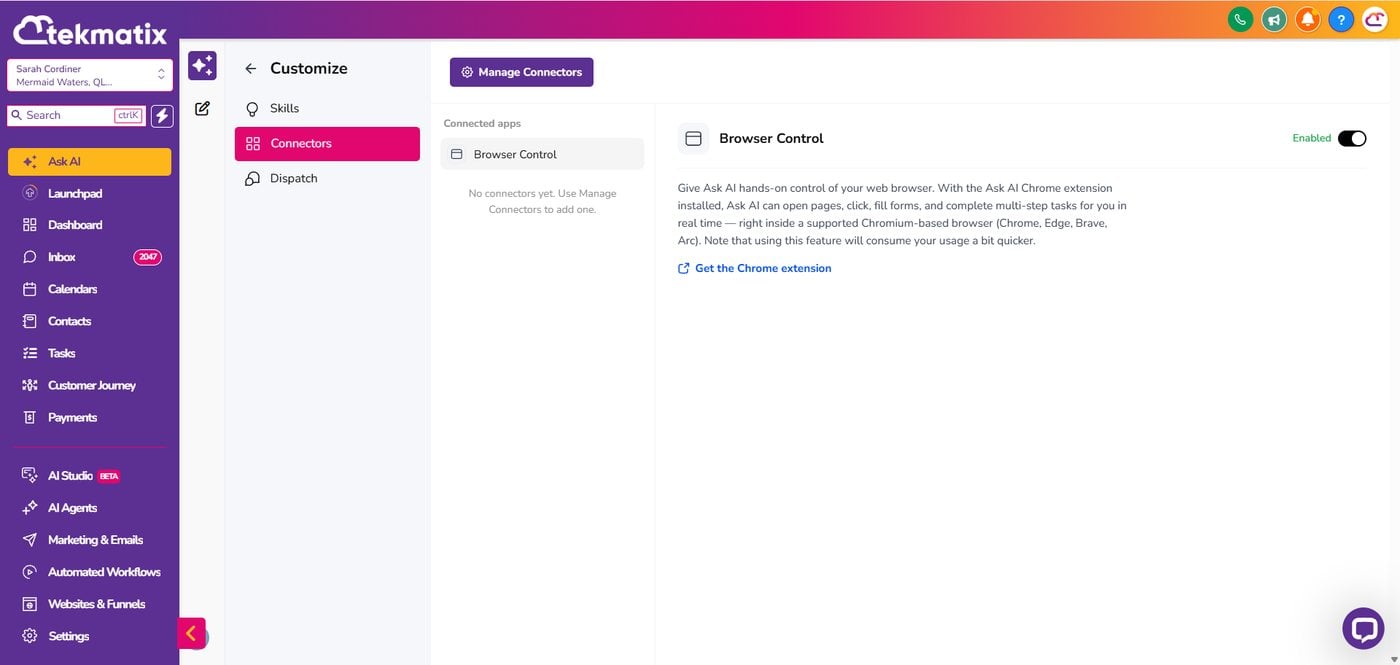
- Browser Control. With the Ask AI Chrome extension installed and Browser Control turned on, Ask AI can open pages, click, fill in forms and work through multi-step jobs in your browser, with your permission.
- Skills. Save a job you repeat, like this audit, as a skill so you never have to write the instructions again.
- Scheduled tasks. Ask it to run a job for you on a schedule, such as a monthly account health check.
We walked through the full setup in how to get Ask AI to connect your tools and do the work for you.
Audit your account from your phone
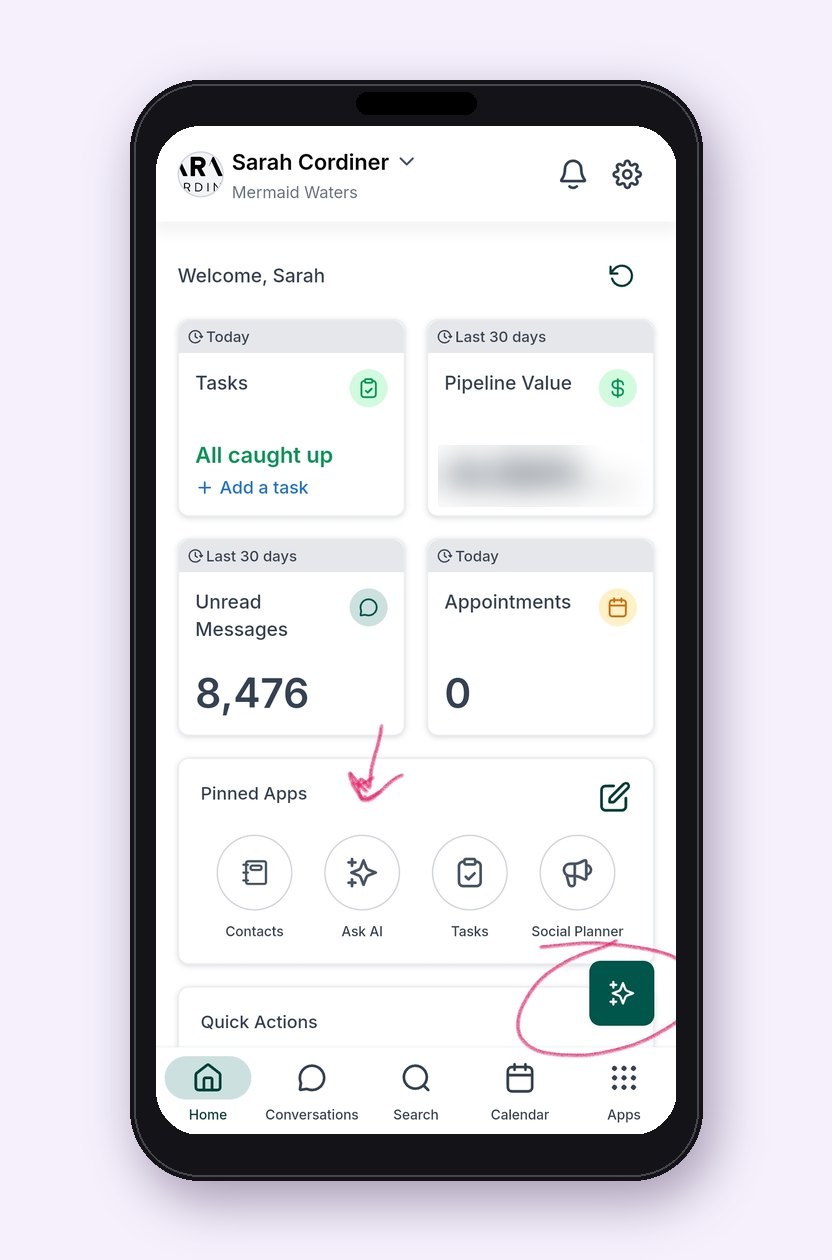
Ask AI is in your pocket too. Download the LeadConnector mobile app (Apple App Store or Google Play), log in with your Tekmatix login details, then tap Ask AI in your Pinned Apps or the sparkle button on the home screen. Paste any prompt below and let it work while you get on with your day.
The golden rule: audit first, approve second
When an account has grown over years, the temptation is to start deleting. Don't. Get your AI to audit first and report back. You decide what changes.
Every prompt in this guide gives your AI the same ground rules:
- It never deletes contacts, pages, funnels, forms or workflows.
- It may recommend unpublishing a workflow, funnel or page, or setting it to draft. Anything unpublished can be switched back on. Anything deleted may be gone for good.
- It may recommend removing someone from your mailing list and switching on do not disturb, so they stay in your records without receiving mass emails.
- It sends nothing, publishes nothing and changes nothing until you approve the exact list.
If you run more than one sub-account, audit one at a time and get your AI to confirm which business it is in before it starts.
1. Audit your workflows
This is where most of the mess hides. Old automations still running, triggers nobody remembers setting, two workflows doing the same job, and emails going out that point to offers you stopped selling last year.
Prompt to copy into Ask AI, GrokBot, Claude or ChatGPT
Taking everything you know about me and access to all of the data and systems you already have, log into my Tekmatix account, confirm which business and sub-account you are in, and audit all of my workflows. Do not ask me to paste anything into this chat. Use the account itself.
For every workflow, tell me its name, whether it is published or in draft, what triggers it, what it does, which emails, texts or other messages it sends, and roughly how many contacts are in it now. Flag workflows that look duplicated, broken, out of date, triggered by the same event as another workflow, or pointing to old offers, old links, old dates or pages that no longer exist.
For each one, recommend whether to leave it, update it, set it to draft or unpublish it, with a short reason. Put the report in a Google Sheet if you have access to one, otherwise give it to me as a table here. Do not delete, unpublish, edit or send anything. Wait for my approval of the exact list before you change anything.
2. Check what will fire before you import a contact list
This is the one most people learn the hard way. You import a list, and a workflow triggered by "contact created" or a tag being added springs into life and starts emailing hundreds of people who were never meant to get that email.
Before any import, ask your AI in plain English: if I upload a contact list, how many of my contacts will get contacted, and by which workflows? It will go through your workflows, find the triggers, and tell you exactly which ones would fire. Those are the ones to switch to draft, update or check before you press import.
Prompt to copy into Ask AI, GrokBot, Claude or ChatGPT
Taking everything you know about me and access to all of the data and systems you already have, log into my Tekmatix account and check what would happen if I imported a new contact list today. Do not ask me to paste a list of workflows into this chat.
Review every published workflow and tell me which ones would be triggered by a new contact being created, a contact being added or updated, a tag being added, or a contact being added to a list or pipeline. For each, tell me what it would send, through which channel, and how soon after the import. Then recommend which ones I should set to draft, update or leave alone before I import, and which tags I should add during the import so the new contacts are labelled by source but do not trigger anything by accident.
Do not change, unpublish, delete or send anything. Wait for my approval of the exact list.
Two more habits will save you a lot of grief when you import:
- Verify emails on the way in. Use the import setting that verifies email addresses, and turn on email verification for first contact. It costs very little and protects your sending domain. A high bounce rate from dead addresses is one of the fastest ways to damage your domain reputation.
- Tag properly as they come in. Add a source tag so you always know where a contact came from, and only add your mailing list tag to people who have actually agreed to hear from you.
And please do not buy lists. Laws on emailing and texting people differ in every country, so get advice that fits where you operate. Email the people who have said yes to hearing from you. (This is general information, not legal advice.)
3. Audit your funnels and pages
Funnels go stale quietly. Old prices, last year's dates, a broken checkout step, a thank you page that promises a bonus you no longer offer, or a page with no SEO title or social image.
Prompt to copy into Ask AI, GrokBot, Claude or ChatGPT
Taking everything you know about me and access to all of the data and systems you already have, log into my Tekmatix account and audit all of my funnels and their pages. Do not ask me to paste anything into this chat.
For each funnel, list every step and page, whether it is published, its URL, and its recent views and conversions if you can see them. Flag pages with out-of-date prices, dates, offers or claims, broken or missing links, missing checkout or thank you steps, missing SEO titles, descriptions or social images, missing favicons, and anything that does not match my current brand and offers. Tell me which funnels look abandoned.
For each one, recommend whether to keep it, update it, unpublish it or redirect it, with a short reason, and write suggested improvements for the pages worth keeping. Do not delete, unpublish or publish anything. Wait for my approval.
4. Audit your forms
Every form should do three things: collect what you actually need, tag the contact properly, and start the right follow-up. Old forms often do none of these.
Prompt to copy into Ask AI, GrokBot, Claude or ChatGPT
Taking everything you know about me and access to all of the data and systems you already have, log into my Tekmatix account and audit all of my forms and surveys. Do not ask me to paste anything into this chat.
For each form, tell me where it is used, how many submissions it has had in the last 90 days, which fields it asks for, whether it has a consent checkbox, what tags it adds, and which workflow it triggers. Flag forms with no submissions, forms that are not connected to any workflow, forms that trigger more than one workflow, forms that add a mailing list tag without consent, and forms that ask for more information than I need.
Recommend what to keep, update or retire, and suggest improvements that would increase sign-ups. Do not delete, edit or unpublish anything until I approve.
5. Audit your contacts
A contact record is not the same as a mailing list. Someone can stay in your account with their full history without being someone you email. That is why we recommend you keep records rather than delete them. On Tekmatix you have unlimited contacts, so there is no reason to be ruthless about deleting people. Plenty of people unsubscribe and later become paying customers.
What you do want is a clean mailing list. Anyone with an unverified or bounced email comes off the mailing list and goes onto do not disturb. Spam and nameless phone-only contacts go onto a spam smart list with do not disturb switched on, so you stop paying to reply to them.
Prompt to copy into Ask AI, GrokBot, Claude or ChatGPT
Taking everything you know about me and access to all of the data and systems you already have, log into my Tekmatix account and audit my contacts. Do not ask me to paste a contact list into this chat.
Find contacts with unverified, bounced or invalid email addresses, likely duplicates, contacts with no name and no email, and contacts that look like spam. Propose three groups: first, unverified or bounced contacts to remove from my mailing list and put on email do not disturb; second, likely spam or nameless phone-only contacts to add to a spam smart list and put on do not disturb; third, likely duplicates to review for merging.
Never include paying customers or anyone I still need to contact in the first two groups. Show me the counts, the rules you used and a small sample of each group. Do not delete or merge anyone, do not send anything, and wait for my approval before you change any tags, lists or do not disturb settings.
6. Audit your tags, lists and smart lists
Tags are how your account decides who gets what. When they get messy, the wrong people get the wrong emails. Common culprits are three versions of the same tag, tags nobody uses, and smart lists built on tags that no longer exist.
Prompt to copy into Ask AI, GrokBot, Claude or ChatGPT
Taking everything you know about me and access to all of the data and systems you already have, log into my Tekmatix account and audit my tags, smart lists and mailing lists. Do not ask me to paste anything into this chat.
List every tag with how many contacts have it and which workflows, forms or smart lists use it. Flag tags that look duplicated or misspelt, tags with no contacts, tags no workflow or smart list uses, and smart lists whose filters rely on missing tags. Tell me exactly which tag or smart list decides who receives my mass emails, how many contacts are on it, and how many of those are on do not disturb, unsubscribed or have bounced.
Recommend a simple, tidy tag structure for my business, including which tags to merge or retire, and which smart lists I should have, such as mailing list, customers, warm leads and spam. Do not delete, rename or merge any tags or lists until I approve the exact changes.
The full-account audit prompt
Want the lot in one go? Paste this into Ask AI on a quiet afternoon, or on your phone, and let it work through your whole account.
Prompt to copy into Ask AI, GrokBot, Claude or ChatGPT
Taking everything you know about me and access to all of the data and systems you already have, log into my Tekmatix account, confirm which business and sub-account you are in, and run a full audit and improvement review of the account. Do not ask me to paste contacts, workflows or account data into this chat. Use the account itself.
Review my workflows, funnels and pages, forms and surveys, contacts, tags, smart lists and mailing list. For each item, record what it is, whether it is live or published, what triggers it or what it triggers, when it was last used, and whether you recommend leaving it, updating it, setting it to draft, unpublishing it or redirecting it, with a short reason. Include a section that tells me exactly which workflows would fire if I imported a new contact list today.
Put the full report in a Google Sheet with one tab per area if you have access to one, otherwise give it to me as tables here. Start with a one-page summary of the ten most important fixes, ranked by impact on sales, deliverability and customer experience, and the ten quickest wins.
Rules: you are never allowed to delete contacts, pages, funnels, forms or workflows. You may recommend unpublishing, setting to draft, removing a mailing list tag or switching on do not disturb, but you must not change, publish, send or delete anything until I approve the exact list. When I approve, make only those changes, then show me what you changed and how to undo each one.
Then improve it, and keep it tidy
Once you have the report, approve the fixes you want, one area at a time. Your AI makes only the changes you approved and tells you how to reverse each one.
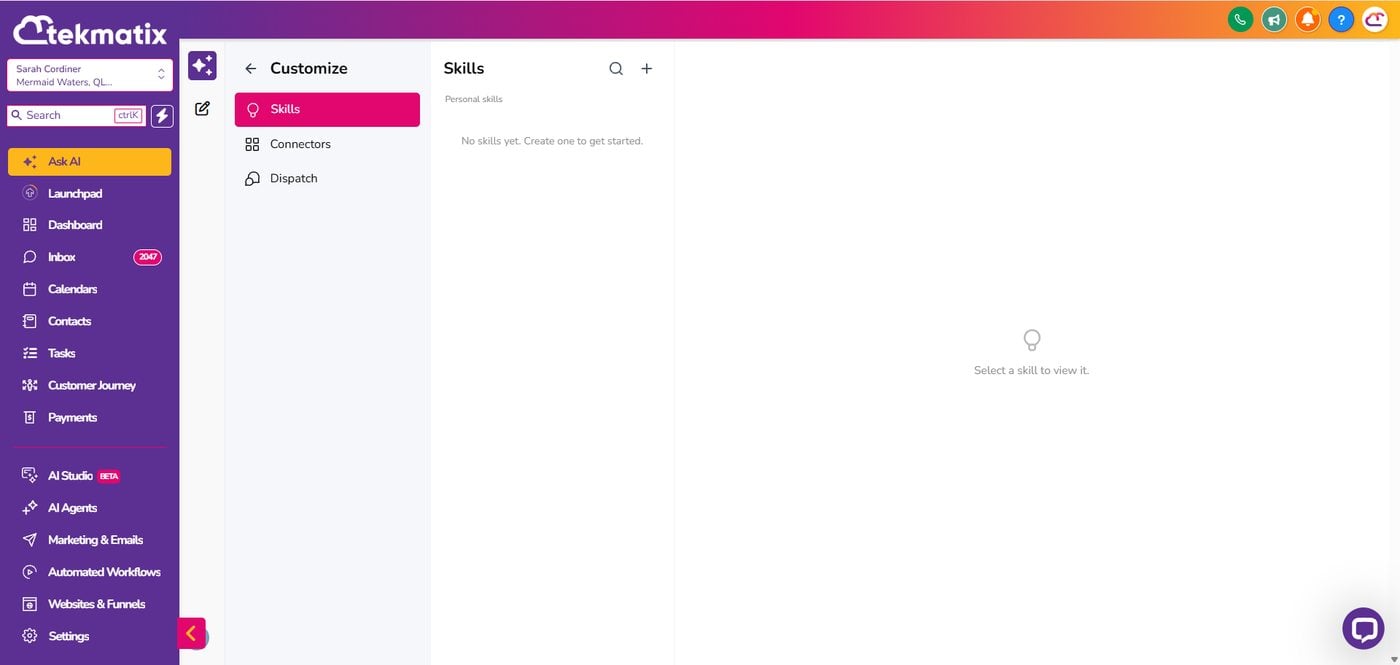
Then save yourself doing this again from scratch. In Ask AI, go to Customise and then Skills, and save the full-account audit prompt as a skill. Or ask Ask AI to run it as a scheduled task on the first Monday of every month and send you the summary. Your account stays tidy without you lifting a finger.
If your AI says it can't, question it
AI is improving every week, and sometimes an assistant will tell you it cannot do something that it actually can. If yours says it cannot review your workflows or check your triggers, ask it again: "Are you sure? Check your tools and try again." If it still cannot, check which connectors and permissions it has, turn on Browser Control, or try the same prompt in another AI you have connected. And as with any assistant, human or AI, check the important results before you approve.
Start with one area today
You do not have to fix everything at once. Pick one area, paste the prompt, and read the report. Most people start with the import check, because it is the one that saves the most embarrassment.
Already a customer? Bring your audit report to the free daily training calls with a Tekspert and we will help you decide what to fix first.
Love Your Tech.

Copyright © 2026 TekMatix. All rights reserved | [email protected]