
TekMatix Blog & Help Articles
Use the search bar below to look for help articles you need.
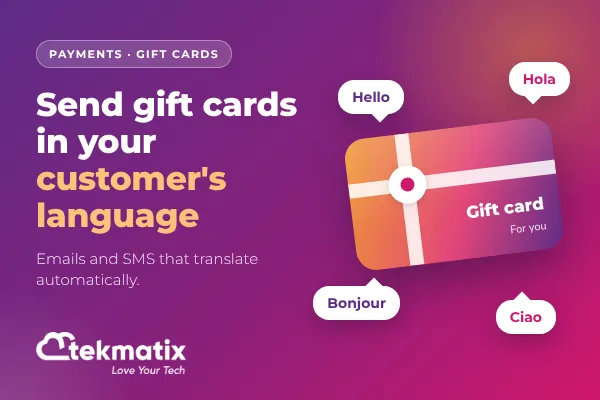
How do you send gift cards in your customer's language on Tekmatix?
Gift cards are one of the easiest ways to bring new money into your business. Someone pays you today, and a new customer walks through your door later.
But if your customers speak more than one language, there has always been a catch. The gift card arrives, and the email around it is in a language the recipient doesn't read.
That's now sorted. Your gift card emails and SMS can go out in your customer's language.
The short answer
Gift card communications on Tekmatix are now translated automatically based on the selected locale (language). That covers purchase confirmations, recipient emails and SMS notifications.
To send one, go to Payments, then Gift Cards, click Send on a gift card, and the preview will show you the message in the selected language before it goes out.
What this update actually does
Gift cards live inside Payments in your Tekmatix account. You create a branded gift card, then either sell it through a checkout or send it straight to a contact.
Every gift card comes with communications: the confirmation the buyer receives, the email or SMS the recipient receives, and the previews you see while sending.
With this update, three things change:
- Localised communications. Purchase confirmations, recipient emails and SMS notifications are translated based on the selected locale.
- Language-aware previews. When the locale changes, the preview in the gift card send flow updates to match, across every delivery method.
- Translated email previews. Email previews show translated content whether they're using sample data or a real gift card.
The translation happens automatically. You don't write a separate version for every language.
Why it matters for your business
- More gift cards actually get used. A recipient who can read the email understands what they've been given, how much it's worth and how to redeem it.
- A more professional first impression. For many recipients, the gift card email is their very first contact with your business. It should read like it was written for them.
- Less admin. No more hand-writing translated versions or answering "what is this?" replies.
- Easier selling across borders. If your customers are spread across countries, your gifting can be too.
Before you start
You'll need:
- Access to Payments, then Gift Cards in your account.
- At least one gift card created.
- A connected payment provider. Redemption is fully supported with Stripe, NMI, Authorize.net and Square. PayPal, Adyen and custom providers have limited support: the gift card balance has to cover the full total, and the order can't include recurring or subscription products.
- For sending: a contact with an email address or a mobile number. The delivery options you see depend on which of those the contact has.
Which Tekmatix plan do you need?
Gift cards sit inside Payments, which is included on the Starter, Pro and Max plans. The Launch Plan is built around websites, email marketing and a basic CRM, so if you're on Launch and want to sell gift cards, check the plan inclusions first or chat to us about moving to Starter.
Compare the plans on our pricing page, or change your plan here.
How to send a gift card in your customer's language
In the left menu, click Payments, then Gift Cards in the top menu.
Find the gift card you want to send and click Send. (No gift card yet? Click + Create Gift Card first.)
Choose an existing contact, or add a new one, then continue.
Add a personal message. Write your own, use the pre-filled message, or use Write with AI.
Pick a denomination and a delivery method: email, SMS, PDF by email or QR code by email.
Choose when it should arrive: straight away, tomorrow, in a week, or on a date you pick.
Check the preview. This is where you'll see the communication in the selected language. When it looks right, click Send Gift Card.
Selling rather than sending? Click Sell on the gift card to get a checkout link or an embed code for your website. Purchase confirmations and recipient emails from those sales are localised too.
Managing your gift cards
Every gift card you issue, sold or sent, shows up under Gift Card Orders. That's where you track them.
A couple of things worth knowing:
- Gift cards you send for free don't appear in the main Payments, then Orders page, because no payment was taken. Look under Gift Card Orders instead.
- The expiry date is set on the gift card itself, so it applies to every order of that gift card.
- Stock is counted per denomination. A quantity of 100 with two denominations gives you 200 gift cards in total.
What your customers see
Your recipient gets the gift card in the delivery method you chose, in the selected language:
- Email: the full visual gift card with your artwork, the balance, the expiry date and a link to redeem.
- SMS: a text message with a link to the gift card.
- PDF by email: a printable gift card, handy for events and in-person gifting.
- QR code by email: a code they can scan to open the gift card.
Buyers who purchase a gift card get their purchase confirmation in the selected language as well.
Test it before you launch
Before you promote gift cards to a multilingual audience, send one to yourself. Open the email or SMS on your phone and check the language, the amount, the expiry date and the redeem link.
One thing to know: the send flow only works in Live Mode, not Test Mode. So use a low denomination for your test.
Five ways to actually use this
1. Seasonal gifting for a multilingual customer list
Christmas, Mother's Day, Lunar New Year, Eid, Diwali. Run a gift card campaign for the moments your customers actually celebrate, knowing the gift card will arrive in a language they read.
2. Thank-you gifts for loyal customers
Use the send flow to give a small credit to your best customers. It costs you far less than finding a new customer, and a thank-you in someone's own language lands warmer.
3. Visitors and tourists
Cafes, salons, tour operators, wellness studios and retreats often serve visitors from overseas. A gift card that someone can send home to family, in their language, is a referral engine.
4. Corporate and client gifting across borders
Coaches, consultants and agencies with international clients can send gift cards as a thank-you at the end of a project, or as a sign-up bonus.
5. A make-good that doesn't need explaining
When something goes wrong for a customer, a gift card is a quick, generous way to put it right. Sending it in their language makes it feel personal rather than automated.
Want us to set this up for you?
Gift cards work best when the rest of your system is ready to catch the sale and redeem it. Our Teksperts can build that for you.
Sales Funnel System
Gift cards can be redeemed at your funnel checkouts. We build the funnel your gift card holders land on, so the credit turns into a sale rather than sitting unused in an inbox.
Appointment Booking System
If you sell services, gift cards can be redeemed through your calendars when products are attached. We set up booking so a gift card turns straight into a booked appointment, with no back-and-forth emails.
Emails, Newsletter & Nurture System
A gift card campaign only sells if people hear about it. We build the email and newsletter system that promotes your gift cards at the right moments of the year, so gifting becomes a regular source of revenue.
Frequently asked questions
Which gift card messages are translated?
Purchase confirmations, recipient emails and SMS notifications are translated based on the selected locale. The previews in the send flow, and email previews, show the translated content too.
Do I have to write the translations myself?
No. Translations are handled automatically based on the selected locale.
Can I preview the message before it goes out?
Yes. The last step of the send flow shows an automatic preview of the email or SMS, with the amount, your message, the expiry date, redemption instructions and artwork. It updates when the locale changes.
Can I edit the gift card email template?
Not yet. The templates are generated automatically. You can personalise the message the recipient sees in the send flow.
Can I send a gift card in Test Mode?
No. The send flow only works in Live Mode, so use a small denomination when you test.
Can I send gift cards in bulk?
Each send flow sends one gift card to one contact.
When does a scheduled gift card arrive?
Scheduled gift cards are delivered at 12:00 AM on the date you choose. They're active from the moment you schedule them, so anyone who has the code can use it before then.
Where can my customers redeem a gift card?
At checkouts that support gift cards: forms selling products, funnels, payment links, invoices, your store, calendars with products, and services. Memberships, donation forms and rentals don't support gift card redemption yet.
Which Tekmatix plan includes gift cards?
Gift cards are part of Payments, which is included on Starter, Pro and Max. The Launch Plan is built around websites, email and a basic CRM, so check the plan inclusions if you're on Launch. You can change your plan here.
Does it cost extra to send gift cards in another language?
There's no separate add-on for the translation. Standard usage for email and SMS sending still applies, and your payment provider's normal fees apply when a gift card is sold.
Need a hand?
You've got this, and we've got your back.
Free daily group training. Jump on a live session with a Tekspert and bring your questions about gift cards or anything else.
Hire a Tekspert for 60 minutes. Share your screen and we'll build your gift cards, checkout and campaign with you, live.
15-minute advanced tech support. Got one specific question? Get a quick answer.
24/7 live chat. Click the chat bubble inside your Tekmatix account any time, or visit our support page.
Gift cards bring in cash today and new customers tomorrow. Now they can speak your customer's language as well.
Happy Tekkin'!
Tekmatix is an AI-powered business platform built on HighLevel infrastructure, with in-house Teksperts, 24/7 live chat and free daily training on top. Feature availability can change as the platform is updated.

Copyright © 2026 TekMatix. All rights reserved | [email protected]