
TekMatix Blog & Help Articles
Use the search bar below to look for help articles you need.
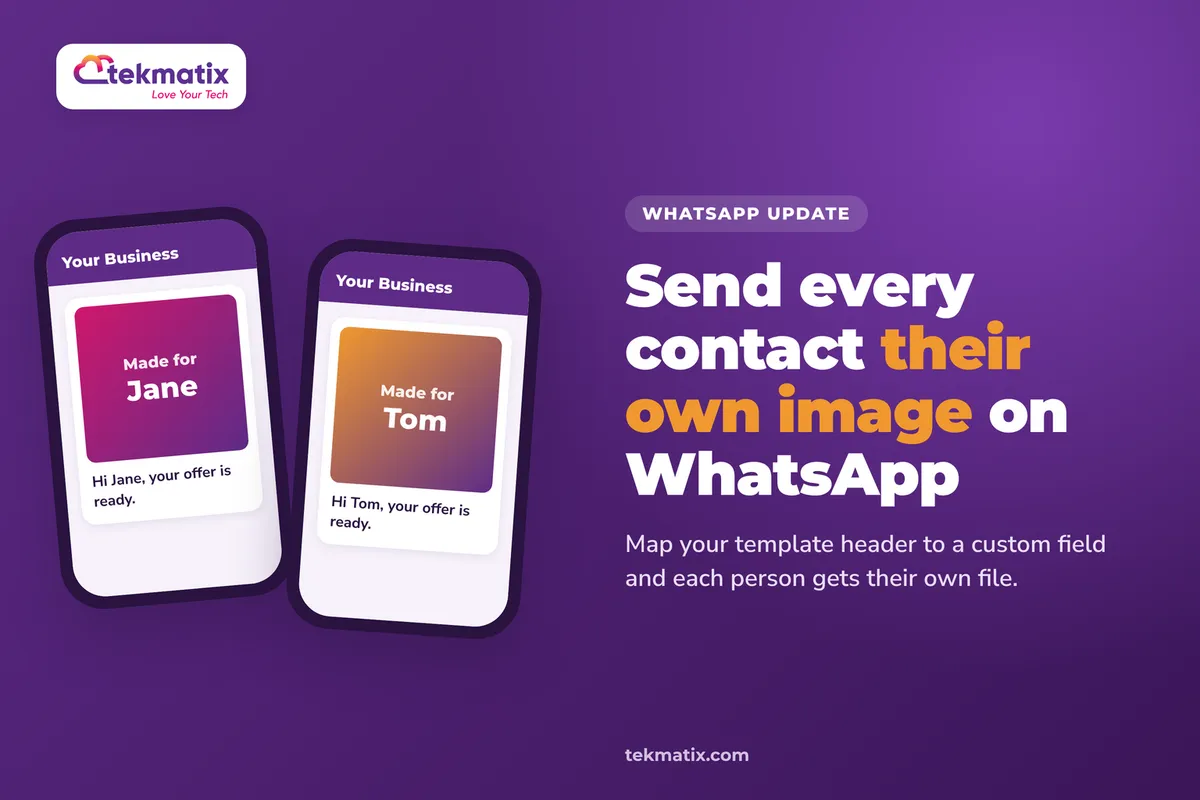
How do I send personalised images in WhatsApp templates on Tekmatix?
A WhatsApp message with an image gets noticed. A WhatsApp message with an image that has the customer's own name on it, or their own invoice attached, gets opened, read and remembered.
Tekmatix WhatsApp templates can now send a different image or document to each contact. Instead of one fixed file for everyone, the template's media header pulls the right file for each person at the moment it's sent. The template builder has also been rebuilt, so everything is on one screen with a live phone preview.
Go to Settings, then WhatsApp, then Templates and create or edit a template. In the media header, map the media field to a custom field or dynamic value instead of a fixed URL. When the template sends, the file is pulled for each contact. The value must be a public link that WhatsApp can download.
What's changed with WhatsApp templates
WhatsApp templates are the pre-approved messages you use to start conversations, send reminders and run campaigns. Two things have changed:
- A rebuilt template builder. Category, type, naming, body, media, buttons and variables are all on one screen. A live phone preview updates as you edit the header, body, media and buttons. AI template generation and the Reputation template builder use the same screen.
- Per-contact media headers. Instead of a fixed URL, the media field can map to a custom field or a dynamic value. The file is worked out for each contact at send time.
- It works almost everywhere you send. Per-contact media works in workflows and automations, conversations, bulk actions, calendar appointments, reputation review requests and Missed Call Text Back.
- Clear errors instead of wrong files. If a value is empty or invalid for a contact, the send fails with a clear error rather than sending the wrong file.
Why this matters for your business
Messages that feel made for one person. An image with someone's name on it stands out in a busy chat list far more than a generic banner.
One template, many files. You don't need a separate template for every customer's document. One approved template can send each person their own file.
Less manual sending. Quotes, invoices, tickets or certificates can go out automatically from a workflow instead of being attached one by one.
Fewer mistakes. If a file is missing for a contact, you get an error, not a message with someone else's document in it.
Before you start
- WhatsApp connected to your Tekmatix account.
- A custom field on your contacts that holds the link to each person's image or document, or a personalised image link you can build with contact details.
- Links that are public. The file must be at a public HTTPS link that WhatsApp can download. Private Google Drive links, links behind a login and empty fields will fail.
Which Tekmatix plan do you need?
WhatsApp is an add-on in your Tekmatix account, and it's billed at $0.111 USD per conversation. You can see all current usage pricing at tekmatix.com/rebilling.
Workflows and automations are included from the Starter plan. Compare every plan at tekmatix.com/pricing, or change your plan here.
Where to find the template builder
| What you're editing | Where to find it |
|---|---|
| Your WhatsApp templates | Settings, then WhatsApp, then Templates, then Create or Edit |
| WhatsApp review request templates | Reputation Settings, then WhatsApp Requests, then open the WhatsApp Template Builder |
| Missed Call Text Back on WhatsApp | Settings, then Phone System, then Voice, then Voicemail & Missed Call TextBack, then Missed Call Text Back, then Customize |
How to send each contact their own document
- Store the link on the contactSave a public HTTPS link to each person's file in a contact custom field. For example, a link to their quote or invoice.
- Open the template builderGo to Settings, then WhatsApp, then Templates, and create or edit a template.
- Map the media fieldIn the media header, map the template's media field to that custom field instead of a fixed URL.
- Send itSend the template from a workflow, a bulk action or a conversation. Each contact receives the file from their own custom field.
How to send personalised images
- Design your personalised imageCreate the image in an image personalisation service, such as NiftyImages, with a placeholder for the contact's name.
- Use the personalised link as the media headerIn your template's media header, use that service's personalised image link as the value, with the contact's details filled in dynamically.
- Send to your listRun a bulk action to send the template. Each person sees an image with their own details on it.
A few things to know
- Links must be public. The file has to be at a publicly reachable link that WhatsApp can download.
- Private links fail. Private Google Drive links, links behind a login and empty fields will not send.
- You'll see an error, not a wrong file. If a contact's value is empty or invalid, the send fails with a clear error.
- Templates still need approval. WhatsApp templates are reviewed before you can use them, the same as always.
What your customers see
Your customers see a normal WhatsApp message from your business, with an image or document at the top that's specific to them. That might be a picture with their name on it, or their own quote, ticket or invoice, ready to open right in the chat.
Test it before you send to your list.
Add your own number as a test contact and fill in the custom field with a public link to a test file. Open the link in a private browser window first to check it loads without logging in. Then send the template to yourself from a conversation, and check the right file arrives. Try one contact with the field left empty, so you know what the error looks like.
Five ways to actually use this
- Send quotes automatically. When a quote link is saved to a contact, trigger a workflow that sends it on WhatsApp with a short note and a button to reply.
- Personalised welcome images. Greet new customers with an image that says "Welcome, [first name]" when they join your list or buy for the first time.
- Event tickets in the chat. Store each attendee's ticket link on their contact and send it in the reminder before your event.
- Certificates for course completions. When someone finishes a course, send their certificate straight to WhatsApp with a congratulations message.
- Appointment details that stand out. Calendar appointments support per-contact media too, so you can send each person a map, a prep sheet or a document that fits their booking.
Want it done for you?
Personalised WhatsApp messages work best when the automations behind them are built properly. If you'd rather hand it over, our Teksperts can build it straight into your Tekmatix account.
New Client Onboarding System
An intake form, a welcome landing page, a booking calendar for kick-off calls, a five-email welcome sequence with optional SMS, team notifications, task automation, a client portal and a full backup snapshot. New clients get a smooth start, and your team stops chasing the same details over and over.
See the Client Onboarding SystemReviews and Reputation Management
A branded "Review Us" page, a review request workflow, email and SMS request templates, a branded QR code, an alert for low ratings and AI response templates. More good reviews come in on autopilot, and you hear about unhappy customers before they go public.
See Reviews and Reputation ManagementEvent / Retreat Tickets System
A three-step event funnel, up to two ticket types, a ticket confirmation workflow with reminders and follow-ups, an abandoned cart sequence, a Google Sheet of attendees and a QR code registration form. Ticket sales and attendee details look after themselves.
See the Event Tickets SystemSee every done-for-you package at tekmatix.com/services.
Frequently asked questions
Can each contact get a different image in the same template?
Yes. Map the media header to a custom field or dynamic value, and the file is pulled for each contact when the template sends.
Where can I send templates with per-contact media?
From workflows and automations, conversations, bulk actions, calendar appointments, reputation review requests and Missed Call Text Back.
Why did my image fail to send?
The link must be public so WhatsApp can download it. Private Google Drive links, links behind a login and empty fields will fail with an error.
Will someone get the wrong file if their field is empty?
No. If a contact's value is empty or invalid, the send fails with a clear error rather than sending the wrong file.
Is there a preview?
Yes. The rebuilt template builder has a live phone preview that updates as you edit the header, body, media and buttons.
Do I need to be on a particular Tekmatix plan?
WhatsApp is an add-on, and workflows are included from the Starter plan. You can compare the plans here and change your plan here.
How much does WhatsApp cost on Tekmatix?
WhatsApp is billed at $0.111 USD per conversation. Current usage pricing is at tekmatix.com/rebilling.
Need a hand?
Free daily group training
Jump on a free group session with a Tekspert and build your first personalised template live.
Book free trainingHire a Tekspert for 60 minutes
Share your screen and we'll set up your custom fields, templates and workflow with you.
Book a Tekspert15 minute advanced tech support
Got one quick question, like why a file won't send? A focused 15 minutes sorts it out.
Book 15 minutes24/7 live chat
Our team is on live chat around the clock, right inside your Tekmatix account.
Get supportPeople notice when a message is made for them. Now every WhatsApp you send can be.
Happy Tekkin'!

Copyright © 2026 TekMatix. All rights reserved | [email protected]