
TekMatix Blog & Help Articles
Use the search bar below to look for help articles you need.
How do I sell products and take payments in AI Studio on Tekmatix?
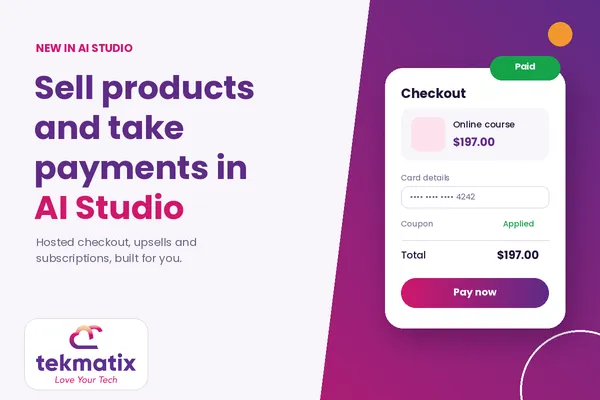
The apps and sites you build with AI Studio can now sell your products and take real payments. You ask the AI agent to add payments, it builds the storefront and checkout, and the money goes through the payment providers already connected to your Tekmatix account.
No payment code to write. No card details stored in your app. No separate shopping cart tool to pay for.
Here is how it works, how to switch it on, and how to make sure it is ready before your first customer clicks buy.
The short answer
Open your project in AI Studio, go to More, then Payments, turn payments on, choose test or live mode, and pick the products your app is allowed to sell. Then ask the agent to "add payments". It asks you to approve the connection, then builds your storefront and a secure hosted checkout using the products and prices from your Tekmatix catalogue.
What this feature actually is
AI Studio is the vibe code builder inside Tekmatix. You describe the app or site you want, and the AI agent builds it.
Until now those builds could look great and capture leads, but they could not take money. Now they can.
Payments in AI Studio connects your app to the products you already have in your Tekmatix product catalogue. It uses the same payment providers, products and subscriptions that run the rest of your account, so there is nothing new to set up on the payments side.
When a buyer checks out, their card details are handled inside a secure hosted checkout, not inside your app's code. The checkout picks up your site's colour scheme so it still feels like part of your brand.
Why it matters for your business
- Sell from anything you build. A quiz, a calculator, a mini site or a full storefront can now end with a sale, not just a form.
- Less risk with card data. Card details go through the hosted checkout, never your app, and every purchase has bot protection built in.
- More money per order. One-click upsells let buyers add an offer straight after they pay, without typing their card again.
- Recurring revenue. Subscriptions, including carts with more than one subscription, are supported.
- One system, one bill. Products, payments, contacts and follow-up all live in Tekmatix, so you are not paying for a separate cart or checkout tool.
Before you start
- A payment provider connected to your Tekmatix account, such as Stripe or PayPal.
- Your products set up in your Tekmatix product catalogue, with the prices you want to sell at.
- A TanStack Start project in AI Studio. Payments currently only works with TanStack Start projects. If your project is an older React project, go to Project Settings, then Migrate to SSR. This creates an upgraded copy and leaves your original project live and untouched.
Which Tekmatix plan do you need?
AI Studio and payments are included on the Starter, Pro and Max plans. If you are on a different plan, or you are not sure what yours includes, compare every inclusion on our pricing page.
Ready to move up? You can change your Tekmatix plan here in a couple of clicks.
How to add payments to your AI Studio app, step by step
- Open your project in AI Studio. Check it is a TanStack Start project. If it is an older React project, use Project Settings, then Migrate to SSR first, then work in the new copy.
- Go to More, then Payments. This is the new Payments tab. Turn payments on.
- Choose test mode or live mode. Start in test mode so you can try the whole buying journey without taking real money.
- Choose what your app is allowed to sell. Pick the products from your catalogue. For each one, choose whether the app can use a single fixed price, selected variations, or that product's full set of prices. Your app can only show and charge for what you allow here.
- Ask the agent to "add payments". The agent asks you to approve the connection, then builds your product pages, storefront and checkout for you.
- Test it, then switch to live. Run a few test purchases, check everything looks right, then go back to the Payments tab and switch to live mode.


Editing and managing payments
You stay in control from the Payments tab. Add or remove products, change which prices are allowed, or switch between test and live at any time.
The payment parts of your app are managed by the platform. If you, or a prompt, edit that payment code, it is restored on the agent's next turn. That is deliberate. It keeps your checkout secure and working while you change everything else about the design.
What your customers see
Your buyers get a proper shopping experience, built by the agent from your catalogue.
- Product listings and product pages with thumbnails and nicely formatted descriptions.
- A hosted checkout in your site's colours, with PayPal express checkout available.
- Coupon codes. If a coupon takes the order to zero, the card step is skipped altogether.
- Subscriptions, including a cart with more than one subscription in it.
- One-click upsells after purchase, using the card they just paid with, on supported providers.


How one-click upsells work
Straight after a purchase, you can show an offer page. If the buyer accepts, they are charged with one click using the card they just used. This works with saved cards on Stripe (including 3D Secure), Square, Authorize.net, NMI, Adyen and Mercado Pago. Other payment methods use the normal payment form instead.
The upsell is only charged after the original order has been paid, and only once per order. So nobody gets charged twice by accident.
Test it before you launch
Keep the Payments tab in test mode and run through the whole journey yourself. Buy a one-off product. Buy a subscription. Try a coupon. Accept an upsell, then decline one. Check the product pages and the checkout on your phone as well as your computer.
When every step works, switch to live mode and make one small real purchase to confirm the money lands where it should.
Five ways to actually use this
1. A quiz that ends in a sale
Build a quiz or assessment app, then recommend the right product at the end and let them buy it on the spot.
2. A mini shop for digital products
Ebooks, templates, workbooks or audio programs, listed and sold from one tidy storefront.
3. A subscription offer
Sell a monthly membership, coaching package or content club as a subscription straight from your app.
4. A launch with a coupon
Run a founding-member or early-bird offer with a coupon code. Free bonus codes skip the card step entirely.
5. A core offer with an upsell
Sell your entry product, then offer the next step on the thank-you page with a one-click upsell.
Rather we built it for you?
You can absolutely do this yourself. If you would rather skip the learning curve and start selling sooner, our Teksperts can set it up for you with one of our fixed-price packages.
Sales Funnel System
An app that takes payments is only half the job. This package builds the full path from first click to paid order, with the follow-up that brings back people who did not buy the first time. More sales from the traffic you already have.
5 Page Website
Give your products a proper home. A professional website that explains what you sell and sends buyers to your checkout means more trust, and more people ready to pay when they get there.
Course and Learning Portal Set-Up
Selling a course or program? We set up the portal your buyers land in after they pay, so they get access straight away and you are not stuck delivering it by hand.
Frequently asked questions
Do I need to write any payment code?
No. You ask the agent to add payments and it builds the storefront and checkout. The payment code is managed by the platform, and if it gets edited it is restored on the agent's next turn.
Are my customers' card details stored in my app?
No. Card details are handled in the secure hosted checkout, not in your app's code. Every purchase also has bot protection.
Which products can my app sell?
Only the products and prices you allow in the Payments tab. For each product you can allow a single fixed price, selected variations, or all of its prices.
Can I test before taking real money?
Yes. The Payments tab has a test mode and a live mode. Stay in test mode until you have checked the whole buying journey.
Can I offer coupon codes?
Yes. Coupons work in the hosted checkout, and if a coupon takes the order total to zero, the card step is skipped.
Can I sell subscriptions?
Yes. Subscriptions are supported, including a cart with more than one subscription in it.
How do one-click upsells charge the customer?
They use the card from the original purchase on supported providers: Stripe (with 3D Secure), Square, Authorize.net, NMI, Adyen and Mercado Pago. Other methods use the normal payment form. Upsells are only charged after the original order is paid, and only once per order.
Does PayPal work?
Yes. The hosted checkout supports PayPal express checkout.
My AI Studio project is an older React project. What do I do?
Payments currently works with TanStack Start projects only. Go to Project Settings, then Migrate to SSR. It creates an upgraded copy and your original project stays live and unchanged.
Which Tekmatix plan includes AI Studio payments?
AI Studio and payments are included on the Starter, Pro and Max plans. Compare every inclusion at tekmatix.com/pricing.
Does it cost extra to use payments in AI Studio?
AI Studio is included in your plan. Your payment provider, such as Stripe or PayPal, charges its usual processing fees on each transaction, the same as any other sale in your account.
Need a hand?
Free daily group training
Bring your questions to a live session with our Teksperts, every day, at no cost.
Hire a Tekspert for 60 minutes
Share your screen and we build it with you, live, while you watch how it is done.
15-minute advanced tech support
Stuck on one thing? A quick call to get it sorted and keep you moving.
24/7 live chat
Our support team is on live chat around the clock, right inside your Tekmatix account.
Your AI Studio builds can now do the selling for you. Switch it on, test it properly, and start taking orders from the things you have already built.
You've got this, and we've got your back.
Happy Tekkin'!
Tekmatix is an all-in-one business platform built on HighLevel infrastructure, with extra templates, in-house Teksperts, 24/7 live chat and free daily training on top. Features and plan inclusions can change, so check tekmatix.com/pricing for the latest.

Copyright © 2026 TekMatix. All rights reserved | [email protected]