
TekMatix Blog & Help Articles
Use the search bar below to look for help articles you need.
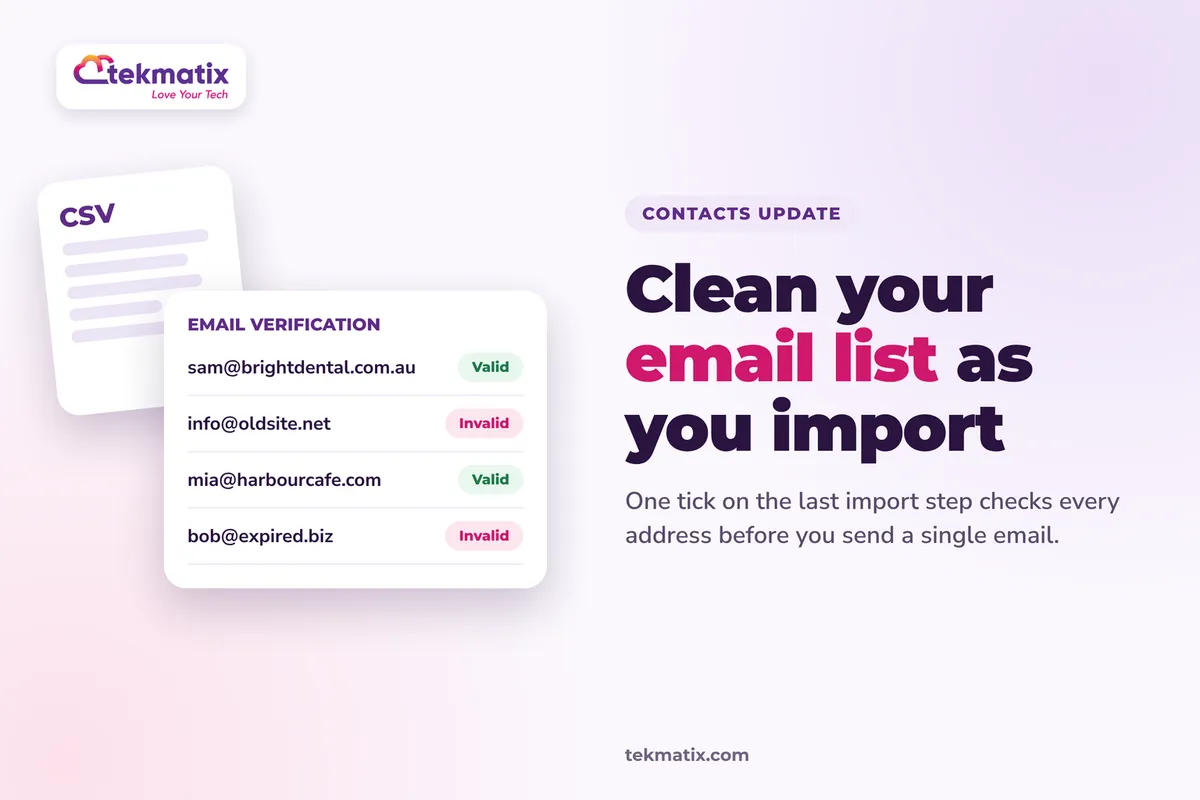
How do I clean my email list when I import contacts on Tekmatix?
You've got a spreadsheet of contacts from an old CRM, an event sign-up sheet or years of business cards. Some of those email addresses haven't worked in a long time. Send to them and your bounce rate climbs.
Now you can check those addresses while you import them into Tekmatix. One extra tick on the last step of the import, and your list gets checked before you send a single email.
Go to Contacts and click Import. Upload your CSV, map your email column to Email, and on the final step tick the email verification checkbox before you start the import. Track it in Contacts, then Bulk Actions, and when it shows Completed, use the Email Verification Status filter on your Contacts page to see which addresses are valid.
What email verification on import does
When you import contacts from a CSV, Tekmatix already checks the file is set out properly. Email verification goes a step further. It checks whether each email address appears deliverable.
That matters because an email address can be written perfectly and still belong to a mailbox that's been closed or never existed. A format check won't catch that. Verification is designed to.
- It's part of the import. There's an optional checkbox on the final step of the normal CSV import, so you don't need a separate clean-up job afterwards.
- You can track it. The verification shows in Bulk Actions as Processing, then Completed.
- You can sort by result. The Email Verification Status filter on the Contacts page shows you which contacts are valid and which are not.
Why this matters for your business
Fewer bounces. Catching bad addresses before you send helps cut down the emails that bounce straight back.
A better sender reputation. Inbox providers notice when you send to lots of dead addresses. Keeping those off your list helps protect the reputation that gets your emails into the inbox.
A clean list from day one. Your list starts clean the moment it lands in your account, instead of you finding the problems after a campaign goes out.
One job instead of two. Import and verify in the same step, rather than importing first and remembering to clean the list later.
Before you start
- Your contacts saved as a CSV file, with the email addresses in their own column.
- Permission to contact the people on your list. Verification checks an address is likely to work. It doesn't replace getting consent.
- A quick read of your column headings so you can map them to the right Tekmatix fields during the import.
Which Tekmatix plan do you need?
Contact import, the CRM and email marketing are included from the Starter plan up, with unlimited contacts. On the Launch plan, the CRM is limited to 1,000 contacts. Compare every plan at tekmatix.com/pricing, or change your plan here.
What it costs: email verification is a usage charge of $0.0037 USD per address, charged once per address. So verifying a list of 1,000 contacts is about $3.70 USD. See all usage pricing at tekmatix.com/rebilling.
How to verify emails when you import contacts
- Start an importIn your Tekmatix account, open Contacts and click Import.
- Upload your CSVUpload your file and choose your import option, either creating new contacts or updating existing ones. Then continue to field mapping.
- Map your columnsMatch each column in your file to a Tekmatix field. Make sure your email column is mapped to Email, otherwise there's nothing to verify. Continue to the final step.
- Tick email verificationOn the final step, select the email verification checkbox. Review any other preferences and confirmations on this screen.
- Start the importConfirm your settings and start the import.
- Track it in Bulk ActionsGo to Contacts, then Bulk Actions, and find the verification action. Wait for it to move from Processing to Completed, then review the details.
Finding and managing your valid and invalid contacts
Once verification shows Completed, go to your main Contacts page and apply the Email Verification Status filter. That shows you your contacts by whether their email address is valid.
- Build Smart Lists. Save a Smart List of valid contacts and another of invalid ones, so you can manage each group separately.
- Send to the valid list. Use your valid Smart List for email campaigns and email workflows.
- Look at the invalid list. Some of these people may still be customers you want to keep. You might reach them another way, like a phone call or text, and ask for an up-to-date email address.
- Don't assume they've been removed. Verification shows you which addresses look invalid. Don't assume invalid contacts are deleted for you. Decide what to do with them yourself.
A few things to know. "Completed" in Bulk Actions means verification has finished. It doesn't mean every address passed. Verification also can't guarantee an email will reach the inbox, because that depends on your sender reputation, spam filters and the receiving mail server too. Verification results may also look different to the standard import statistics.
Test it on a small file first.
Before you import thousands of contacts, try a CSV with five or six rows. Include your own email address and one that's clearly made up. Tick email verification, run the import, and check Bulk Actions until it shows Completed. Then filter by Email Verification Status and check your real address and the made-up one land where you'd expect.
Five ways to actually use this
- Moving from another CRM. Old systems collect years of dead addresses. Verify on the way in, so your first Tekmatix campaign starts with a clean list.
- Event and workshop sign-up sheets. Handwritten or typed-in addresses often have typos. Verify them before you send the follow-up so you know who you can actually reach.
- Bought or shared lists from partners. If a partner has permission to share contacts with you, check the list before it touches your sender reputation.
- Re-engagement campaigns. Planning to email people you haven't contacted in a year or two? Export them, re-import with verification ticked, and send only to the valid ones.
- Keep a "needs update" list. Make a Smart List of invalid contacts and give your team a task to call or text them for a new address. Good customers don't get lost just because they changed jobs.
Want it done for you?
A clean list is the start. Getting it set up properly and sending emails that land is the rest. If you'd rather hand that over, our Teksperts can do it inside your Tekmatix account.
Quick Account Set-Up
A private 90-minute screen-share with a Tekspert. It includes email sending set up on your own domain, contact email verification and removal of bounced, failed or invalid addresses, plus a mailing list tag and Smart List with contacts imported from your CSV. You get a clean, sorted list and a properly set-up account in one session, instead of weeks of trial and error.
See Quick Account Set-UpEmails, Newsletter & Nurture System
Your sending domain authenticated with SPF, DKIM and DMARC, Smart Lists for leads, customers and subscribers, a branded master email template, a 10-email welcome and nurture sequence, and an unsubscribe workflow. Once your list is clean, this gives it emails worth sending and helps them reach the inbox.
See the Emails, Newsletter & Nurture SystemSee every done-for-you package at tekmatix.com/services.
Frequently asked questions
Does verification guarantee my emails reach the inbox?
No. It checks whether an address appears deliverable. Inbox delivery also depends on your sender reputation, the receiving mail server, spam filters and whether the mailbox is available.
Is this different to checking my CSV is formatted properly?
Yes. A format check looks at whether an address is written correctly. Verification looks at whether it appears deliverable. An address can be formatted perfectly and still belong to an inactive mailbox.
Will invalid contacts be removed automatically?
Don't assume they will be. Use the Email Verification Status filter to find them, then decide what to do, for example moving them to their own Smart List.
What does Completed mean in Bulk Actions?
It means verification has finished. It doesn't mean every address passed. Use the Email Verification Status filter to see the results.
Is this the same as verifying emails before I send?
No. Verifying on import is a separate option from verifying before sending or through workflow actions. This one happens as your contacts come in.
Can I verify emails when importing contacts and opportunities together?
The option is confirmed for contact imports. We haven't confirmed it for combined contact and opportunity imports, so check the final step of your import or ask our team on live chat.
Do I need to be on a particular Tekmatix plan?
Contact import, the CRM and email marketing are included from the Starter plan up. You can compare the plans here and change your plan here.
How much does email verification cost?
$0.0037 USD per address, charged once per address. A list of 1,000 contacts costs about $3.70 USD to verify. See all usage pricing at tekmatix.com/rebilling.
Need a hand?
Free daily group training
Jump on a free group session with a Tekspert and run your first verified import live.
Book free trainingHire a Tekspert for 60 minutes
Share your screen and we'll map your CSV, run the import and build your Smart Lists with you.
Book a Tekspert15 minute advanced tech support
Got one quick question, like a column that won't map? A focused 15 minutes sorts it out.
Book 15 minutes24/7 live chat
Our team is on live chat around the clock, right inside your Tekmatix account.
Get supportYour list is one of the most valuable things in your business. Now you can make sure it's clean from the moment it arrives.
Happy Tekkin'!

Copyright © 2026 TekMatix. All rights reserved | [email protected]