
TekMatix Blog & Help Articles
Use the search bar below to look for help articles you need.
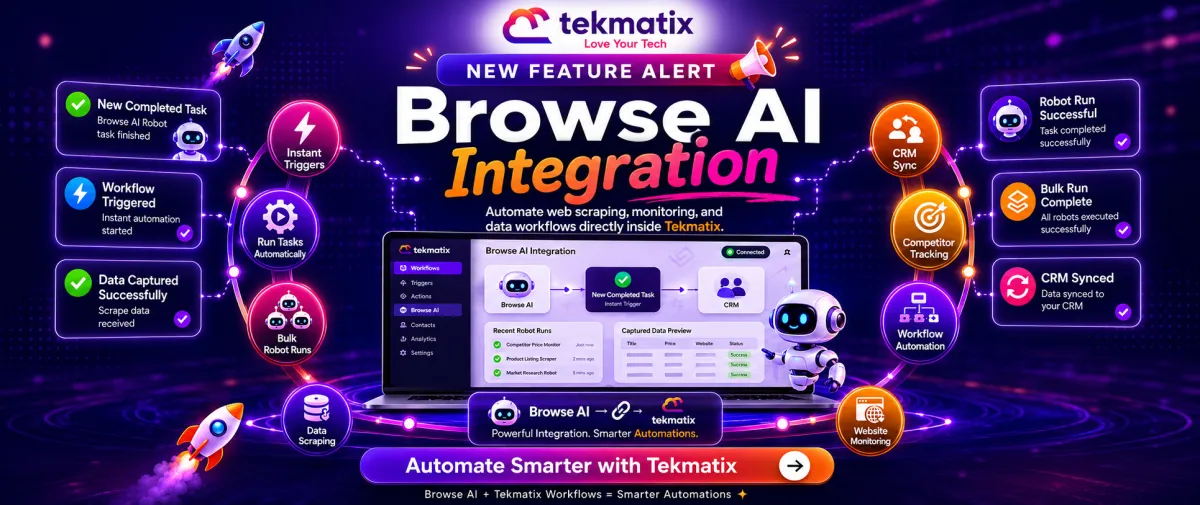
🚀 New Feature Alert: Browse AI Integration is Now Available Inside Tekmatix Workflows
🚀 New Feature Alert: Browse AI Integration is Now Available Inside Tekmatix Workflows

You can now connect Browse AI directly to Tekmatix Workflows — allowing your automations to react instantly to completed Browse AI robot tasks and trigger new scraping jobs automatically.
No more switching between platforms manually.
No more disconnected scraping workflows.
Everything now works directly inside Tekmatix.
✨ What’s New?
The new Browse AI Integration includes:
✅ Instant Trigger
New Completed Task
Automatically trigger workflows the moment a Browse AI robot task finishes.
The trigger returns:
Captured scrape data
Task metadata
Robot information
Execution details
Filterable by:
Robot
Select Operator
✅ Workflow Actions
You can now use four powerful Browse AI actions directly inside Tekmatix Workflows:
Run Task
Bulk Run Tasks
Get Task
Get Bulk Run
These actions allow your workflows to:
Launch scraping jobs automatically
Run robots in bulk
Retrieve task results
Fetch bulk execution data
Pass dynamic workflow variables into every input field
⚡ How It Works
The integration allows Tekmatix Workflows to both:
React to Browse AI task completions
Trigger new Browse AI robot runs on demand
This means your automations can:
Monitor websites
Track competitor updates
Scrape content automatically
Capture external data
Feed results directly into your workflows and CRM
All without manual copy-pasting.
🔧 How to Set Up Browse AI in Tekmatix
Step 1: Open Workflows
Go to:
Automation → Workflows
Add either:
A Browse AI Trigger
Or a Browse AI Action
Step 2: Connect Browse AI
Click:
“Connect Your Account”
Then paste your Browse AI API Key.
You can generate your API key from:
Browse AI Dashboard → Settings → API Keys
Step 3: Configure the Trigger
For triggers:
Select the Robot to monitor
Optionally configure Select Operator filters
Run “Find New Records” to capture sample payload data
Step 4: Configure the Actions
For actions:
Select your Robot ID
Pass the required robot input parameters
Run “Test Action” to validate the workflow
Step 5: Save & Publish
Once tested successfully:
Save the workflow
Publish your automation
Let Tekmatix handle the rest
💜 Why We Built This
Web scraping and monitoring tools often live separately from your automation workflows.
That creates:
Manual work
Delays
Data silos
Copy-paste processes
By bringing Browse AI directly into Tekmatix Workflows, you can now automate the entire process from start to finish.
For example:
A customer submits a URL
Tekmatix triggers a Browse AI robot automatically
The scrape completes
The data flows back into your CRM or workflow instantly
All fully automated.
🔥 Example Use Case
A customer submits a competitor URL through a request form.
The workflow:
Runs a Browse AI robot automatically
Waits for the task to complete
Captures the scraped data
Parses the returned fields
Writes the data directly into the customer’s CRM record
No manual scraping.
No spreadsheets.
No copy-paste.
Just fully automated workflows inside Tekmatix.
📌 Additional Notes
✅ Instant webhook-powered trigger
✅ Multi-account support available
✅ Connected Account dropdown per workflow step
✅ API key authentication supported
✅ Workflow variables supported in all fields
Please note:
Browse AI usage and robot/task credits are billed directly through your Browse AI account
Browse AI triggers and actions are premium workflow features inside Tekmatix
This integration is currently in Beta
🚀 Available Now Inside Tekmatix
The Browse AI Integration is now available inside Tekmatix Workflows.
Start building smarter automations, real-time scraping workflows, and intelligent data pipelines directly inside your business systems.
Join Tekmatix today and automate more with less effort.

Copyright © 2026 TekMatix. All rights reserved | [email protected]